This document describes how to upgrade your IoT Bridge for Snowflake version without changing from the V1 to the V2 schema. If you need to determine which schema you're using, refer to this document. It shows some of the differences between the two.
- Download/backup the configuration and certificates from the existing instance of the IoT Bridge for Snowflake as listed below:
- IBSNOW Properties located in /opt/ibsnow/conf/ibsnow.properties
- IBSNOW Stream Profile located in /opt/ibsnow/conf/snowflake_streaming_profle.json
- IBSNOW Private Key located in /opt/ibsnow/conf/rsa_key.p8 or wherever you have the private_key_file set to in /opt/ibsnow/conf/snowflake_streaming_profile.json assuming you have that set to a file and not the file contents
- IBSNOW Certificates located in /opt/ibsnow/certs/* if you have any certificates in this folder
- Deploy the latest version of the AWS IoT Bridge for Snowflake or Azure IoT Bridge for Snowflake
There have been some changes to the V2 ibsnow.properties file, so you'll need to update it manually rather than import it. Copy your existing settings into the new ibsnow.properties file. For reference, the new additions to the file can be found here.
- Update this line in the file to use version 1:
ibsnow_schema_version = 1
- The /opt/ibsnow/conf/snowflake_streaming_profle.json remains the same, so this can be directly imported into the new IBSNOW V2 instance
- Add the private key to the location specified in the snowflake_streaming_profle.json file. This can be skipped if the body of the private key is in snowflake_streaming_profle.json
- Go to the Snowflake workspace and create a new sql file. Select the ACCOUNTADMIN role, COMPUTE_WH and the correct database:
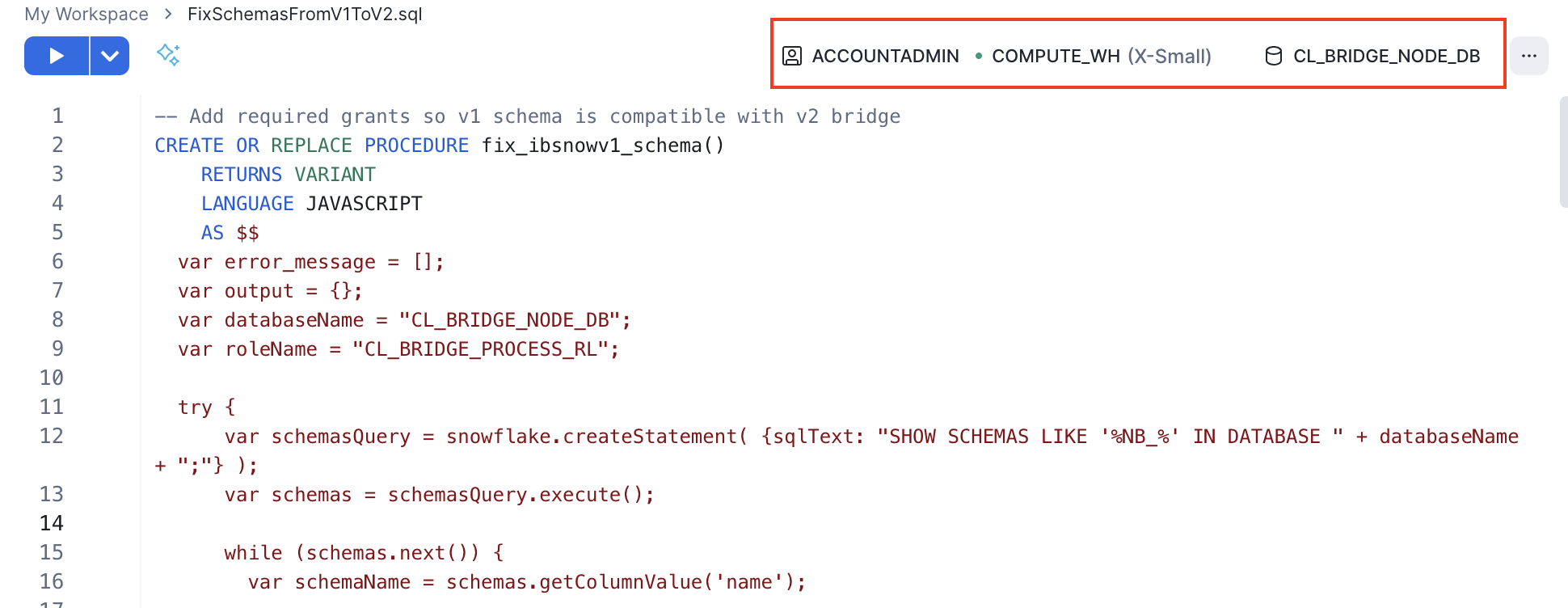
Copy this script into the worksheet and run. This will grant USAGE and MONITOR on current and future schemas and grant SELECT for current and future views. Be sure to update the variables for roleName and databaseName, if needed:
-- Add required grants so v1 schema is compatible with v2 bridge
CREATE OR REPLACE PROCEDURE fix_ibsnowv1_schema()
RETURNS VARIANT
LANGUAGE JAVASCRIPT
AS
$$
  var error_message = [];
  var output = {};
  var databaseName = "CL_BRIDGE_NODE_DB";
  var roleName = "CL_BRIDGE_PROCESS_RL";

  try {
      var schemasQuery = snowflake.createStatement( {sqlText: "SHOW SCHEMAS LIKE '%NB_%' IN DATABASE " + databaseName + ";"} );
      var schemas = schemasQuery.execute();

      while (schemas.next()) {
        var schemaName = schemas.getColumnValue('name');

        var schemaGrantsQuery = snowflake.createStatement( {sqlText: "GRANT USAGE, MONITOR ON SCHEMA " + schemaName + " to role " + roleName + ";"} );
        var schemaGrants = schemaGrantsQuery.execute();

        var viewsQuery = snowflake.createStatement( {sqlText: "SHOW VIEWS IN SCHEMA " + schemaName + ";"} );
        var vviews = viewsQuery.execute();

        while (!!vviews && vviews.next()) {
          var viewName = vviews.getColumnValue('name');

          var viewGrantsQuery = snowflake.createStatement( {sqlText: "GRANT SELECT ON VIEW " + databaseName + "." + schemaName + "." + viewName + " to role " + roleName + ";"} );
          var viewGrants = viewGrantsQuery.execute();
        }
      }

      var futureSchemaGrantsQuery = snowflake.createStatement( {sqlText: "GRANT USAGE, MONITOR ON FUTURE SCHEMAS in database " + databaseName + " to role " + roleName + ";"} );
      var futureSchemaGrants = futureSchemaGrantsQuery.execute();

      var futureViewGrantsQuery = snowflake.createStatement( {sqlText: "GRANT SELECT ON FUTURE VIEWS in database " + databaseName + " to role " + roleName + ";"} );
      var futureViewGrants = futureViewGrantsQuery.execute();
  } catch (e) {
    error_message.push(` {
        error_code : ‘${e.code}’,
        error_state : ‘${e.state}’,
        error_message : ‘${e.message}’,
        stack_trace : ‘${e.stackTraceTxt}’
        } `);
  }

  output['Error_Message'] = error_message;
  return output;
$$;

use role accountadmin;
CALL fix_ibsnowv1_schema();
Stop the V1 IoT Bridge for Snowflake service on the existing instance of the IoT Bridge for Snowflake
For IoT Bridge for Snowflake version 1.0.3 and newer
sudo systemctl stop ibsnow
|
For IoT Bridge for Snowflake versions prior to 1.0.3
sudo /etc/init.d/ibsnow stop
|
Start the V2 IoT Bridge for Snowflake service on the new instance of the IoT Bridge for Snowflake created in Step 2
sudo systemctl start ibsnow
|
After confirming that data is flowing as expected, stop and terminate/delete the old IBSNOW instance

