The Record signature feature uses Password-based Encryption (PBE) to create a secret key from a user specified password and randomly generated salt (8 bytes). The secret key is used with a cryptographic hashing function to create a (HMAC) message authentication code. The random salt bytes are then appended to the end of the HMAC and the whole thing is Base64 encoded to achieve the Record signature.
Configuration in MQTT Transmission
Configuration for the digital signature is detailed here MT: Configuration#RecordsRecordsSignature
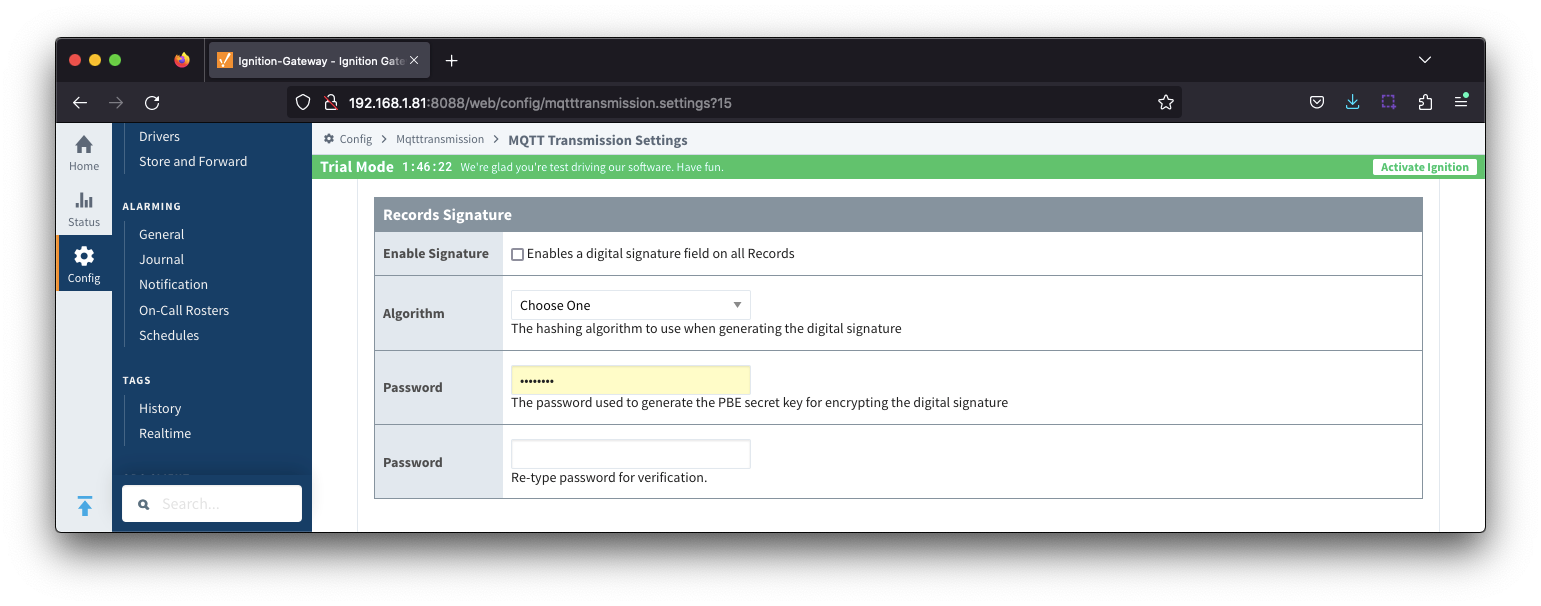
Use the MQTT Recorder tags MR: Tags to validate the records in the database
| Request Hashing Algorithm | String | A writeable tag that sets the requested hashing algorithm to compare database data against |
| Request Index End | Long | The last record index to use in the comparison |
| Request Index Start | Long | The first record index to use in the comparison |
| Request Password | String | The password for the database |
| Request Table Name | String | The table name containing the records |
| Result | Dataset | An array containing a set of validation results for each record |
| Result value > index | Long Array | The record index |
| Result value > signature | String Array | The record signature |
| Result value > validated | Boolean Array | The result indicating that the record signature matches the request signature |
| Result value > error | String Array | A message detailing any errors that occurred when performing the validation |
| Status | String | A message to indicate the success or failure of the database query. If this status returns Success, the Result dataset will contain the validation result for each record. |
| Validate | Boolean | A writeable tag that triggers the validation to occur |
These tags allow you to confirm that the data in the database has been written using the appropriate hashing algorithm using the steps below:
- Set the Request Hashing Algorithm to match the hashing algorithm configured at MQTT Transmission
- Set the Request Index End and Request Index Start to define the record index's to use in the comparison
- Set the Request Password to the password required for the Datasource configure in the MQTT Recorder
- Set the Request Table Name to the table name containing the records for comparison
- Set the Validate tag to True to trigger the validation
The response will be contained in the Status and Result tags.
Status will return either Success or Failure for the database query.
Result will return an array containing the validation result for the record if the Status is Success. The array includes:
- The record index
- The record signature
- The result indicating that the record signature matches the request signature
- A message detailing any errors that occurred when performing the validation

