You are viewing an old version of this page. View the current version.
Compare with Current
View Page History
« Previous
Version 5
Next »
The most common reason for excessive memory usage at an MQTT Server is that messages are being stored at the MQTT Server for future delivery.
There are two reasons messages are stored at an MQTT Server:
- MQTT clients are connecting with the 'Clean Session' flag set to False
To receive messages from an MQTT Server, a client establishes a connection and creates subscriptions to the desired topics.
When a MQTT client connects in a non-persistent session, with 'Clean Sesion' set to True, if the connection between the client and broker is interrupted the client loses its subscriptions and needs to re-subscribe upon reconnection.
When a MQTT client connects in a persistent session, 'Clean Session' set to False, all relevant client information on the broker is stored ensuring that subscriptions and messages are retained even when the client is offline.
- MQTT client publishing with the 'Retain' flag set to True
When a client publishes a message with the “retained” flag set to true, the broker retains the message. Consequently, any client subscribing to the corresponding topic will receive the most recent retained message, even if no recent publications have occurred.
The chart below summarizes how Quality of Service (QOS), Clean Session flag and Retain Message flag affects what messages are received.
| Retain Message flag | Clean Session flag | Subscribe QOS | Publish QOS | Published Message Always Received |
|---|
| False | True | 0 | 0 | No |
| False | True | 0 | 1 or 2 | No |
| False | True | 1 or 2 | 0 | No |
| False | True | 1 or 2 | 1 or 2 | No |
| False | False | 0 | 0 | No |
| False | False | 0 | 1 or 2 | No |
| False | False | 1 or 2 | 0 | No |
| False | False | 1 or 2 | 1 or 2 | Yes - all messages |
| True | True | 0 | 0 | Yes - last message only for each unique MQTT topic |
| True | True | 0 | 1 or 2 | Yes - last message only for each unique MQTT topic |
| True | True | 1 or 2 | 0 | Yes - last message only for each unique MQTT topic |
| True | True | 1 or 2 | 1 or 2 | Yes - last message only for each unique MQTT topic |
| True | False | 0 | 0 | Yes - last message only for each unique MQTT topic |
| True | False | 0 | 1 or 2 | Yes - last message only for each unique MQTT topic |
| True | False | 1 or 2 | 0 | Yes - last message only for each unique MQTT topic |
| True | False | 1 or 2 | 1 or 2 | Yes - all messages |
Chariot MQTT Server
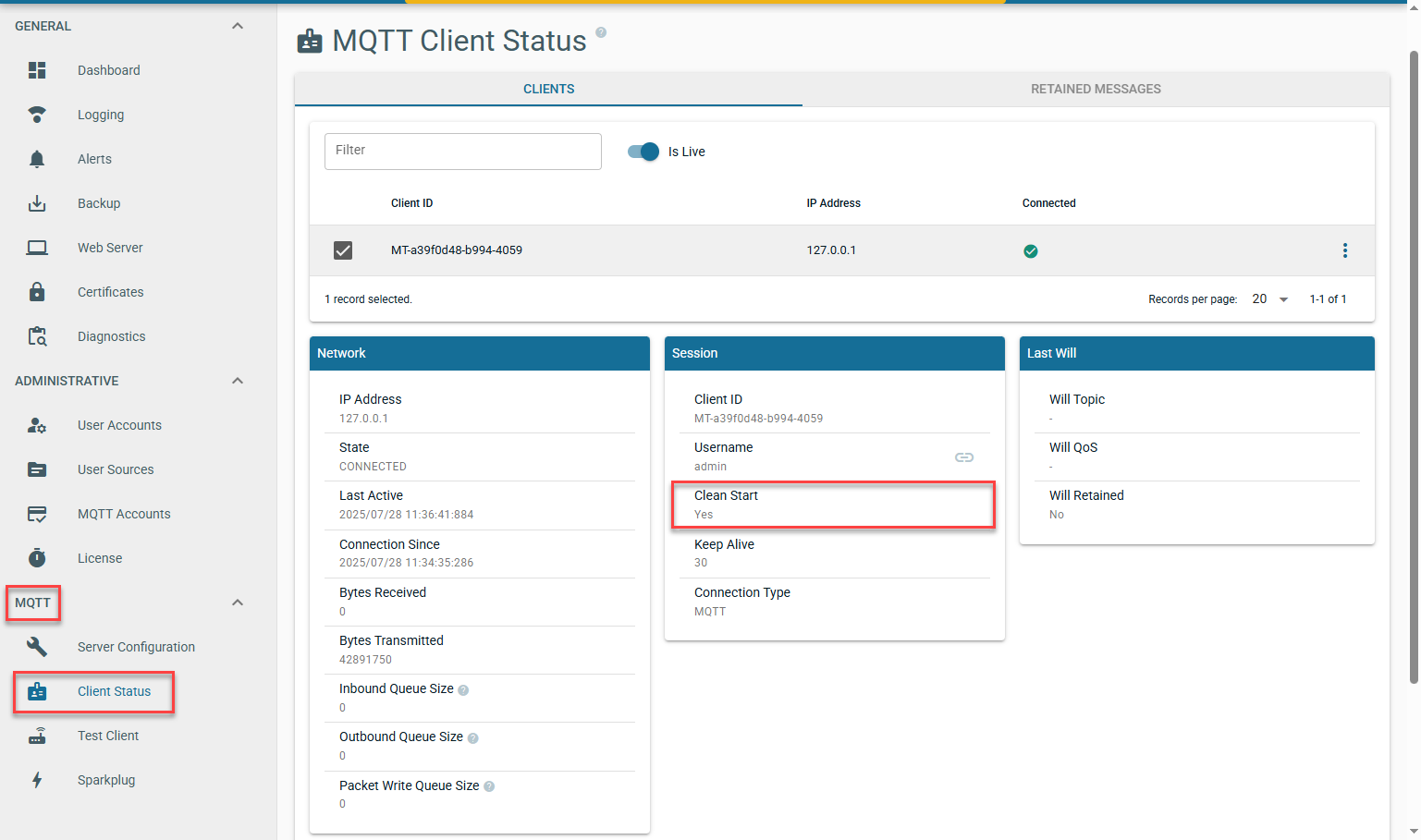
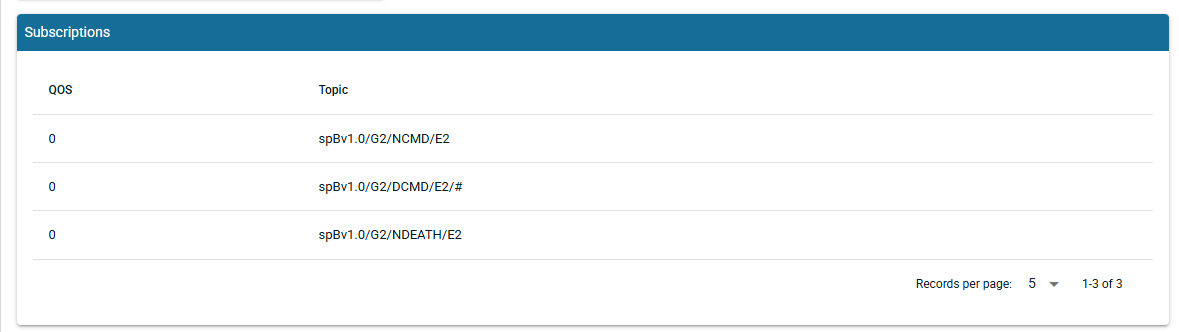
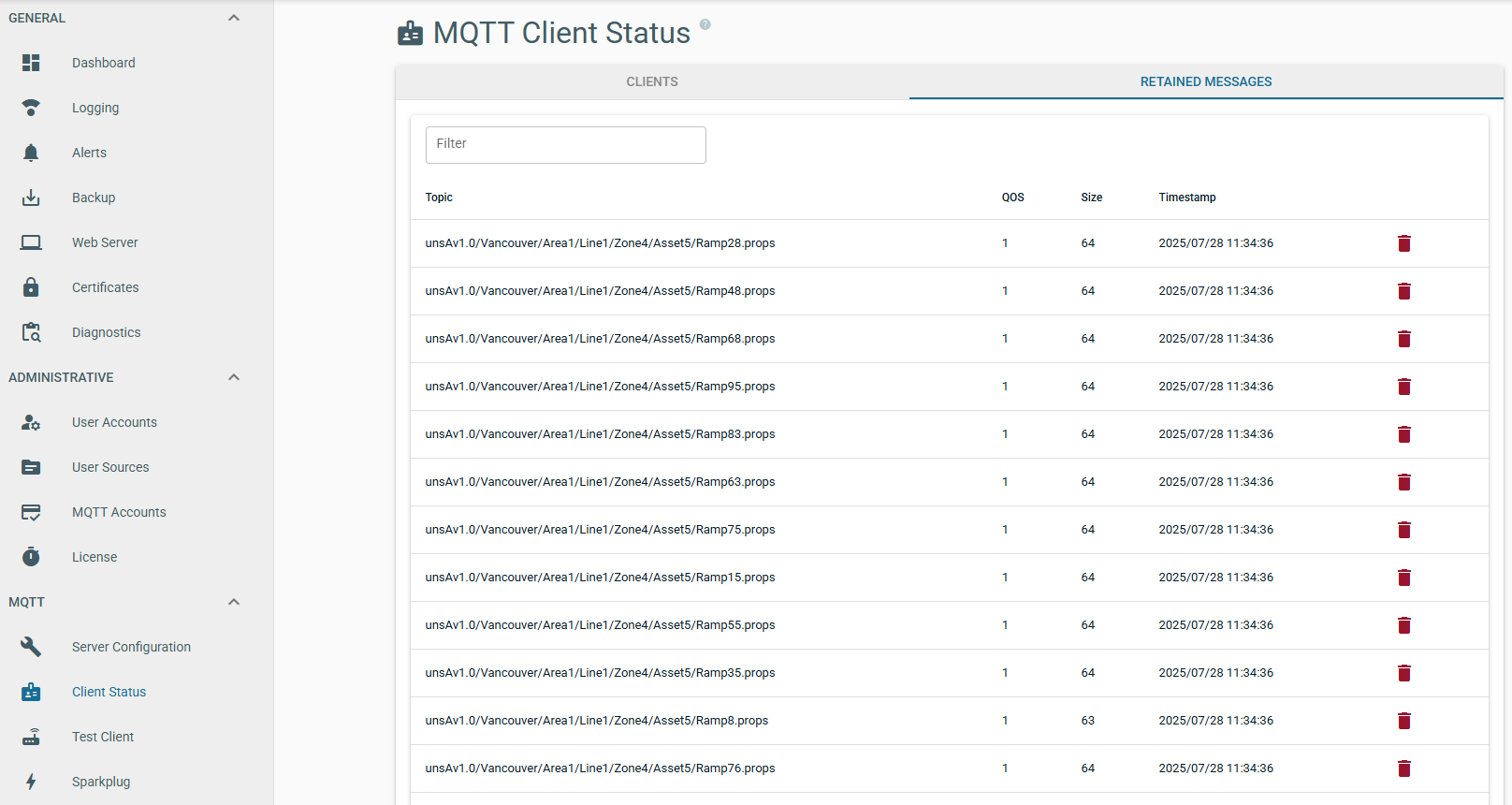
The Chariot UI will display MQTT Client details under MQTT > Client Status including the Clean Session flag, the subscribe QOS and all Retained Messages.
Clean Session
Subscription QOS
Retained Messages
MQTT Distributor
Clean Session
By default MQTT Distributor com.cirruslink.chariot.server.core.PacketHandler will log each MQTT client connection indicating the 'Clean Session' flag as shown below:

A [C] in this message indicates Clean Session = True whilst a [P] indicates Clean Session = False
Subscription QOS
By default MQTT Distributor com.cirruslink.chariot.server.core.PacketHandler will log each MQTT client subscription as shown below:

The [] after the topic subscription indicates the quality of service. For example:
- spBv1.0/STATE/IamHost is subscribing with QOS 1
- spBv1.0/# is subscribing with QOS 0
Retained Messages
Retained messages are currently not available to view in MQTT Distributor

