


Previous IoT Bridge for Snowflake
This document covers v3.0.0 and newer versions of IoT Bridge for Snowflake. The latest version ships with Chariot. For older documentation for the standalone version of IoT Bridge for Snowflake go to this page.
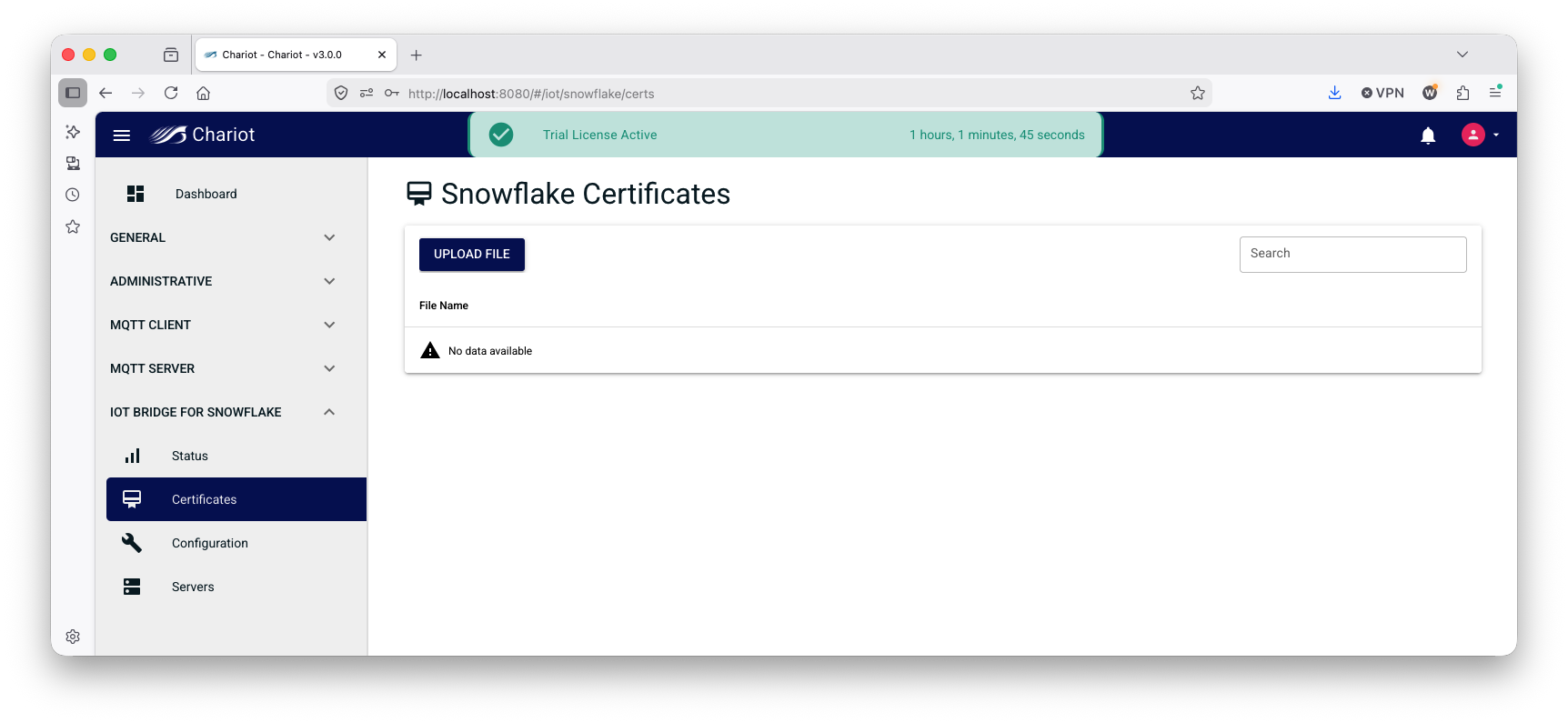
IoT Bridge for Snowflake requires certificates to establish a connection to Snowflake. Private key files can be uploaded on the 'IoT Bridge for Snowflake → Certificates' page as shown below:
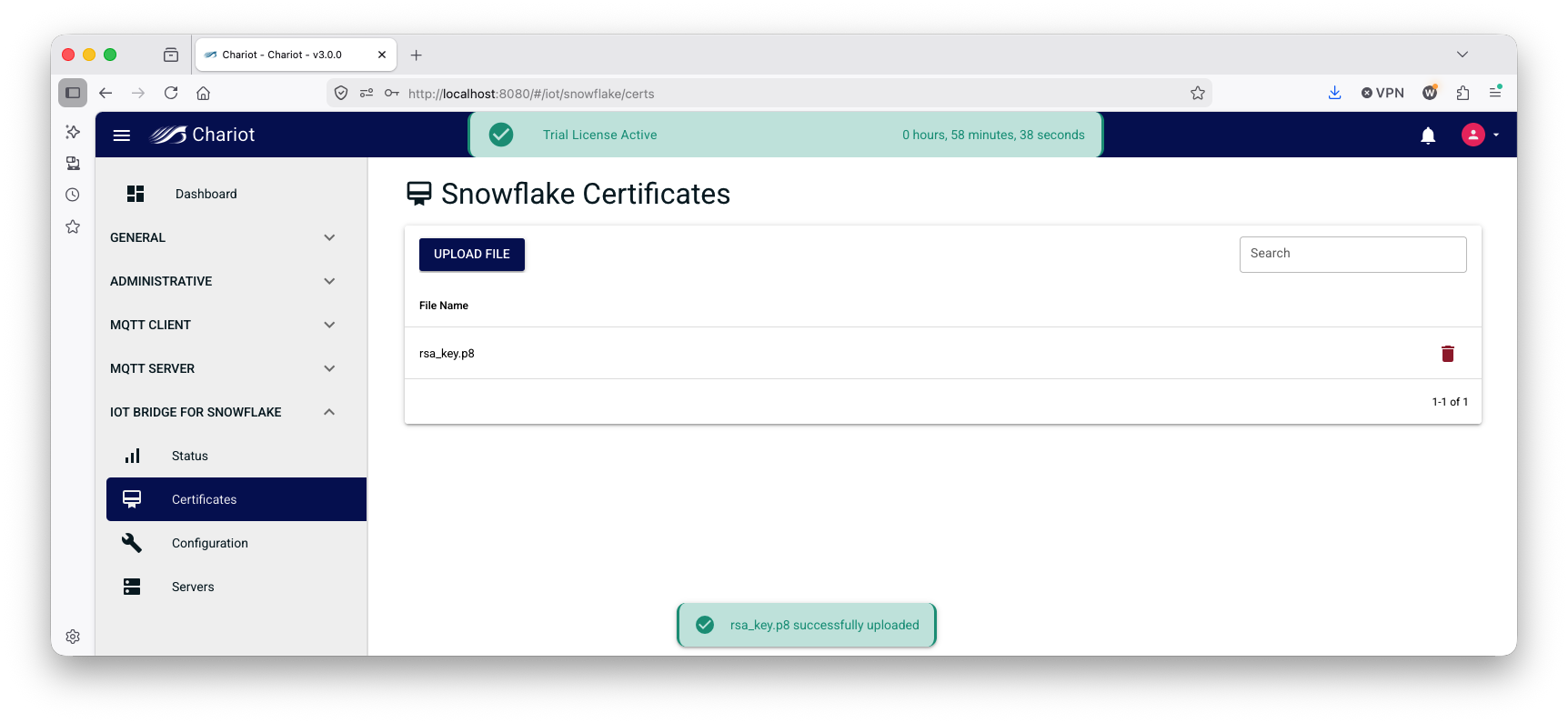
To upload a private key file, simply click 'UPLOAD FILE', select the file, and it will appear in the certificates page as shown below:
The configuration of the connection to Snowflake and the properties around how IoT Bridge functions are in the 'IoT Bridge for Snowflake → Configuration' section as shown below.
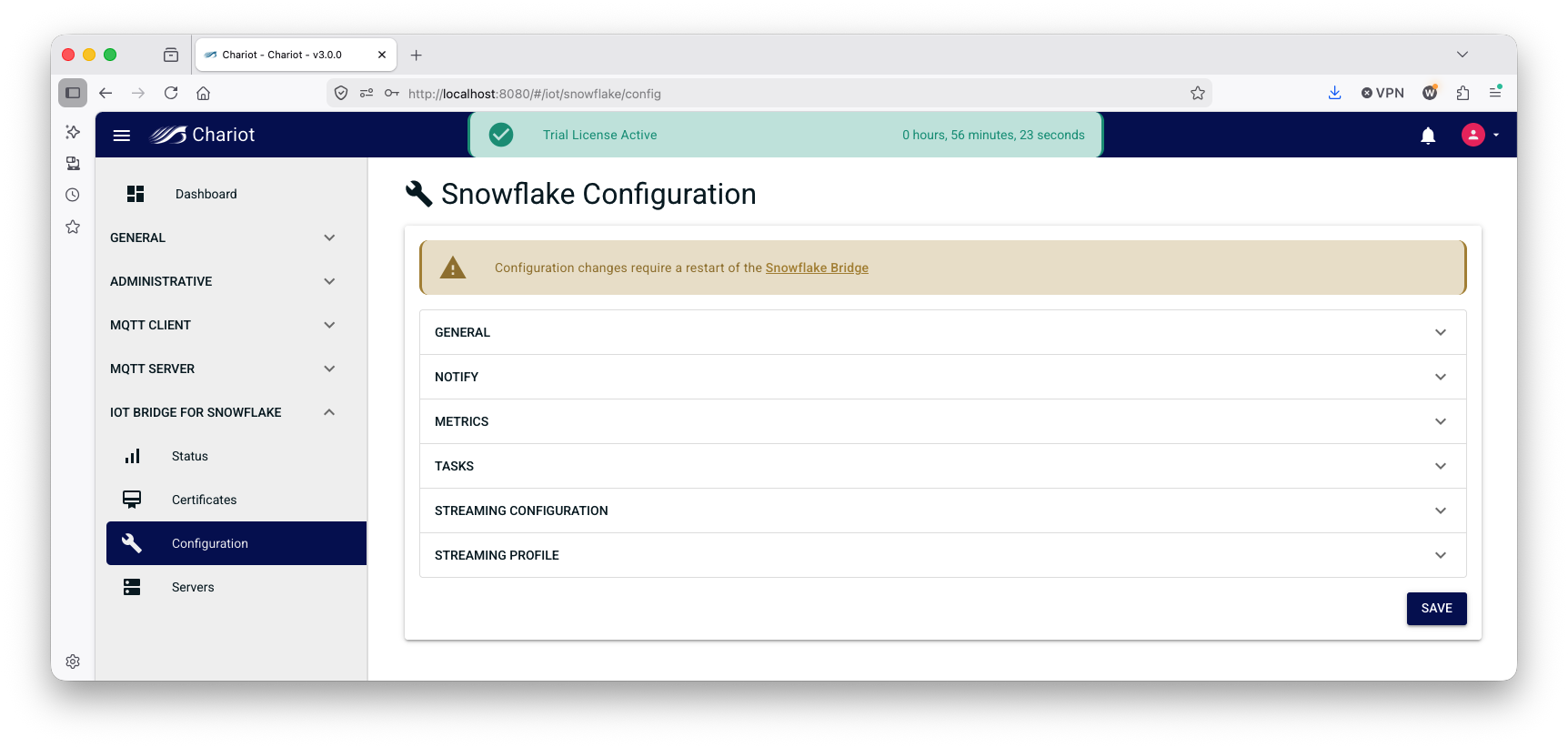
Each of the configuration properties is described below.
- General
- Snowflake Sparkplug MQTT Application Enabled
- Enable the Snowflake Sparkplug MQTT Application which will allow IoT Bridge for Snowflake to process Sparkplug B messages
- Snowflake Raw MQTT Application Enabled
- Enable Snowflake Raw MQTT Application which will allow IoT Bridge for Snowflake to process non-Sparkplug MQTT messages
- Primary Host
- The primary host ID if this IoT Bridge for Snowflake instance is the acting primary host
- Region
- The Cloud region the IoT Bridge for Snowflake instance is in if applicable
- Schema Version
- IBSNOW schema version. Defines the IoT Bridge for Snowflake schema to be used when calling stored procedures
- Sequence Reordering Timeout (in ms)
- The Sparkplug sequence reordering timeout in milliseconds
- Snowflake Sparkplug MQTT Application Enabled
- Notify
- Notify Database Name
- The Database name associated with the connection that is already provisioned in the Snowflake account (e.g. MyDb)
- Notify Warehouse Name
- The Warehouse name associated with the notifications already provisioned in the Snowflake account (e.g. PUBLIC)
- Notify Schema Name
- The Schema name associated with the Database already provisioned in the Snowflake account (e.g. PUBLIC)
- Notify Database Name
- Metrics
- Metrics Enabled
- Whether or not to create and update IBSNOW informational tracking metrics
- Enable Performance Metrics
- Enable performance metrics such as 'NotifyIngest thread pool info' and 'Message Inflow Rates' per EdgeNode or topic
- Metrics Sparkplug Group ID
- The Sparkplug Group ID to use for IBSNOW asset names
- Metrics Bridge Info Sparkplug Edge Node ID
- The 'Bridge Info' Sparkplug Edge Node ID to use for IBSNOW assets
- Metrics Edge Node Info Sparkplug Edge Node ID
- The 'Edge Node Info' Sparkplug Edge Node ID to use for IBSNOW assets
- Metrics MQTT Client Info Edge Node ID
- The 'MQTT Client Info' Sparkplug Edge Node ID to use for IBSNOW assets
- Metrics Enabled
- Tasks
- Tasks Enabled
- Whether or not to send notification tasks to Snowflake based on incoming Sparkplug events
- Birth Thread Count
- The number of threads to use for BIRTH handling in Snowflake
- NBirth Retries
- The number of times to retry the NotifyIngest task on failure
- Keep Alive (in seconds)
- This setting allows to kill inactive threads after keep-alive expires
- NBirth Delay (in ms)
- The number of milliseconds to delay after receiving an NBIRTH before notifying Snowflake over the event (requires snowflake_notify_task_enabled is true)
- Data Delay (in ms)
- The number of milliseconds to delay after receiving a DBIRTH or DATA message before notifying Snowflake over the event (requires snowflake_notify_task_enabled is true)
- Tasks Enabled
- Streaming Configuration
- Topic Based Insert
- Do raw MQTT inserts one topic at a time
- Channel Scheme
- The scheme to use for channels and their names
- Channel Name
- A custom channel name for the connection (e.g. MyChannel)
- Channel Scheme Prefix
- A channel name prefix to the channel scheme defined above
- This is required when IBSNOW is deployed in a redundant configuration
- This prefix should be unique to this IBSNOW instance
- Sparkplug Table Name
- The Table name for Sparkplug data associated with the Database and Schema already provisioned in the Snowflake account (e.g. MyTable)
- MQTT Table Name
- The Table name for RAW MQTT data
- Max MQTT Streaming Channel
- Maximum number of streaming channels for RAW MQTT message
- Max Sparkplug Insert Batch Size
- Maximum number of rows to insert into the snowflake_streaming_table at once. Set to 0 for no limit
- Max MQTT Insert Batch Size
- Maximum number of rows to insert into the snowflake_mqtt_streaming_table at once. Set to 0 for no limit
- Ingest Task Period (in seconds)
- Ingest task execution period in seconds
- MQTT Ingest Task Period (in seconds)
- Raw MQTT ingest task execution period in seconds
- Topic Based Insert
- Streaming Profile
- User
- The user provisioned in Snowflake and granted the processor_role by the IoT Bridge Setup Assistant
- URL
- The snowflake endpoint
- Example: https://ACCOUNT_ID.snowflakecomputing.com:443
- Replace ACCOUNT_ID with your Snowflake Account ID
- Account
- The Snowflake Account ID
- Private Key
- Select your private key file for Snowflake that was uploaded to the certificates page
- Port
- Must be 443
- Host
- The snowflake endoing FQDN
- Example: ACCOUNT_ID.snowflakecomputing.com
- Replace ACCOUNT_ID with your Snowflake Account ID
- Schema
- This is the staging_schema from the IoT Bridge Setup Assistant. If using default settings, this will be stage_db
- Scheme
- Streaming protocol (http/https)
- Database
- This is the cl_bridge_staging_db form the IoT Bridge Setup Assistant. If using default settings, this will be cl_bridge_stage_db
- Connect String
- Example: jdbc:snowflake://ACCOUNT_ID.snowflakecomputing.com:443
- Replace ACCOUNT_ID with your Snowflake Account ID
- Example: jdbc:snowflake://ACCOUNT_ID.snowflakecomputing.com:443
- SSL
- Enable SSL for the streaming profile connection
- Warehouse
- This is the cl_bridge_ingestion_warehouse from the IoT Bridge Setup Assistant. If using default settings, this will be cl-bridge_ingest_warehouse
- Role
- This is the processor_role from the IoT Bridge Setup Assistant. If using default settings, this will be cl_bridge_process_rl
- User
Overview
Content Tools