The history configuration for MQTT Engine tags can be configured as needed for your specific requirements as described in Ignition's Configuring Tag History and How the Tag Historian System Works documents.
However, when using MQTT Store and Forward where historical events will be published, there are some caveats to be aware of.
MQTT Engine Historical Event Processing
MQTT Engine has two ways to process historical events and insert the historical data into Ignition's Tag Historian module
Writing historical events directly to the database, via the Historian, bypassing the tag
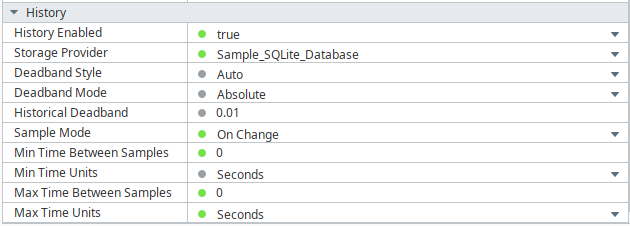
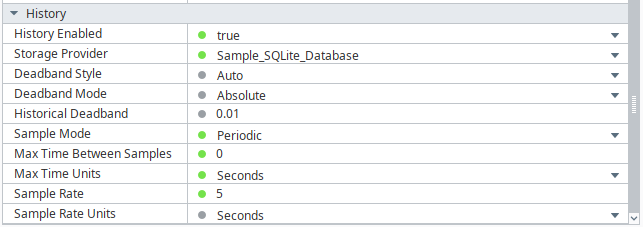
The configuration parameters required to write historical events directly to the database, via the Historian, bypassing the Tag are shown below.
MQTT Engine
Under the MQTT Engine Settings General Tab, navigate to the Miscellaneous Settings and ensure Store Historical events is selected

Tag History Configuration
History must be enabled on the tag but the only property used from the tag history configuration is the Storage Provider.
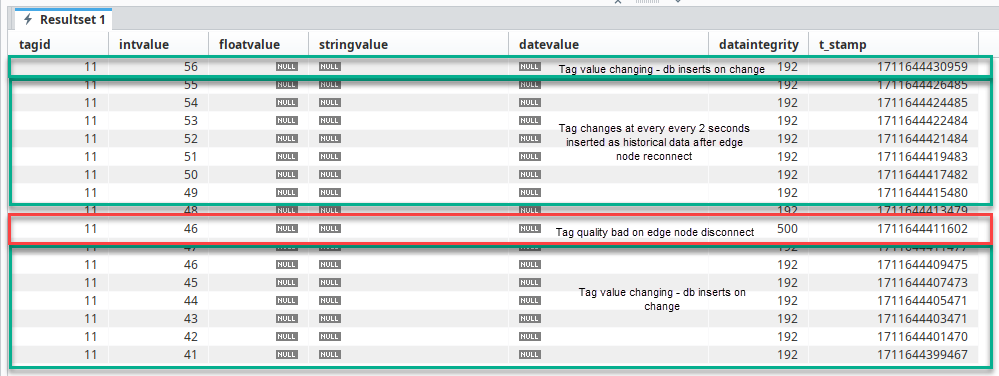
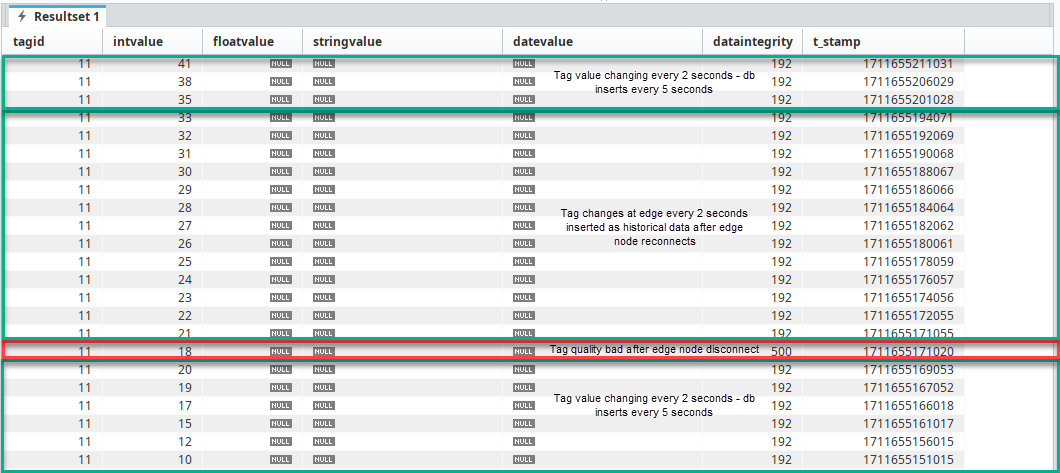
All historic data will be written to Storage Provider, via the Historian, using the timestamp associated with the historical data.
Examples
Writing historical events directly to tag
There are several reasons why you might need to write directly to the tag which include:
- To have Tag Events scripts fire when applicable
- If indirectly referencing MQTT Engine tags
- To have alarms triggered when applicable
The configuration parameters required to write historical events to the Tag instead of directly to the Historian are detailed below.
MQTT Engine
Under the MQTT Engine Settings General Tab, navigate to the Miscellaneous Settings and ensure Store Historical events is de-selected

Tag History Configuration
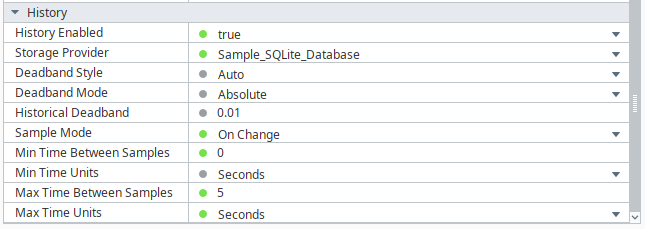
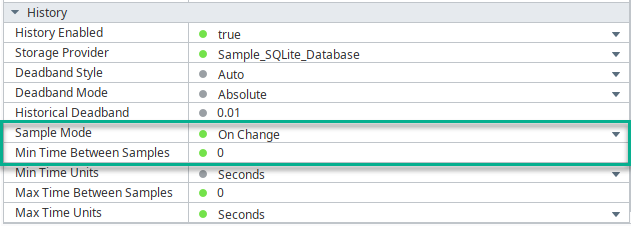
History must be enabled on the tag with these two settings required:
- Sample Mode set to On Change
- Min Time Between Samples set to 0
- This is to account for historical metrics with high resolution timestamp eg. timestamps 1 ms apart for a single tag.
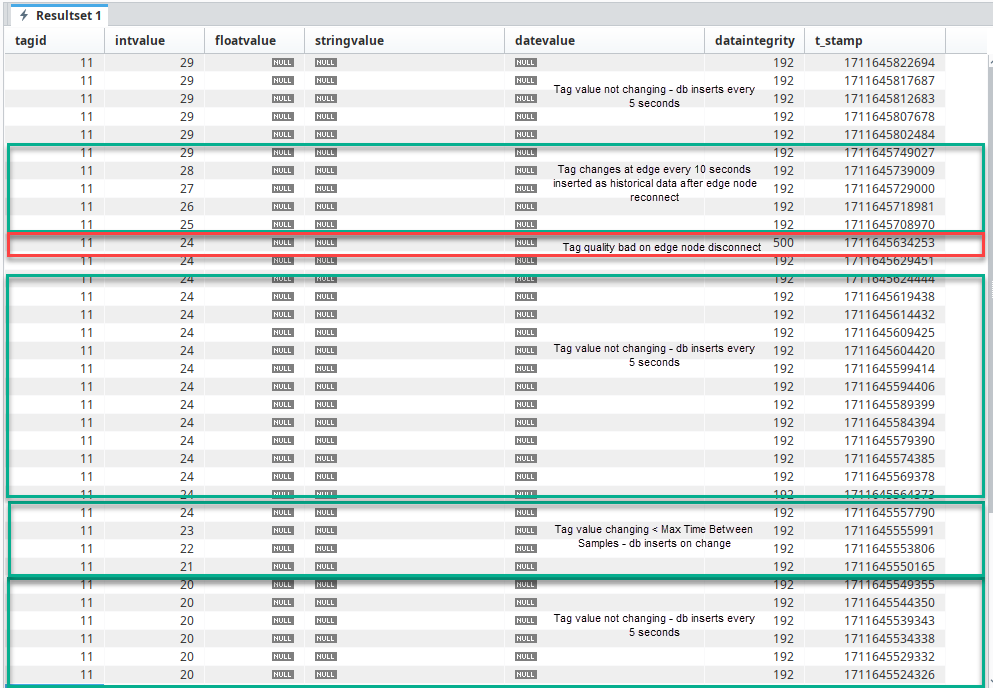
All historic data will be written to the tag using the timestamp associated with the historical data.
Examples
History Configuration Persistence
History configuration for MQTT Engine tags is not persistent however it may be required to delete MQTT Engine tags in certain cases.
For example if UDTs are being propagated from the Edge and the UDT definition on the Edge has been updated. This requires one to delete all instances of the UDT under MQTT Engine and delete the corresponding UDT definition so that it can be recreated/updated at MQTT Engine for the Edge side changes to take affect.
There are two options for persisting history configuration in this case and they are as follows:
Reference Tags
The recommend way of configuring history for MQTT Engine tags is to use reference tags to indirectly reference MQTT Engine tags. This allows the history configuration to be persisted on the Reference tag when the underlying MQTT Engine tags are deleted.
If using an Ignition release before v8.1.4, in order for the historical tag changes at the MQTT Engine tag to propagate to the referencing tag, MQTT Engine must be configured to write historical data directly to its tags. See the Writing historical events directly to tag section for configuration details.
Historical back-fill support was added in Ignition 8.1.4 which allows Reference Tags in Ignition to be updated even if history arrives out of order. See the following document for details : MQTT History Back-Fill with Reference Tags
Scripting
Use Ignition scripting to reapply history configuration directly on MQTT Engine tags on demand.


