EFM ABB Totalflow provides a configuration section to the Ignition Gateway and this can be seen in the left side menu bar of the Ignition Gateway web UI.
| Warning |
|---|
Please review the EFM ABB Totalflow Quickstart for all configuration steps required to pull data from a Totalflow into Ignition |
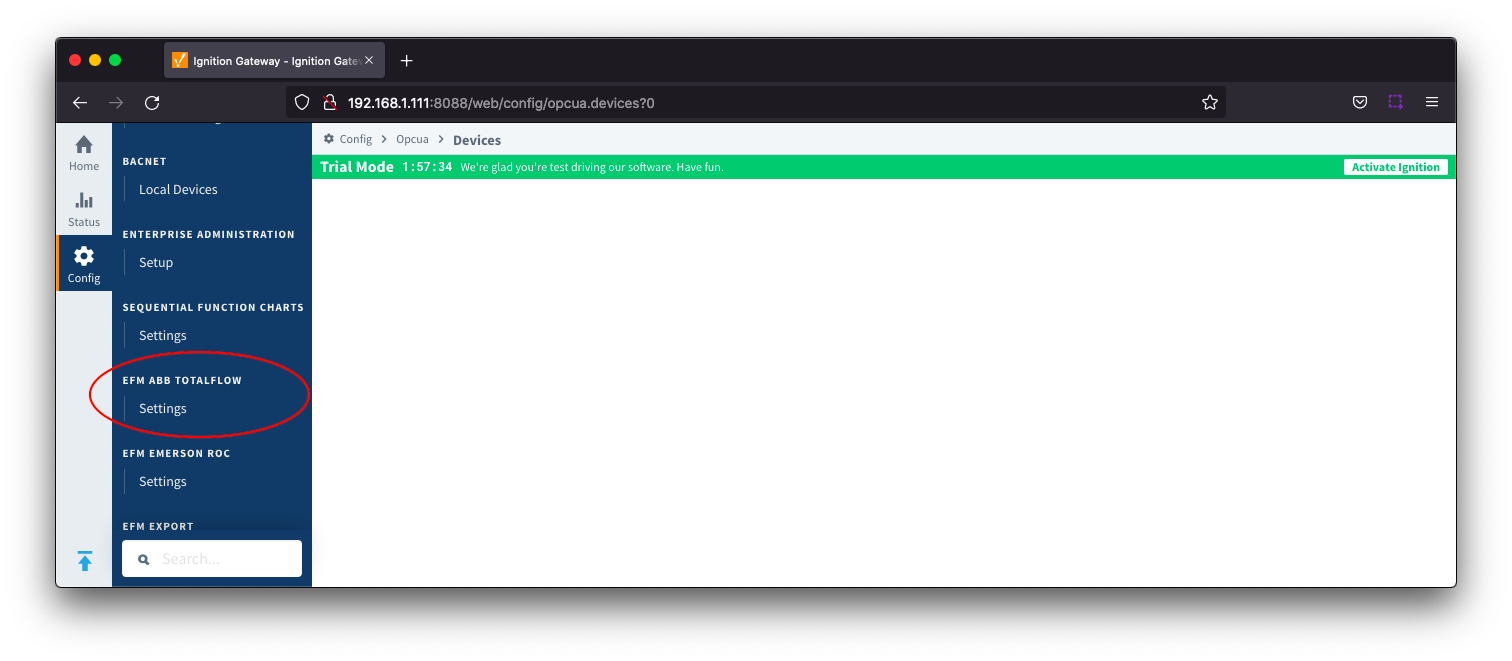 Image Added
The configuration options for each of the three tabs - Array-Register Definitions, Totalflow Application Definitions and EFM Mappings - are detailed below.
| Tip |
|---|
The Cirrus Link default Array-Register Definitions and EFM Periodic Mapping files can be used as a starting point for configuring the EFM ABB Totalflow module. The Totalflow Application Definitions file can be used as an example if you need to add application definitions that are not known to the driver. |
| Anchor |
|---|
| ArrayRegisterDefinitions |
|---|
| ArrayRegisterDefinitions |
|---|
|
Array-Register DefinitionsThe first tab contains settings for creating sets of Array-Register Definitions:
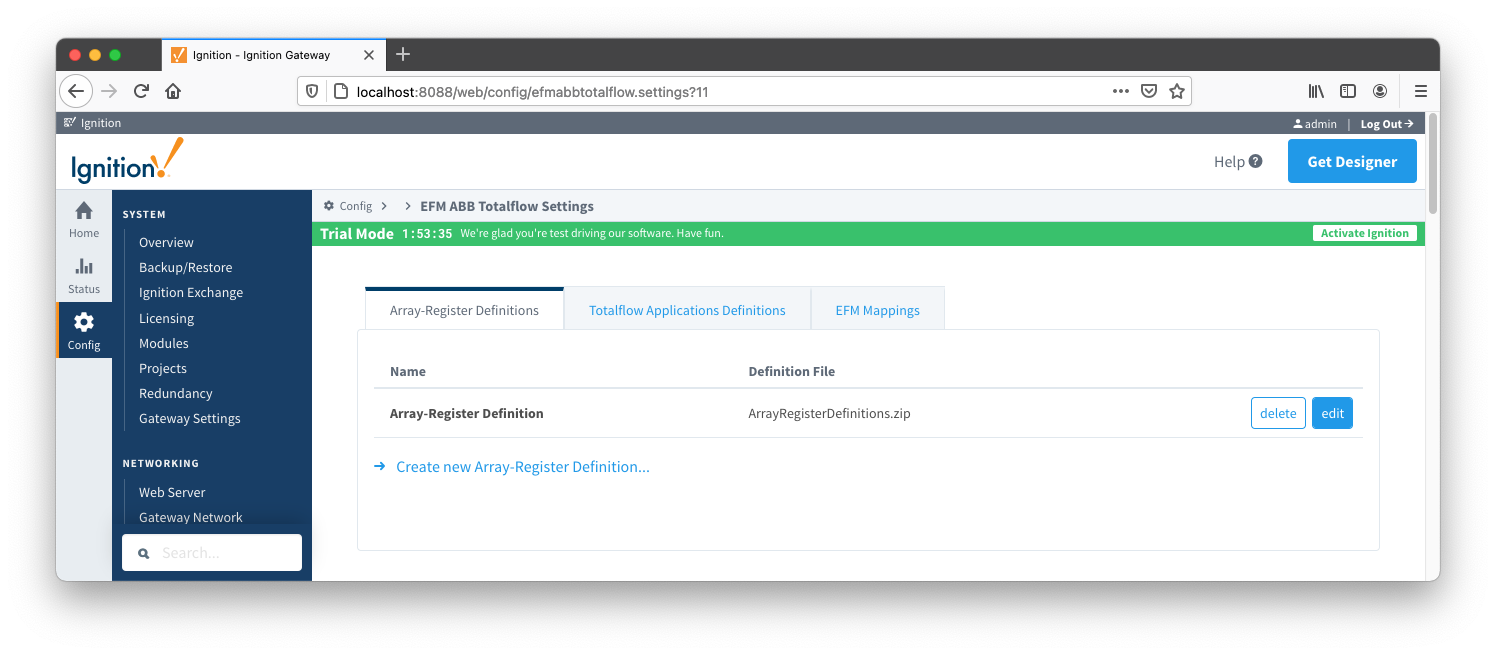 Image Added
New Array-Register Definitions can be created by following the 'Create new Array-Register Definition' link as shown below:
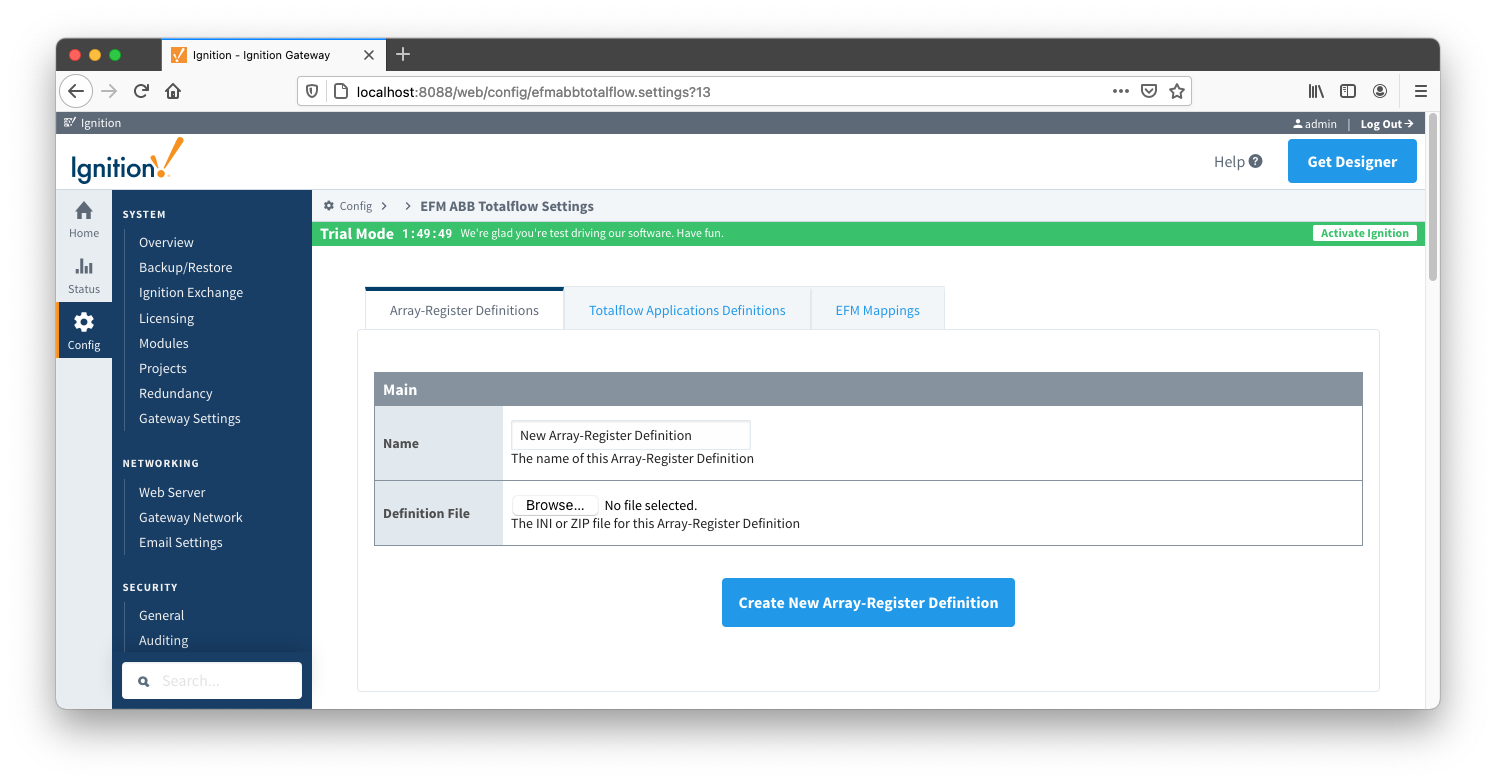 Image Added
Main Properties
| Warning |
|---|
It is best practice to add global Array-Register definitions before any Totalflow device connections are defined. If an Array-Register definition is added later, it needs to be added to a device connection manually. Even if device connection has the 'Add All Array-Register Definitions' option turned on, new global Array-Register definition will not be applied unless either added manually or device configuration is re-submitted. |
| Anchor |
|---|
| TotalflowApplicationsDefinitions |
|---|
| TotalflowApplicationsDefinitions |
|---|
|
Totalflow Applications DefinitionsThe Totalflow Applications Definitions provide the driver with application information.
| Tip |
|---|
| Review our ABB Totalflow: All files CSV formats for more details on the content of these application definition files. |
The Totalflow Applications Definitions tab allows user to add new application definitions or modified existing ones that driver was build with. The tab shows all uploaded application definitions files as shown below: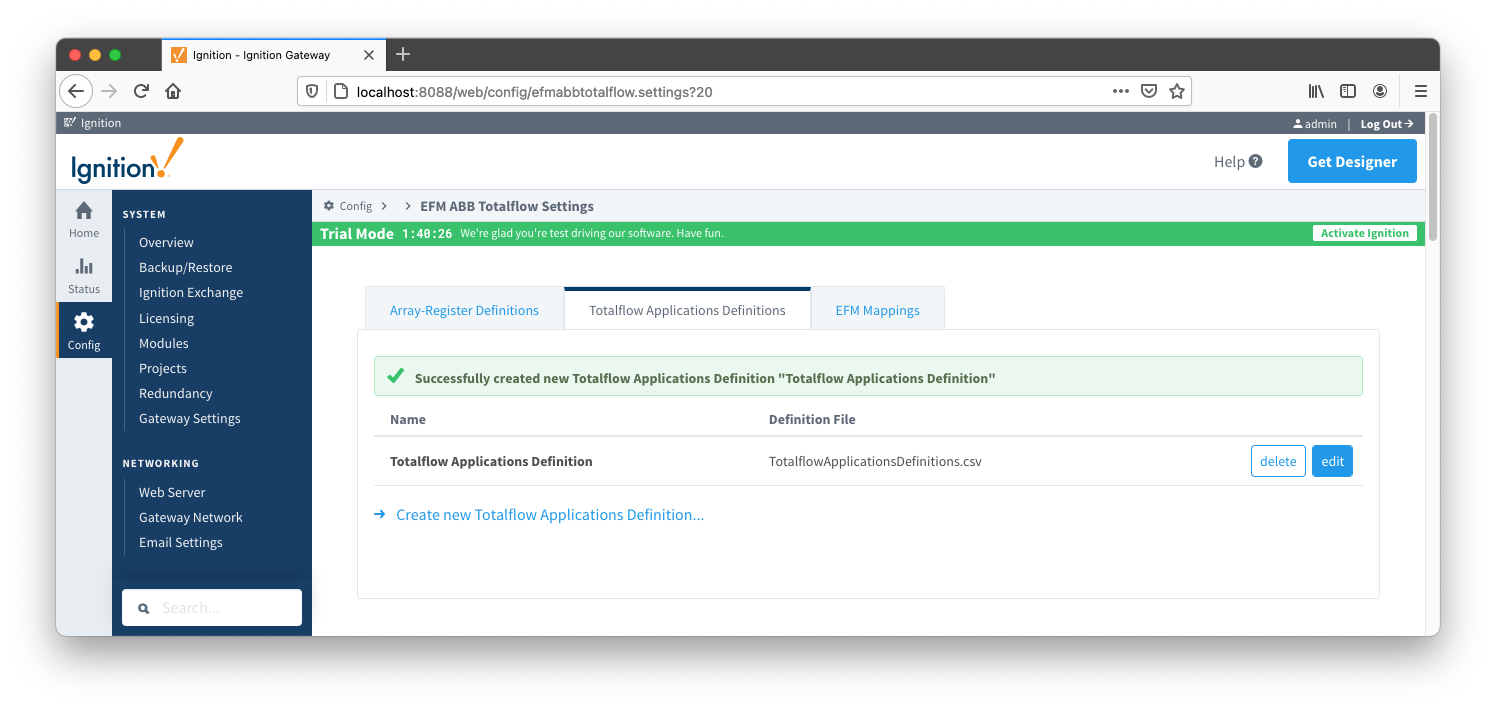 Image Added
A new Totalflow Applications Definition can be added by clicking on the "Create new Totalflow Applications Definition..." link.
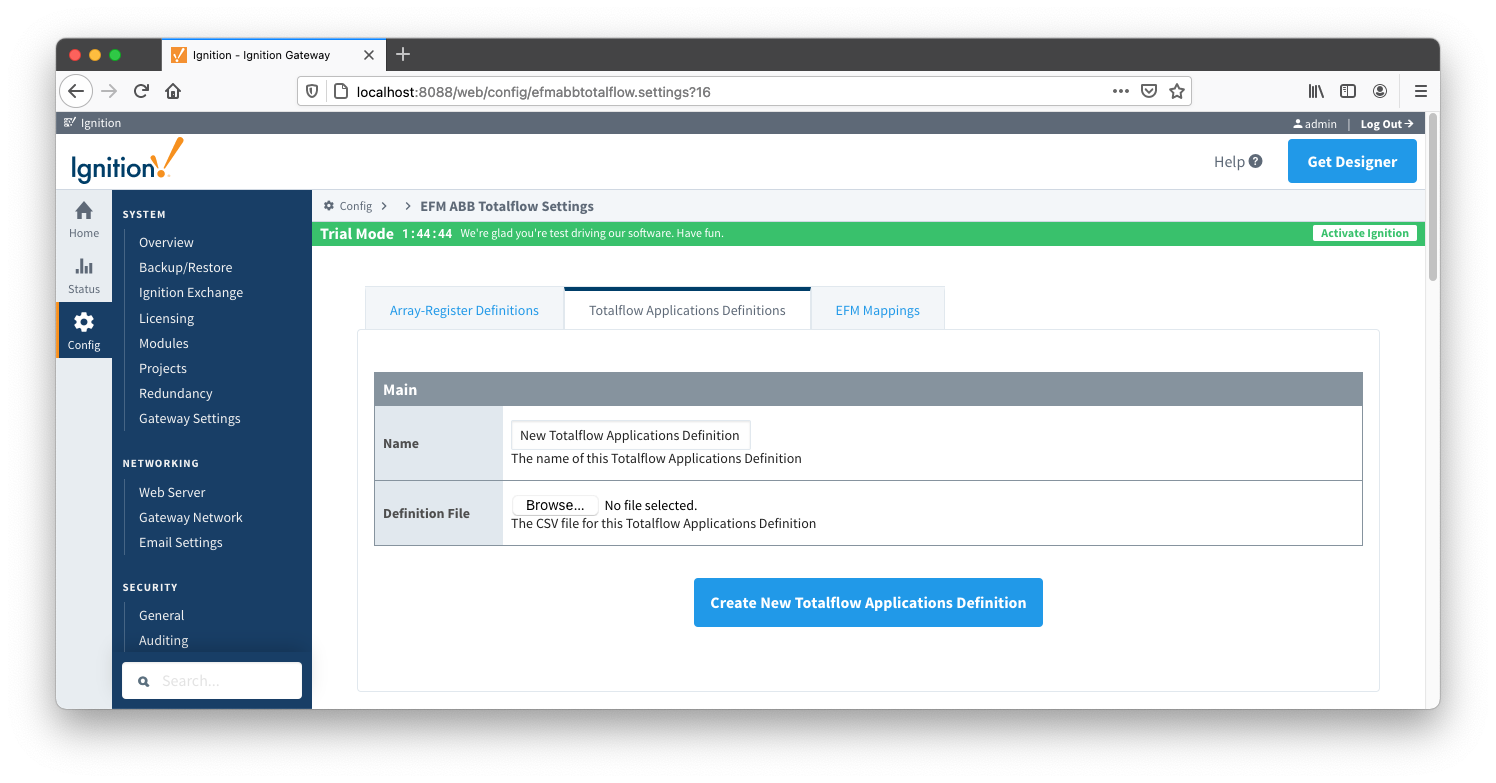 Image Added
Main Properties
EFM MappingsThe EFM Mappings are used for publishing EFM Records representing Daily and Periodic History entries that are polled from a device.
Periodic Mappings
The periodic mapping files are used for building up EFM Daily and Periodic History Records and they define column names for record's fields.
| Tip |
|---|
| Review our ABB Totalflow: All files CSV formats for more details on the content of these mapping files. |
The Periodic Mappings tab shows all uploaded Periodic Mapping files as shown below.
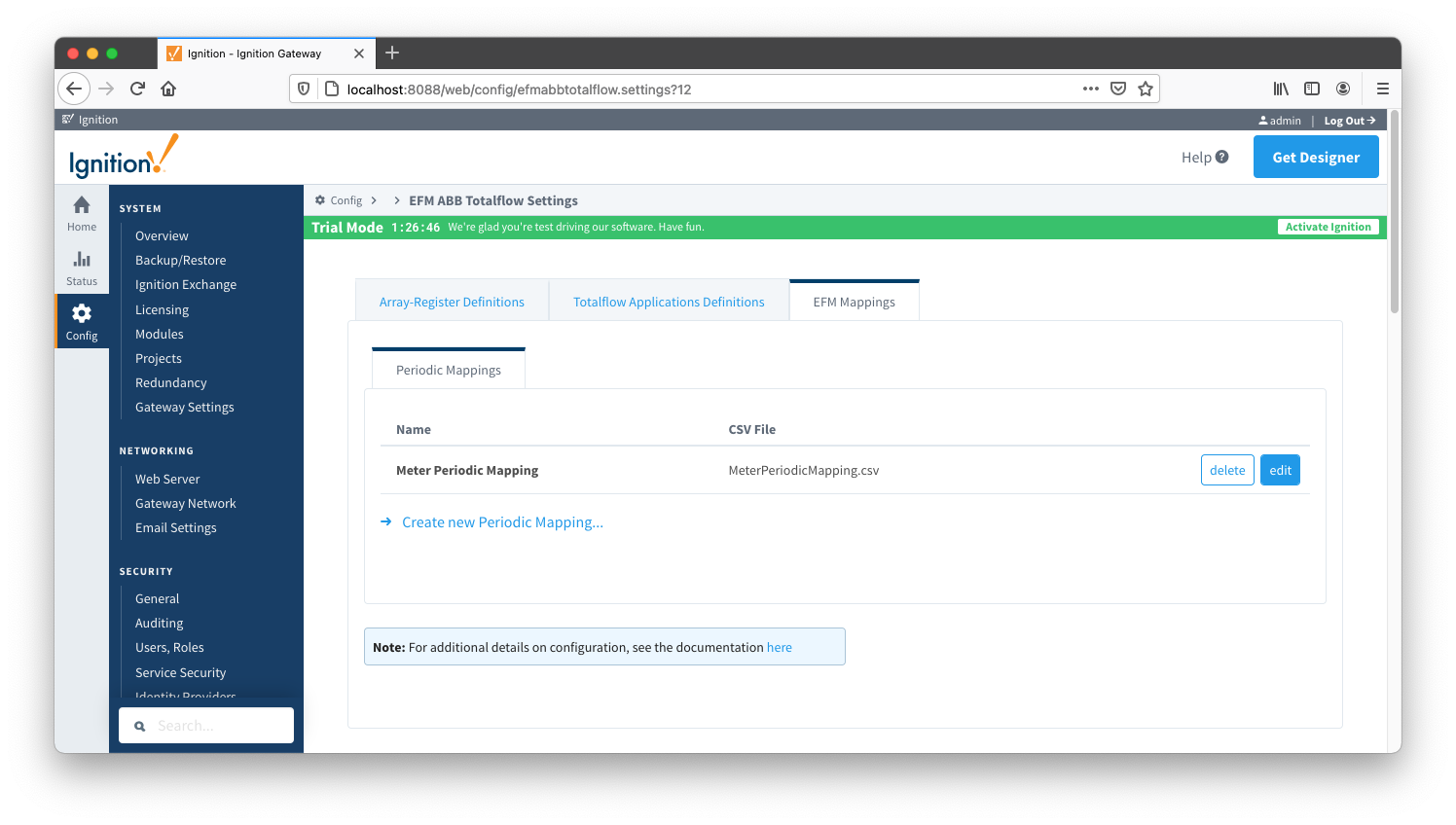 Image Added
A new Periodic Mapping can be added by clicking on the "Create new Periodic Mapping..." link.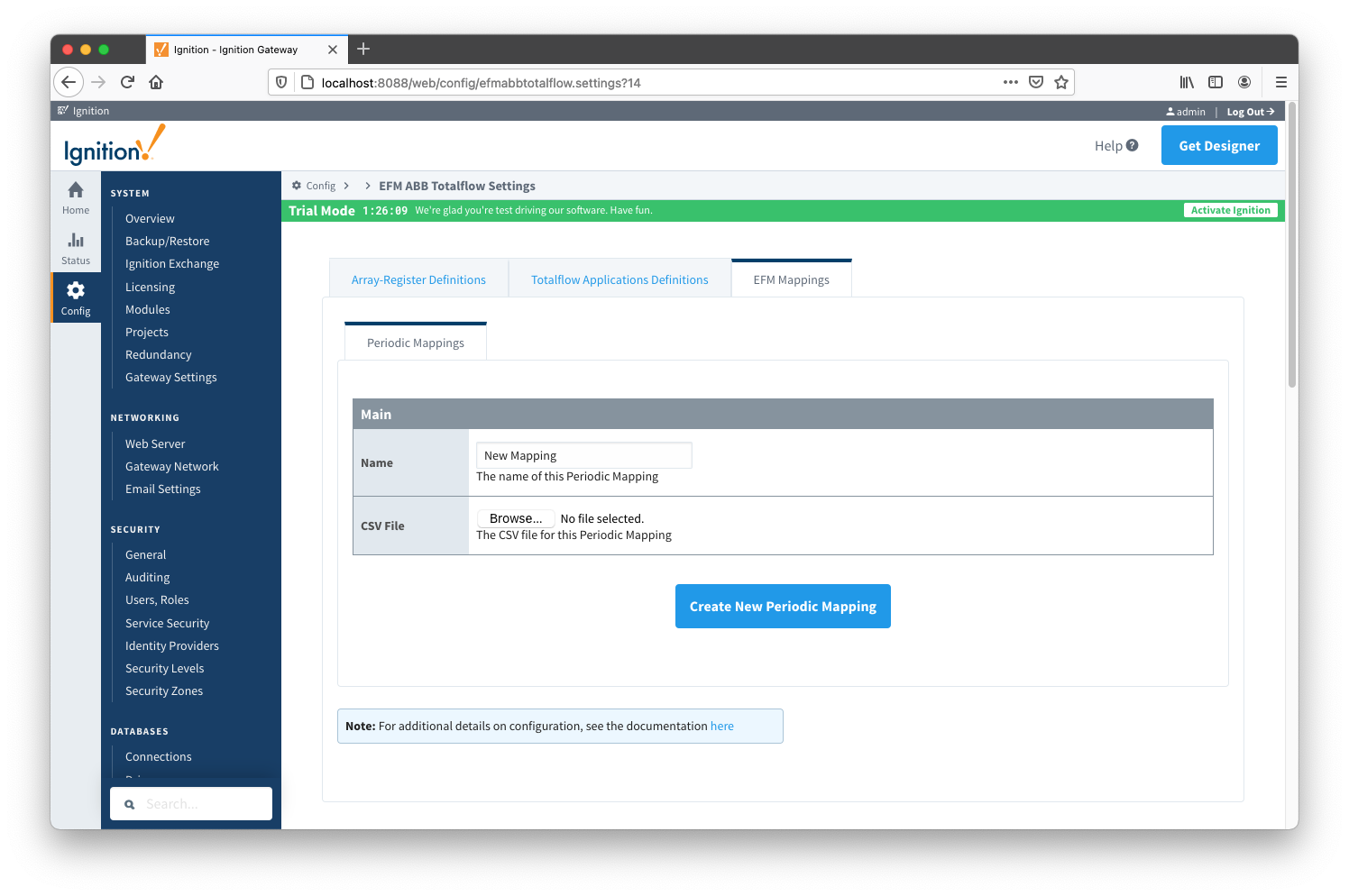 Image Added
Main Properties
EFM ABB Totalflow provides a configuration section to the Ignition Gateway and this can be seen in the left side menu bar of the Ignition Gateway web UI.
| Warning |
|---|
Please review the EFM ABB Totalflow Quickstart for all configuration steps required to pull data from a Totalflow into Ignition |
Image Added
The configuration options for each of the three tabs - Array-Register Definitions, Totalflow Application Definitions and EFM Mappings - are detailed below.
| Tip |
|---|
The Cirrus Link default Array-Register Definitions and EFM Periodic Mapping files can be used as a starting point for configuring the EFM ABB Totalflow module. The Totalflow Application Definitions file can be used as an example if you need to add application definitions that are not known to the driver. |
| Anchor |
|---|
| ArrayRegisterDefinitions |
|---|
| ArrayRegisterDefinitions |
|---|
|
Array-Register DefinitionsThe first tab contains settings for creating sets of Array-Register Definitions:
Image Added
New Array-Register Definitions can be created by following the 'Create new Array-Register Definition' link as shown below:
Image Added
Main Properties
| Warning |
|---|
It is best practice to add global Array-Register definitions before any Totalflow device connections are defined. If an Array-Register definition is added later, it needs to be added to a device connection manually. Even if device connection has the 'Add All Array-Register Definitions' option turned on, new global Array-Register definition will not be applied unless either added manually or device configuration is re-submitted. |
| Anchor |
|---|
| TotalflowApplicationsDefinitions |
|---|
| TotalflowApplicationsDefinitions |
|---|
|
Totalflow Applications DefinitionsThe Totalflow Applications Definitions provide the driver with application information.
| Tip |
|---|
| Review our ABB Totalflow: All files CSV formats for more details on the content of these application definition files. |
The Totalflow Applications Definitions tab allows user to add new application definitions or modified existing ones that driver was build with. The tab shows all uploaded application definitions files as shown below:Image Added
A new Totalflow Applications Definition can be added by clicking on the "Create new Totalflow Applications Definition..." link.
Image Added
Main Properties
EFM MappingsThe EFM Mappings are used for publishing EFM Records representing Daily and Periodic History entries that are polled from a device.
Periodic Mappings
The periodic mapping files are used for building up EFM Daily and Periodic History Records and they define column names for record's fields.
| Tip |
|---|
| Review our ABB Totalflow: All files CSV formats for more details on the content of these mapping files. |
The Periodic Mappings tab shows all uploaded Periodic Mapping files as shown below.
Image Added
A new Periodic Mapping can be added by clicking on the "Create new Periodic Mapping..." link.Image Added
Main Properties

