ABB Totalflow Device Connections can be cloned using the ABB Totalflow APIs using simple scripts which are executable in the Ignition Designer Script Console.
| Note |
|---|
Requires release v4.0.19 or newer |
Once you have configured and tested your base device connection to be cloned, use the scripts below to clone connections either on the same Edge device or on a clean Edge device.
There are five script files available to make it easy to manage your device replications:
- ABBTotalFlowCloneDevice.py
- This script allows you to clone a device connection to multiple new device connections
- You will setup the unique configuration parameters for each new device in this script
- ABBTotalFlowSaveBaseDeviceToFile.py
- The script allows you to save a device connection configuration to a file
- This includes the Totalflow Applications, array Register Templates and Poll Groups
- ABBTotalFlowCreateDeviceFromFile.py
- This script allows you to create and configure a device connection from file configurations
- You will setup the the filepaths to each required configuration file in this script
- ABBTotalFlowRemoveDevice.py
- This script allows you to remove device connections
- ABBTotalFlowDisableEnableDevice.py
- This script allows you to enable or disable device connections
This is the CirrusLink utilities file to be imported into Ignition Designer
ABBTotalflowUtils.zip
Open Ignition Designer and from the File menu import the ABBTotalflowUtils.zip file. You will see the script under Scripting > Project Library > CirrusLink
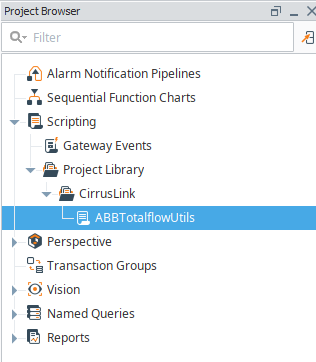 Image Added
Open the Tools > Script Console and copy the script from each file as needed, set the configuration parameters required within each script and select Execute
This example shows the ABBTotalflowCloneDevice script
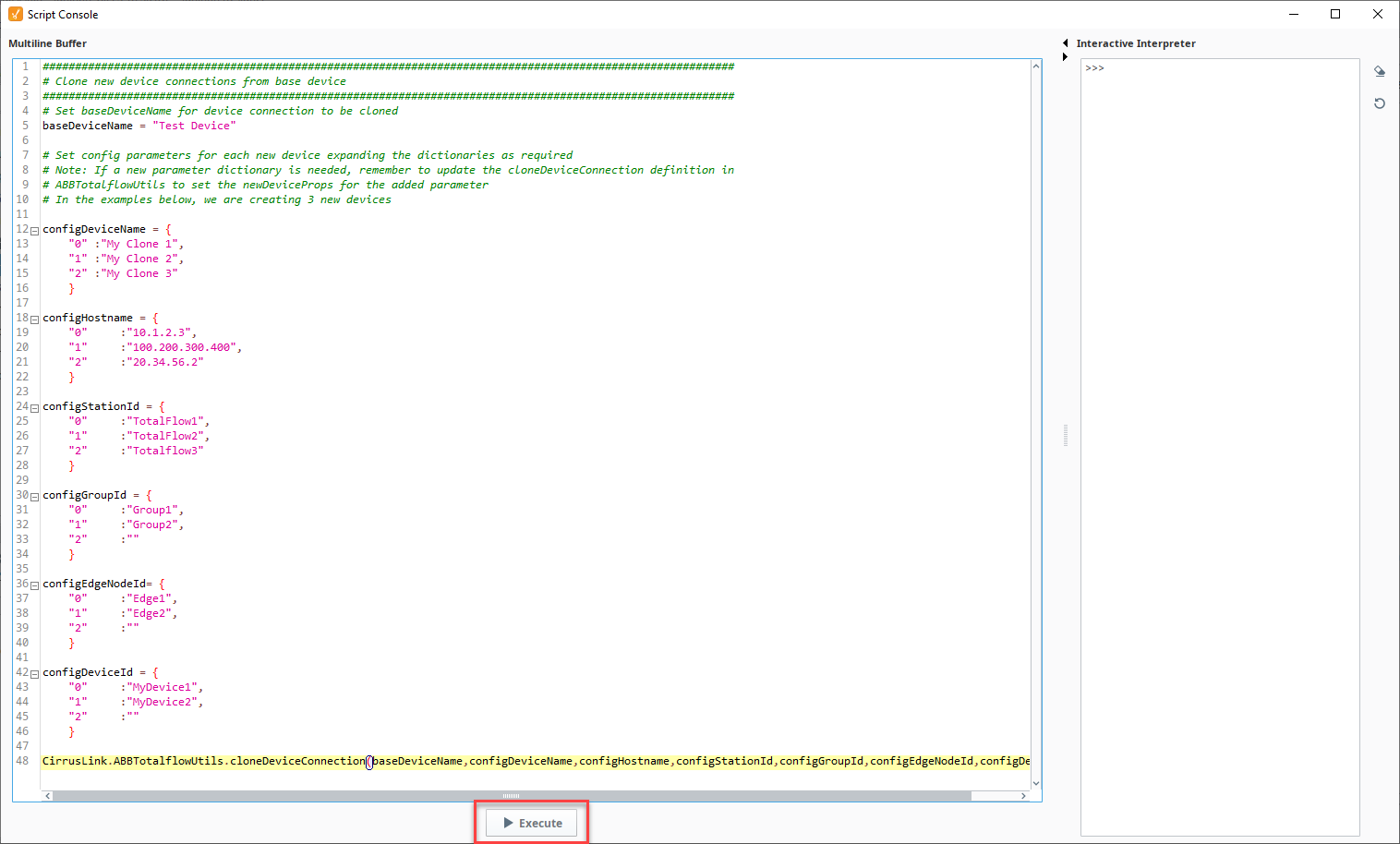 Image Added
Verify the cloned devices are complete and able to connect
If you have any questions regarding these scripts, please contact support@cirrus-link.com for assistance.ABBTotalFlowClone.pyABBTotalflowUtils.zip

