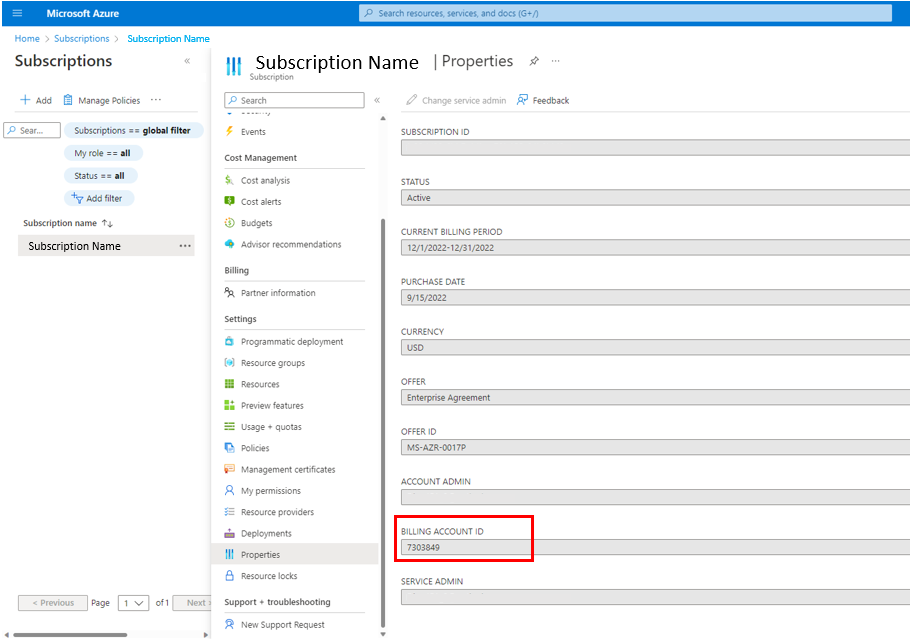
There are several ways that you can locate your Azure Marketplace Billing ID
- Scan your account using the private offer precheck functionality described in the Microsoft documents here https://docs.microsoft.com/en-us/marketplace/private-offers-pre-check
- Export the report with the billing account ID included.
- In the report there is a column called “CanDeployPrivateOffers” if this does not say TRUE for the billing ID then this is not the correct number, follow the Microsoft instructions to resolve this issue.
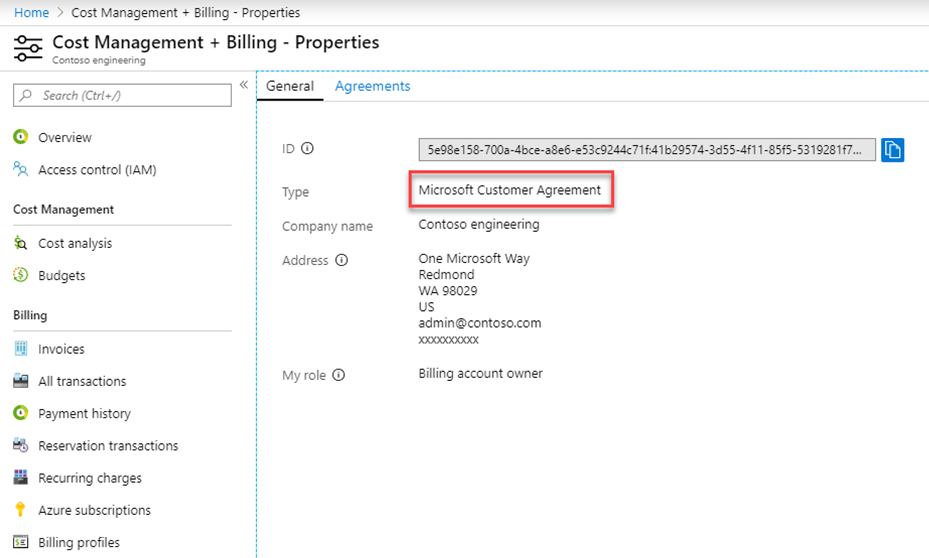
- In the Azure portal, the customer can navigate to **Cost Management + Billing** > **Properties** > **ID** to find their billing account ID.
- A user in the customer organization should have access to the billing account to see the ID in the Azure Portal.
- If the customer knows the subscription they plan to use for the purchase, they can select **Subscriptions**, choose the relevant subscription, and then go to **Properties** (or Billing Properties) to find the **Billing Account ID**.