...
Now click the 'Create a policy' button. This will bring up the following page.
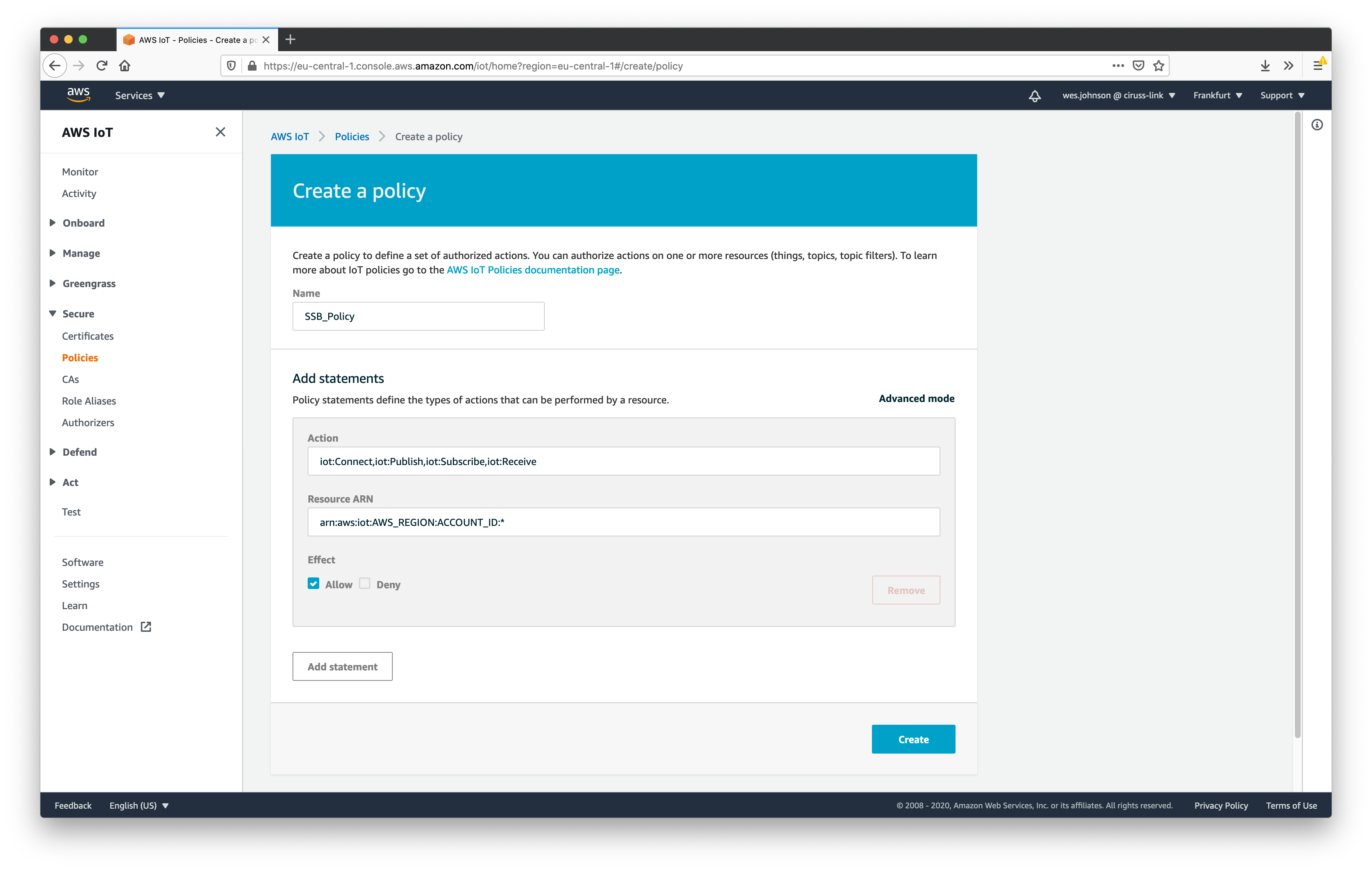 Image Added
Set the following parameters for the policy.
- Name
- Some friendly name you will remember
- Actions
- Set to: iot:Connect,iot:Publish,iot:Subscribe,iot:Receive
- Note this will be used for both a publisher connection (Ignition) and a subscriber (SSB)
- Resource ARN
- Set to: arn:aws:iot:AWS_REGION:ACCOUNT_ID:*
- In the above, replace the following.
- AWS_REGION: one of the following (where you set up SSB): us-east-1, us-west-2, eu-central-1, or eu-west-1
- ACCOUNT_ID: Your AWS Account ID
- Effect
Finally click 'Create' in the lower right. This will show the newly created policy.
 Image Added
At this point a 'thing' can be created. To do so, expand 'Manage' on the left navigation panel and click 'Things' as shown below.
...

