


Page History
...
| Note |
|---|
| If you have deployed Chariot through AWS Marketplace or Azure Marketplace, then no additional steps are required - your license is already installed and activated. |
Purchase a New License
There are two ways to purchase a Chariot license:
...
Cirrus Link will generate your license and email it to the contact email you provided. Be aware this can take up to 24 hours.
Activate a License Online
Once you receive your license key by email, activate it on your Chariot MQTT Server. The Chariot License page wizard offers three activation methods; Online, Offline, and Floating, which correspond to the three license deployment models.
...
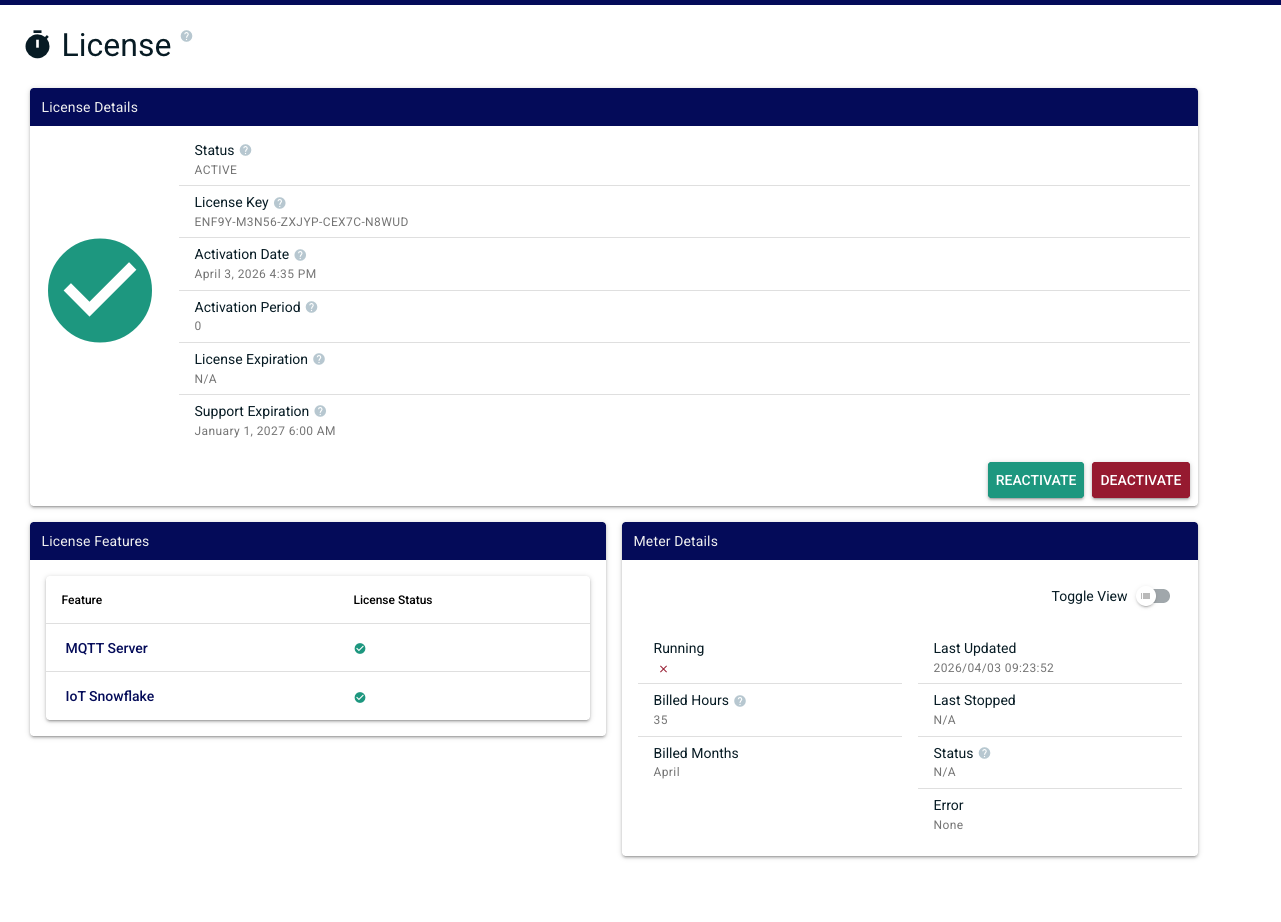
A successful activation takes you to the license status page, showing the state of your license, activated features, and related details.
Upgrade an Existing License
You can add features to a license you already own — for example, adding IoT Bridge for Snowflake to an MQTT Server license, or adding additional years of support — without re-purchasing the original features.
...
Features already activated on your license will not appear in the upgrade options, with one exception: MQTT Server Support can be purchased at any time to add additional years of support.
Reactivate an Online License
If your license has been updated — feature change, expiration date change, or any other update — click Reactivate on the License page to pull the updates without restarting Chariot.
...
| Warning |
|---|
| This will not work with offline activated licenses. You will need to contact Cirrus Link Support for any changes. |
Deactivate an Online License
In order to deactivate the license online, log into the Chariot MQTT Server Web UI and from the left hand menu bar select License as shown below.
...
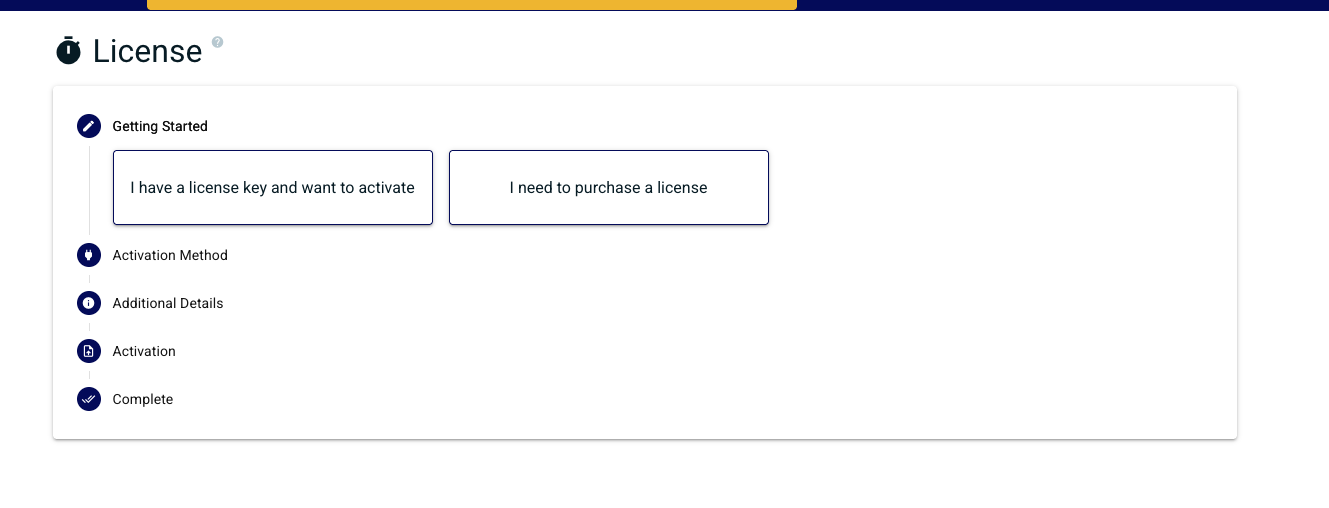
Once deactivation is successfully complete you will be returned back to the license activation wizard
What if I forgot to deactivate?
If a Chariot server was destroyed without deactivating first and you're now unable to activate the license elsewhere, contact Cirrus Link Support. Include your License ID and a brief description of what happened. Support can review your situation and, in many cases, restore the lost activation.
Related Pages
- License Types — overview of all licensing options
- Offline Licenses — for Chariot hosts without internet access
- Customer-Hosted Floating Licenses — concurrent licensing in a closed network
- Cloud Floating Licenses — containerized and auto-scaling deployments
...
Overview
Content Tools