...
The first tab contains the general settings for the Google Cloud Injector module.
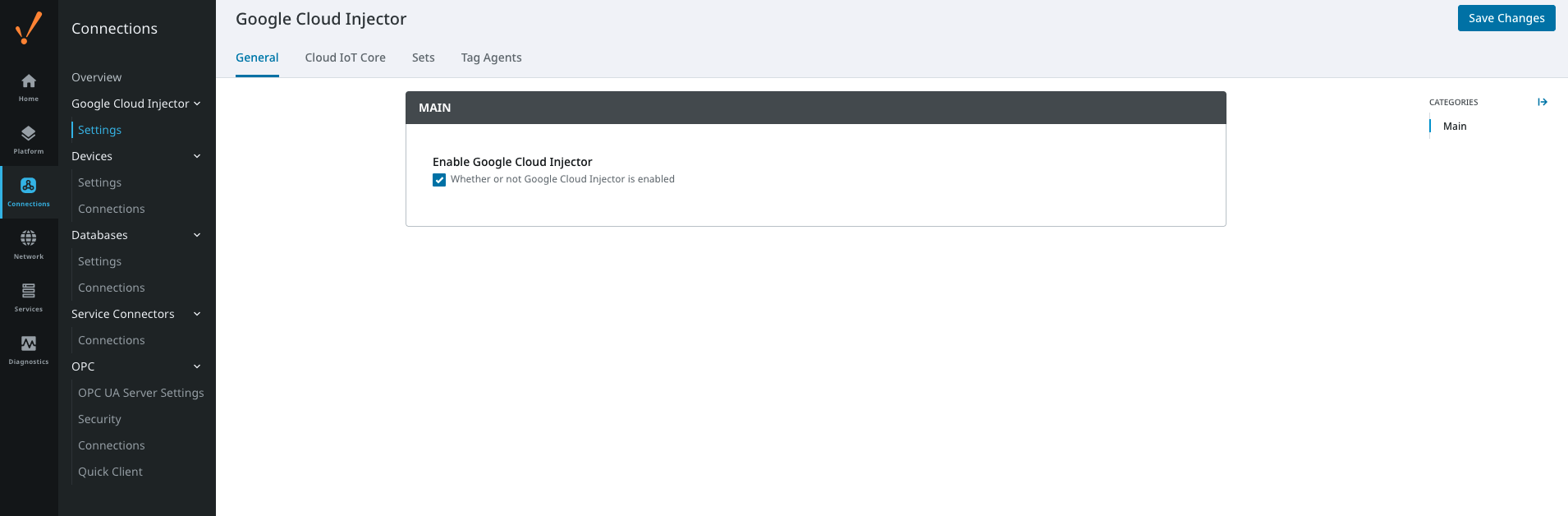 Image Modified
The general configurations options available on this tab are listed below:
...
The next tab is the list of Cloud IoT Core endpoints that the module will connect to. This is where data from the Tag Agents will be pushed.
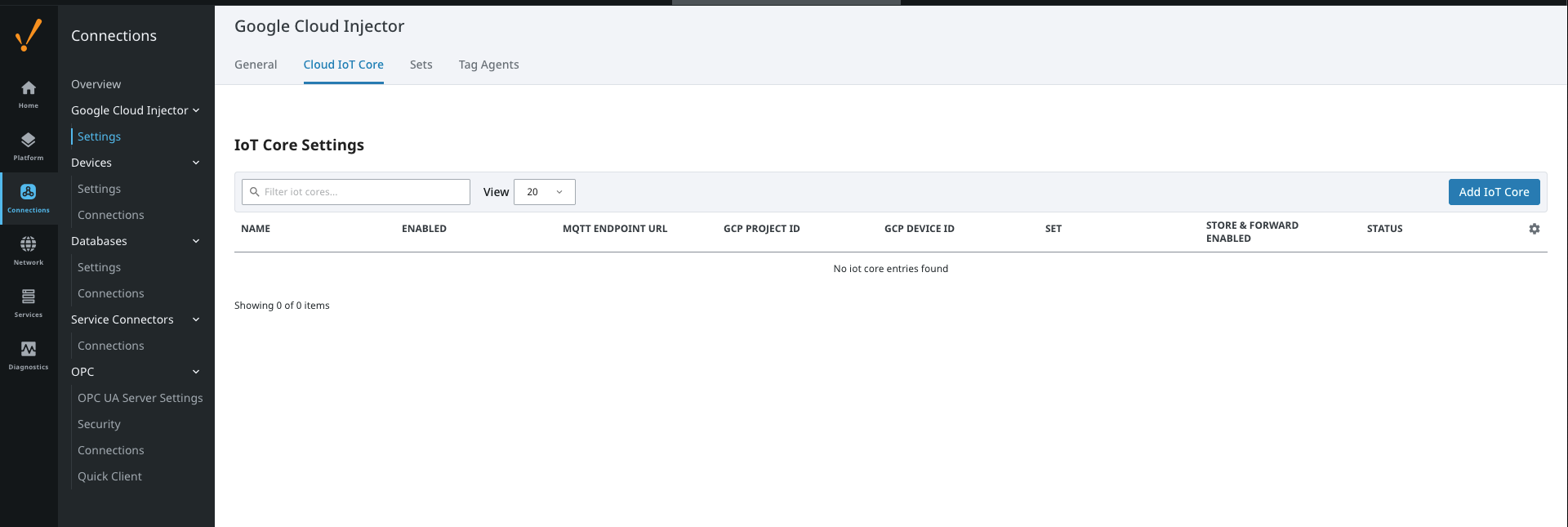 Image Modified
One or more Cloud IoT Core endpoints can be configured on this tab. The configuration options for a Cloud IoT Core connection are listed below.
...
Clicking on the "Create new Cloud IoT Core Setting..." link will bring up the following form for adding a new Clearblade IoT Core endpoint.
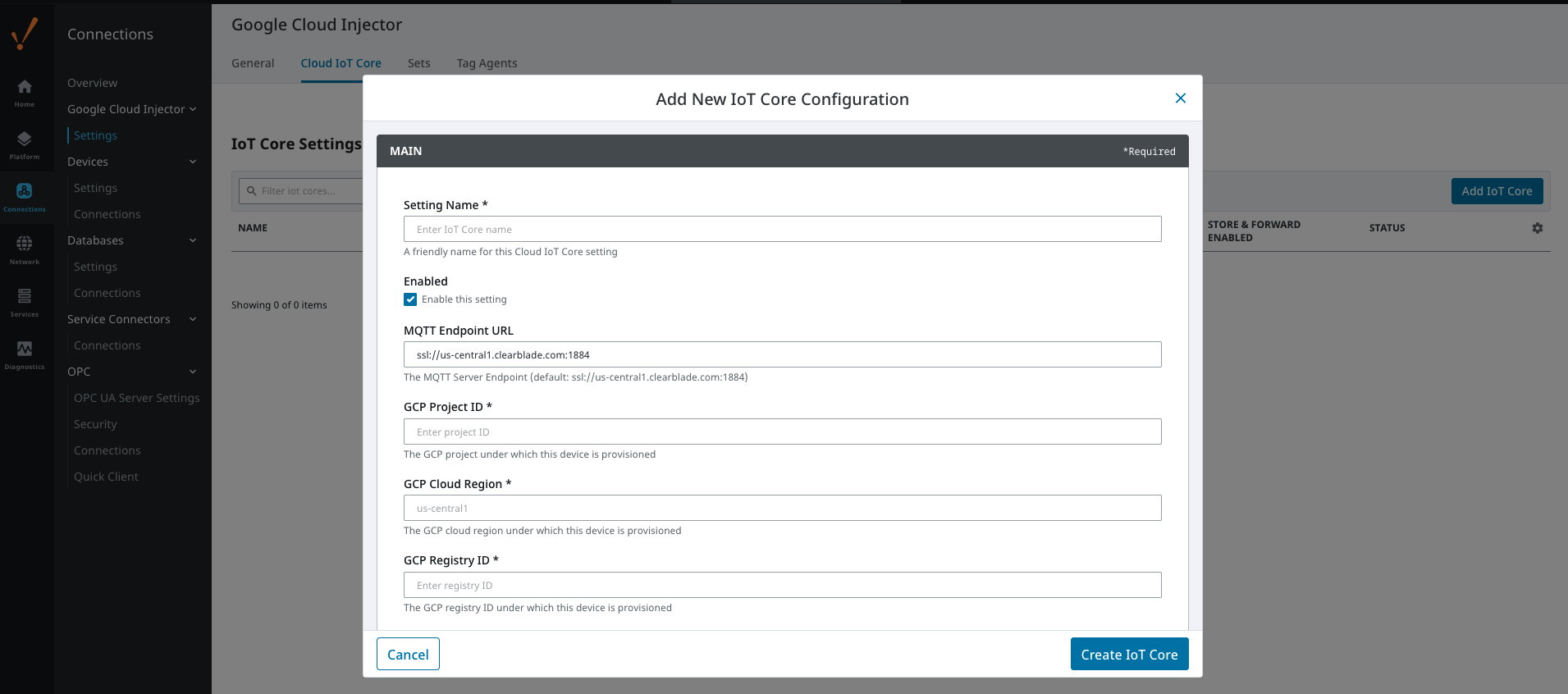 Image Modified
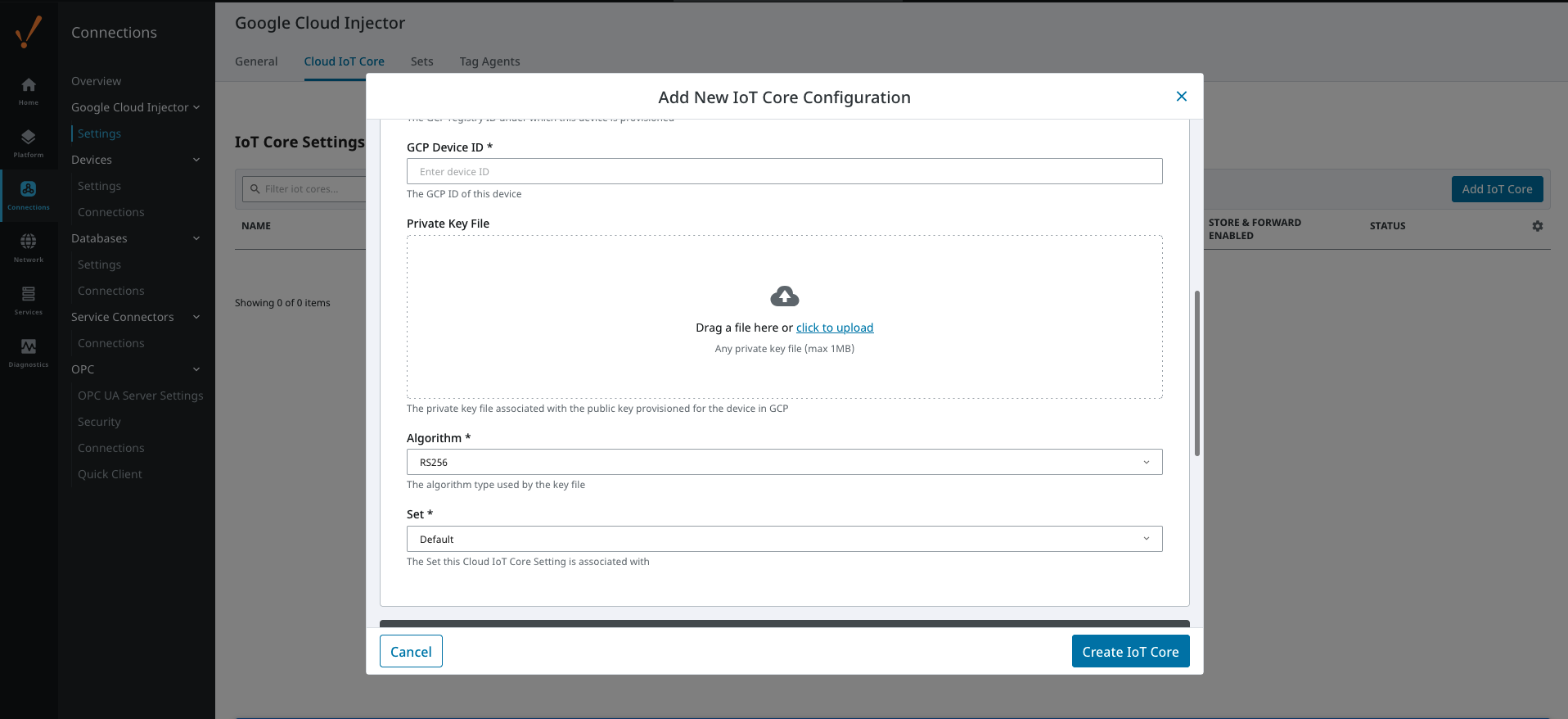 Image Modified
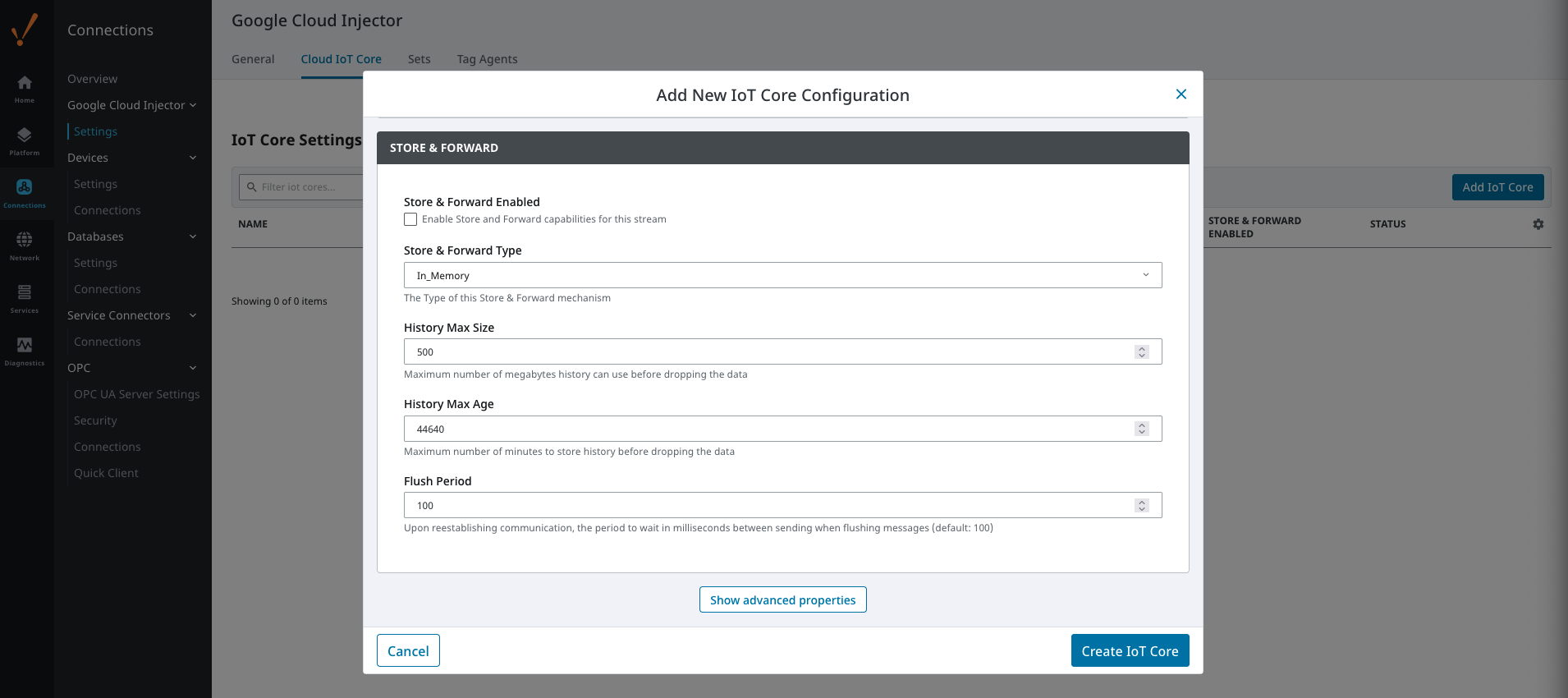 Image Modified
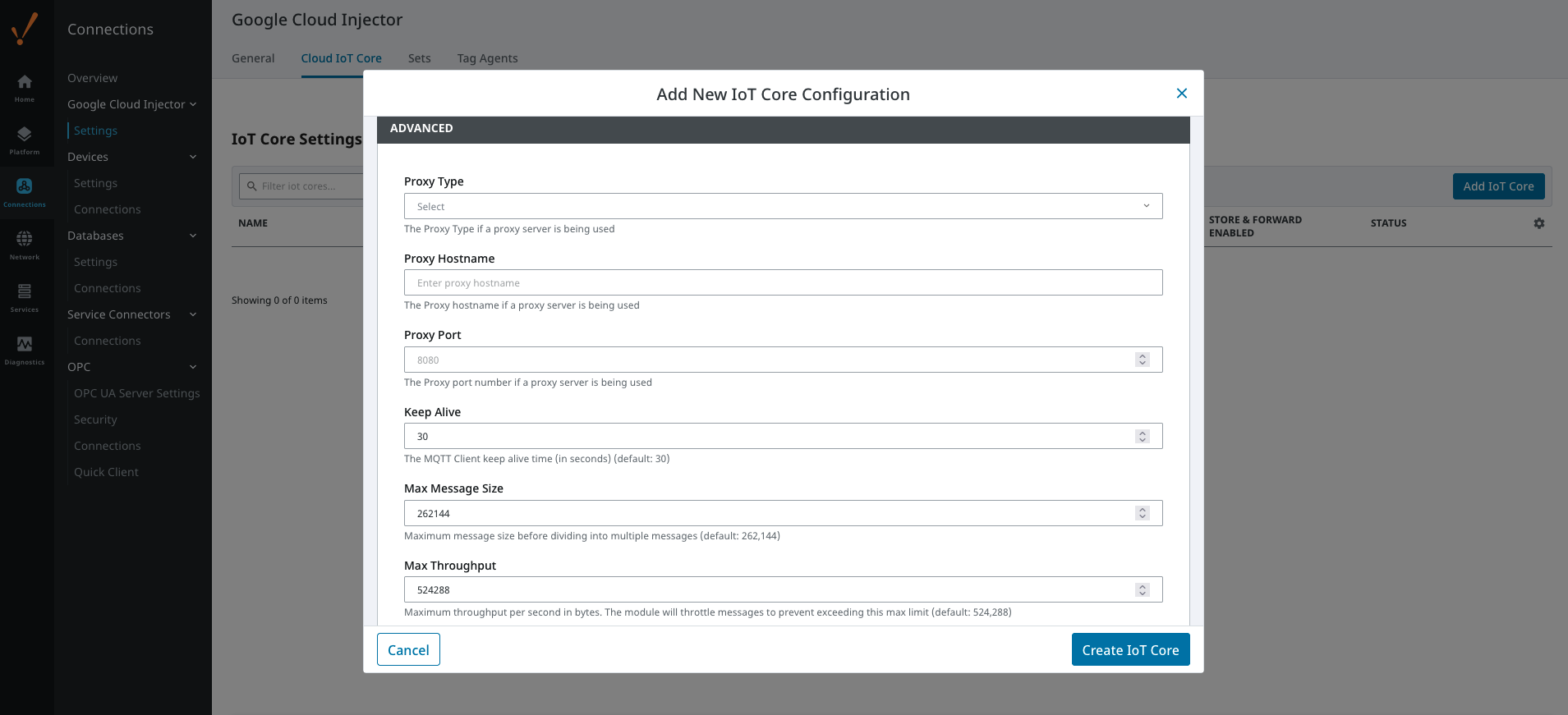 Image Modified
Sets
The Sets tab contains a list of Google Cloud Sets. Each set represents a grouping of Clearblade IoT Core endpoints. When a set is referenced by a Tag Agent the Agent will push Tag data to all Clearblade IoT Core endpoints contained within that Set. The Sets are disjoint, meaning that a single Clearblade IoT Core endpoint cannot be in more than one set. Out of the box the Google Cloud Injector module will have one "Default" set defined.
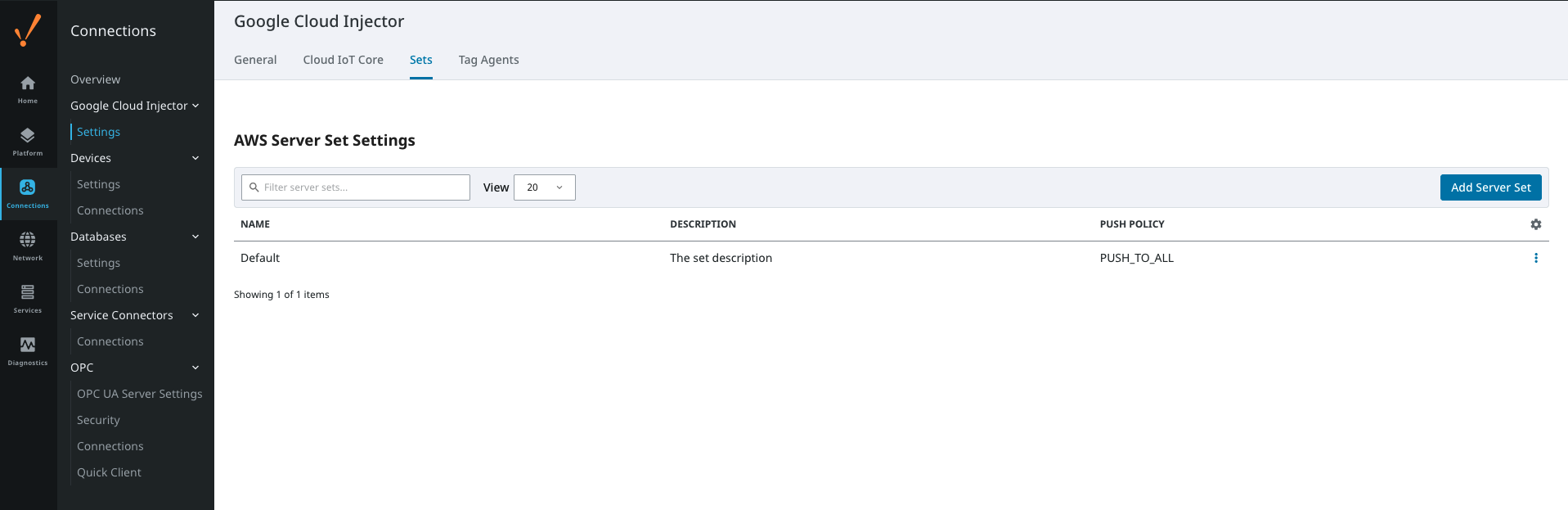 Image Modified
Additional Sets can be configured for situations where multiple Tag Agents will need to push to different Cloud IoT Core endpoints. The configuration options for Sets are listed below.
...
Clicking on the 'Create new Google Cloud Set...' link will bring up the following form to add a new Set.
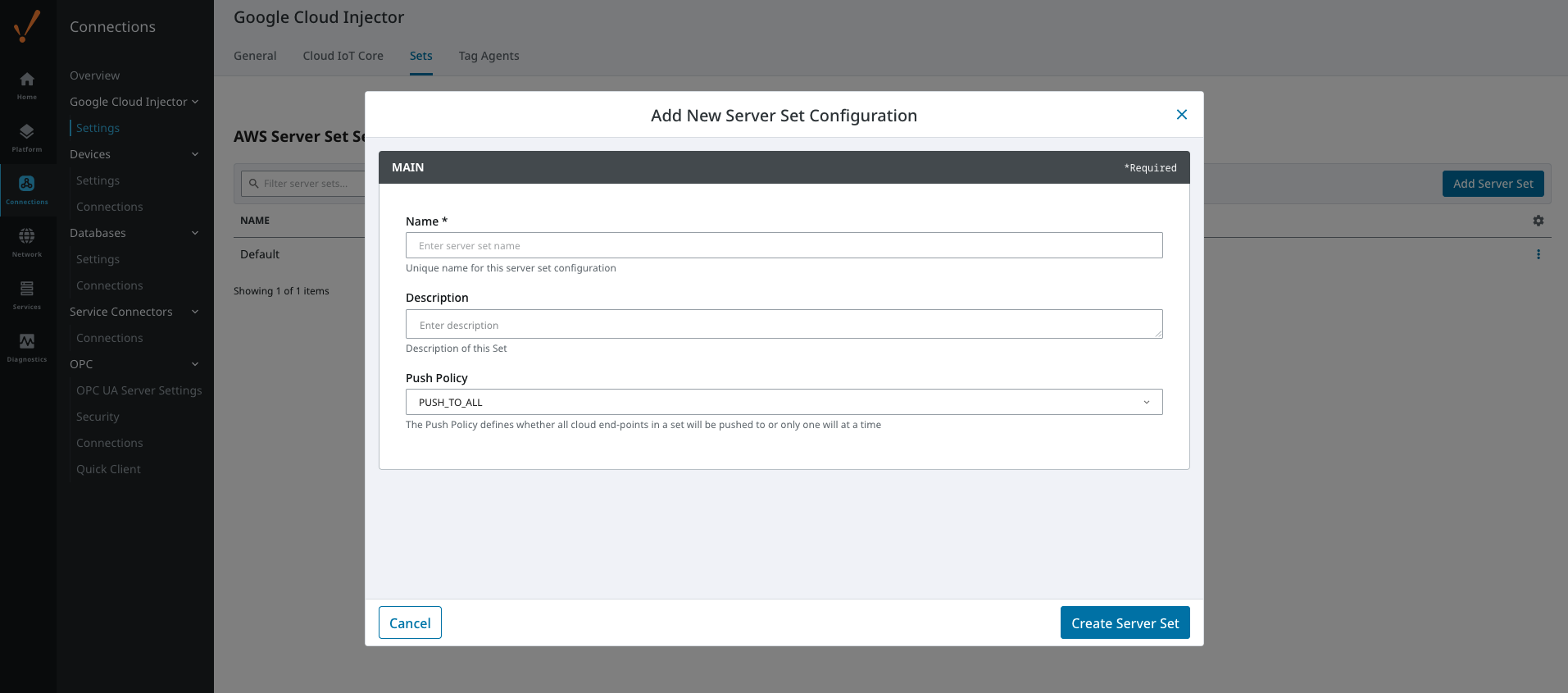 Image Modified
Tag Agents
Tag Agents are the workers within Google Cloud Injector that monitor tag events, convert them to a JSON representation, and push them to one or more Clearblade IoT Core endpoints. Out of the box the Google Cloud Injector module will have one "default" Tag Agent defined.
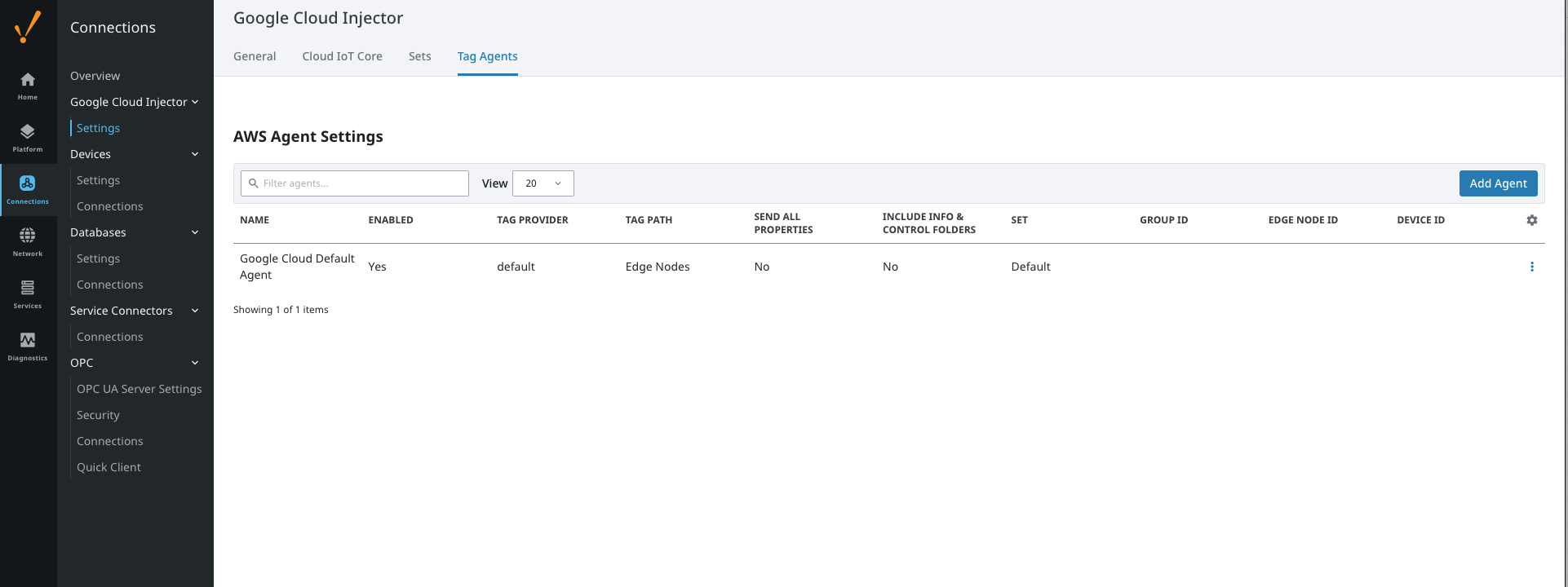 Image Modified
Tag Agents are configured to point to a single folder. All Tags within that folder will be monitored by the Tag Agent.
Clicking on the 'Create new Tag Agent Settings..' link will bring up the following form to add a new Tag Agent.
Agent Settings
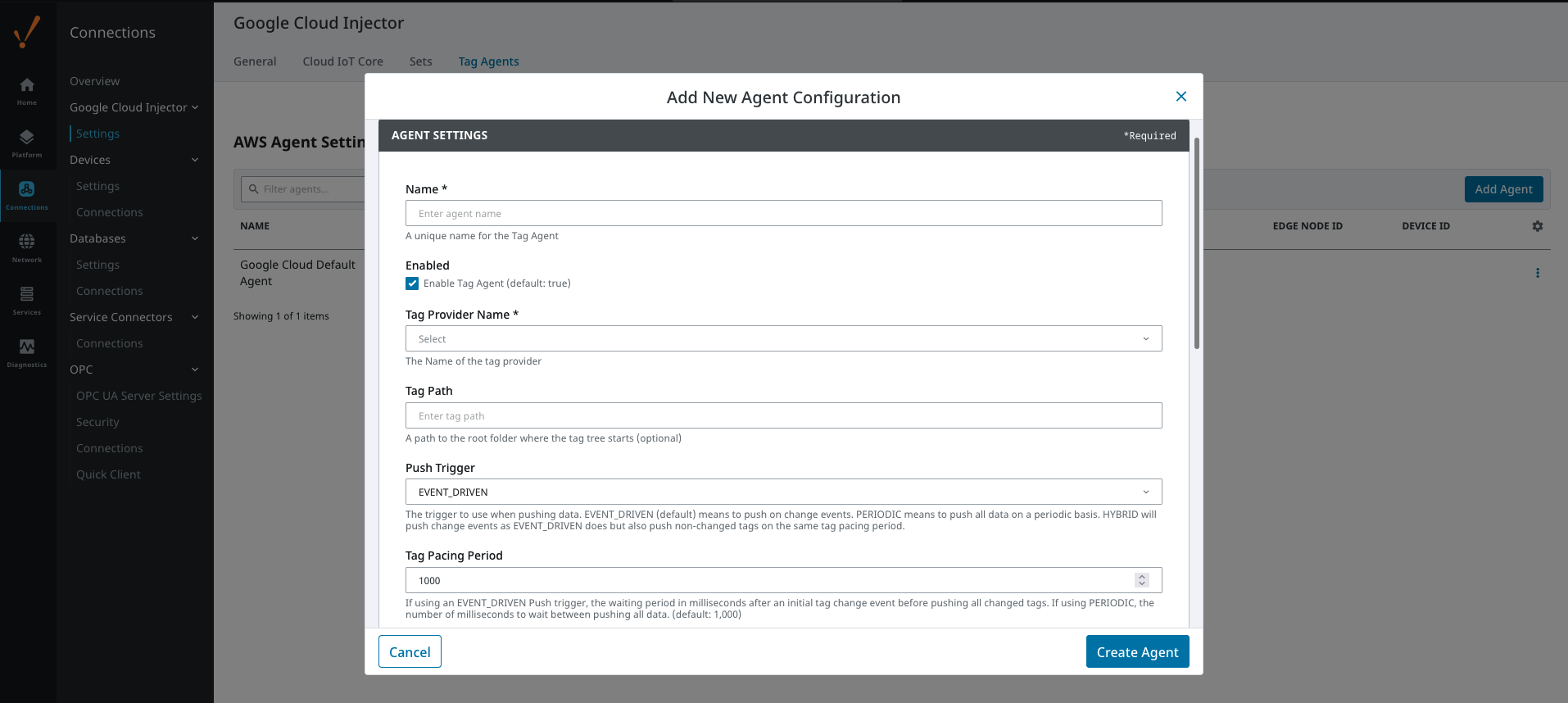 Image Modified
- Name
- A unique name for the tag agent.
- Enabled
- Sets whether the Tag Agent is enabled or disabled. If disabled, the Tag Agent will not run and no data will be pushed to any configured endpoints.
- Tag Provider Name
- The name of the Tag provider containing the tags.
- Tag Path
- An optional folder path under the Tag provider where the root folder of the Tags can be found.
- Push Trigger
- Defines what triggers a push to the cloud endpoint
- EVENT_DRIVEN (default) - when a tag change event occurs, and no pending push exists, tag events will be aggregated for the 'Tag Pacing Period' before being pushed
- PERIODIC - will push data for all tags associated with the Agent every 'Tag Pacing Period'
- With this option, only one event per tag will be sent - this may result in data loss if tags are changing more frequently than the 'tag pacing period'
- HYBRID - will push change events as EVENT_DRIVEN but will also push non changed events on the same tag pacing period.
- Review How the MQTT Injector Push Trigger affects data published for examples
- Tag Pacing Period
- The buffer period, in milliseconds, that Tag events will be aggregated into a single payload before pushing.
- Convert UDTs
- Whether to convert UDT members to normal Tags before publishing. If enabled the Tags representing the UDT member will retain their member path prefixed by the UDT Instance name.
- Publish UDT Definitions
- This can only be set if 'Convert UDTs' is false
- Whether or not to push the UDT Definitions in the the NBIRTH messages
- Optimize UDTs
- This can only be set if 'Convert UDTs' is false
- Whether or not to 'convert UDTs' only for DATA messages.
- Set
- The Set of Clearblade IoT Core endpoints that the Tag Agent will push to.
Sparkplug Settings
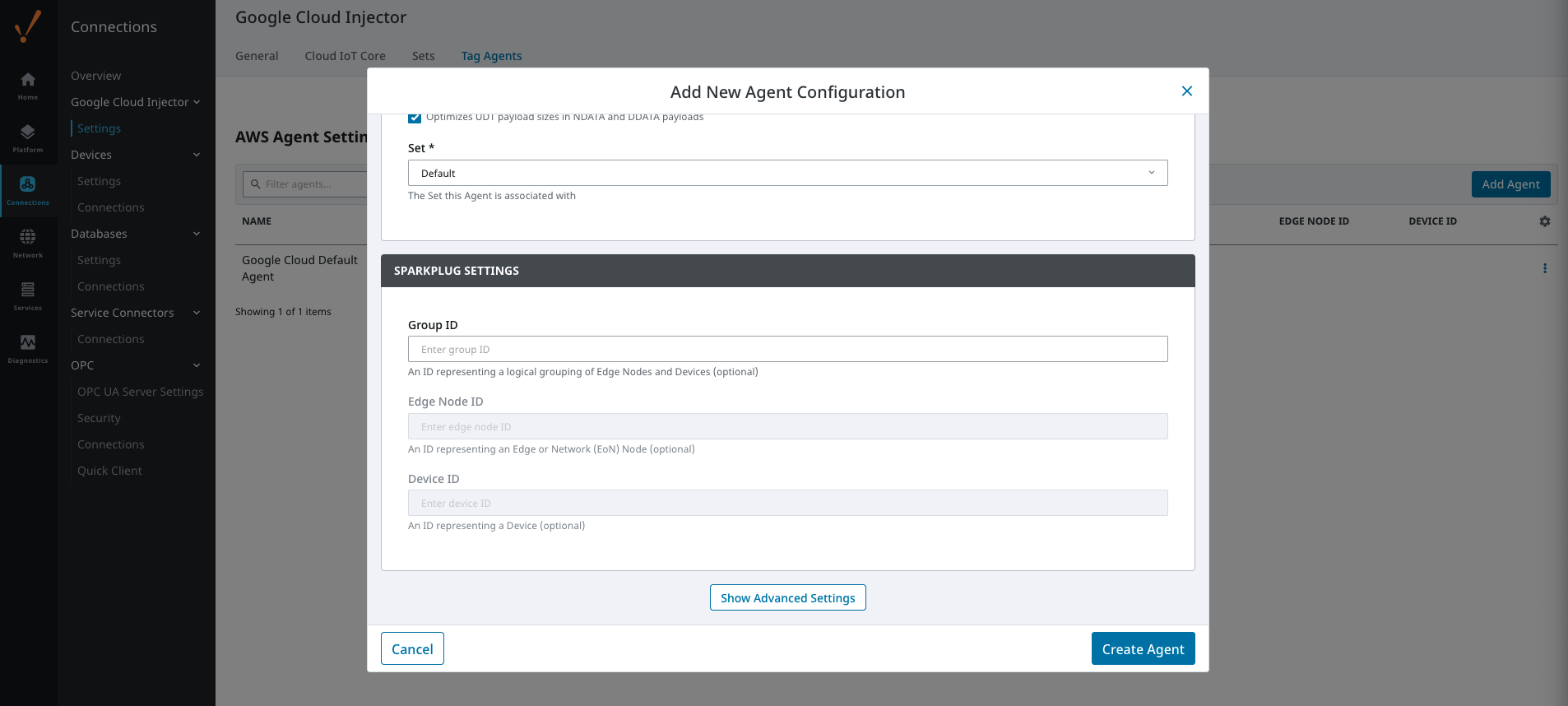 Image Modified
- Group ID
- An ID representing a logical grouping of MQTT Edge Of Network (EoN) Nodes and Devices into the infrastructure.
- Edge Node ID
- An ID that uniquely identifies the MQTT Edge Of Network (EoN) Node within the infrastructure.
- Device ID
- An optional ID that uniquely identifies a Device within the infrastructure.
...
| Tip |
|---|
| For more information see the Cloud Injector Tag Agents and Tag Trees tutorial. |
Advanced
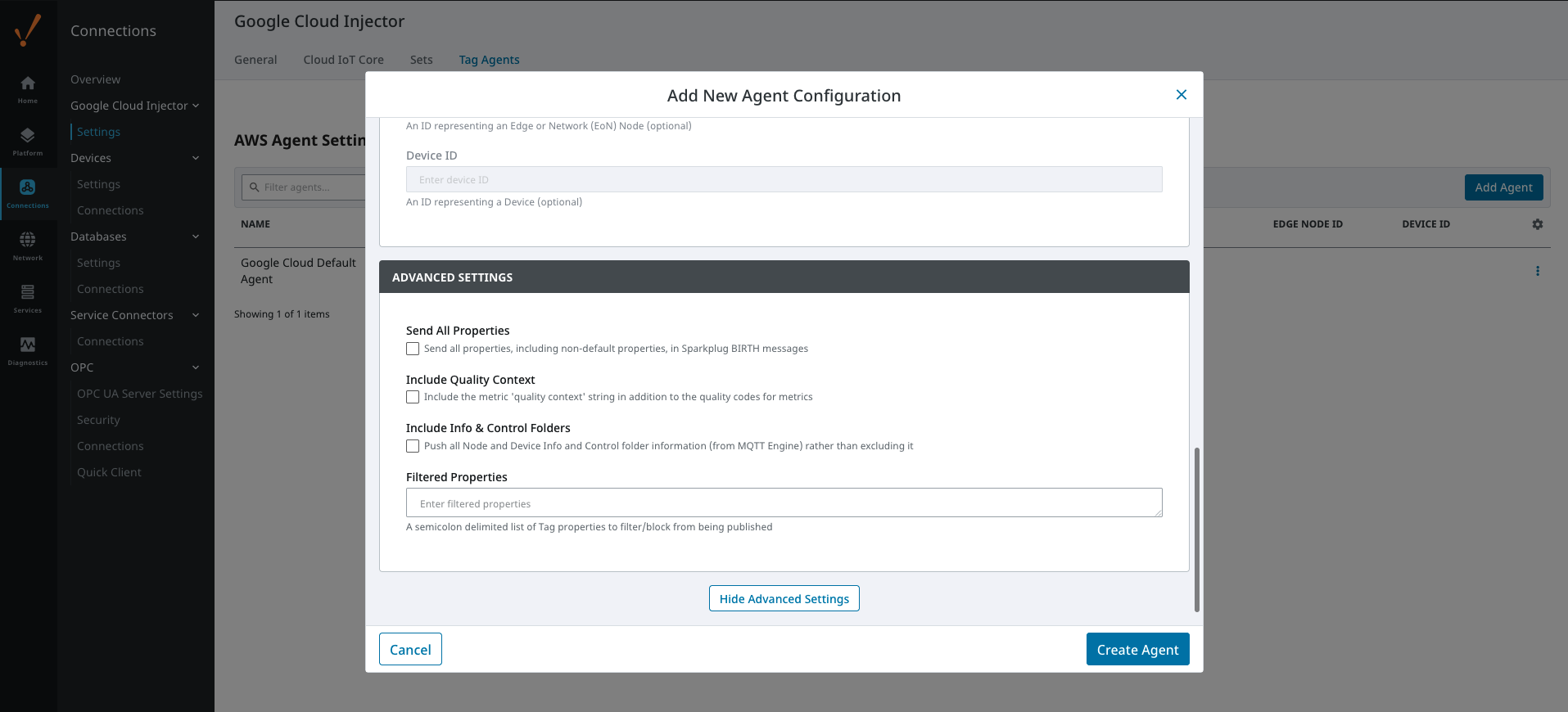 Image Modified
- Send All Properties - added in 4.0.25
- Send all properties, including default properties, in Sparkplug BIRTH messages
- Include Info & Control Folders - added in 4.0.30
- Push all Node and Device Info and Control folder tags from MQTT Engine
- Filtered Properties
- A semicolon delimited list of Tag properties to filter/block from being published. These should typically not be modified unless there is an explicit requirement that a specific property is needed to be added or removed from the default.
...