...
During the prerequisite tutorial a set of tags were created to publish to Azure IoT Hub. At this point, we will create some new tags that will be will be routed to the container based on the configuration that now exists in Azure. Because we created a message route that filtered on a Sparkplug Group ID of 'Routed Group' we should create a structure that includes this in the tag tree. Expanding on the tag tree created previously, add a new Sparkplug Group, Edge Node, and Device folder structure with a single boolean tag along side the original structure created in the quickstart as shown below. Note for the message route in Azure to work properly, the Group ID MUST be 'Routed Group' as shown below.
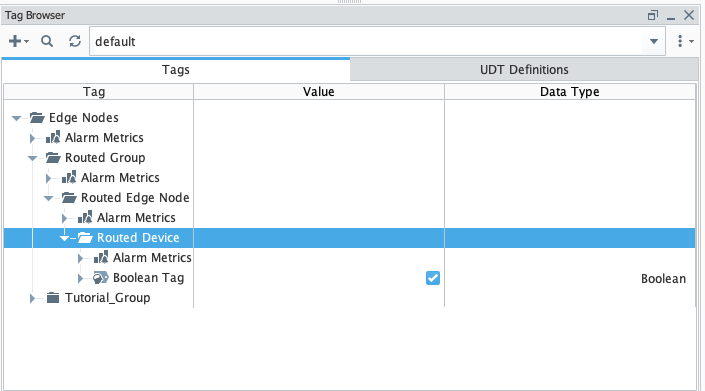 Image Removed
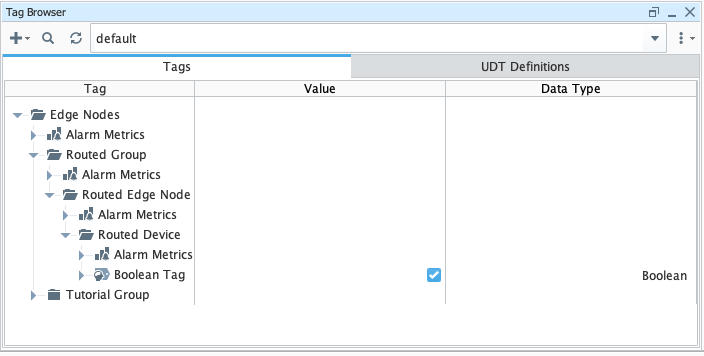 Image Added
Step 5: Publish Data to Azure IoT Hub
...