The he Azure Injector module provides the ability to push Tag data to an Azure IoT Hub, Azure IoT Edges, Azure Event Hubs and Azure IoT Central endpoints.
...
- Store & Forward Enabled
- Whether to enable Store & Forward capabilities for this endpoint
- Store & Forward Type
- The type of the Store & Forward mechanism options: In_Memory and Disk_Backed (available in release 4.0.17 and higher)
- Data stored with an In_Memory Store & Forward will not be persisted across a module configuration change, module disable/enable, module restart or power loss.
- Data stored with a Disk_Backed Store & Forward will persist across a module configuration change, module disable/enable, module restart or power loss
- Message Capacity - deprecated in 4.0.19
- The maximum number of messages to store before dropping the oldest historical messages
- History Max Size
- Maximum number of megabytes history can use before dropping the data
- An In_Memory History store will use the Ignition Java Heap memory
- History Max Age
- The maximum number of minutes to store history before dropping the data
- Flush Period
- The period of time to wait (in milliseconds) between sending when flushing messages
...
| Note |
|---|
All certificate or private keys must be in PEM format. For modules pre 4.0.9, only RSA PKCS1 format private keys are supported.For modules 4.0.9 to 4.0.16, RSA PKCS8 and password encrypted format private keys are also supported. For modules 4.0.17 or higher, password encrypted PKCS8 private keys are also supported. |
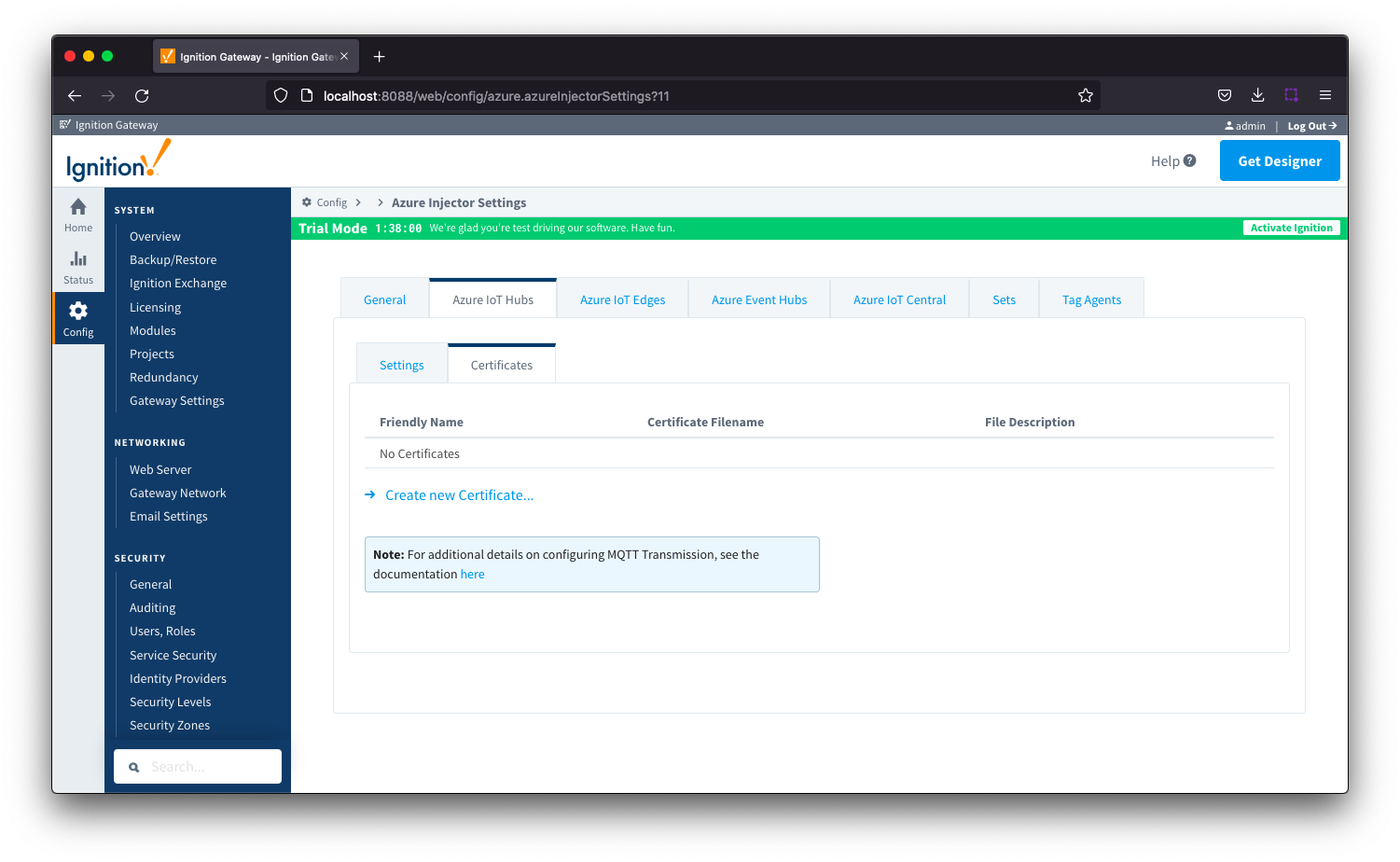 Image Removed
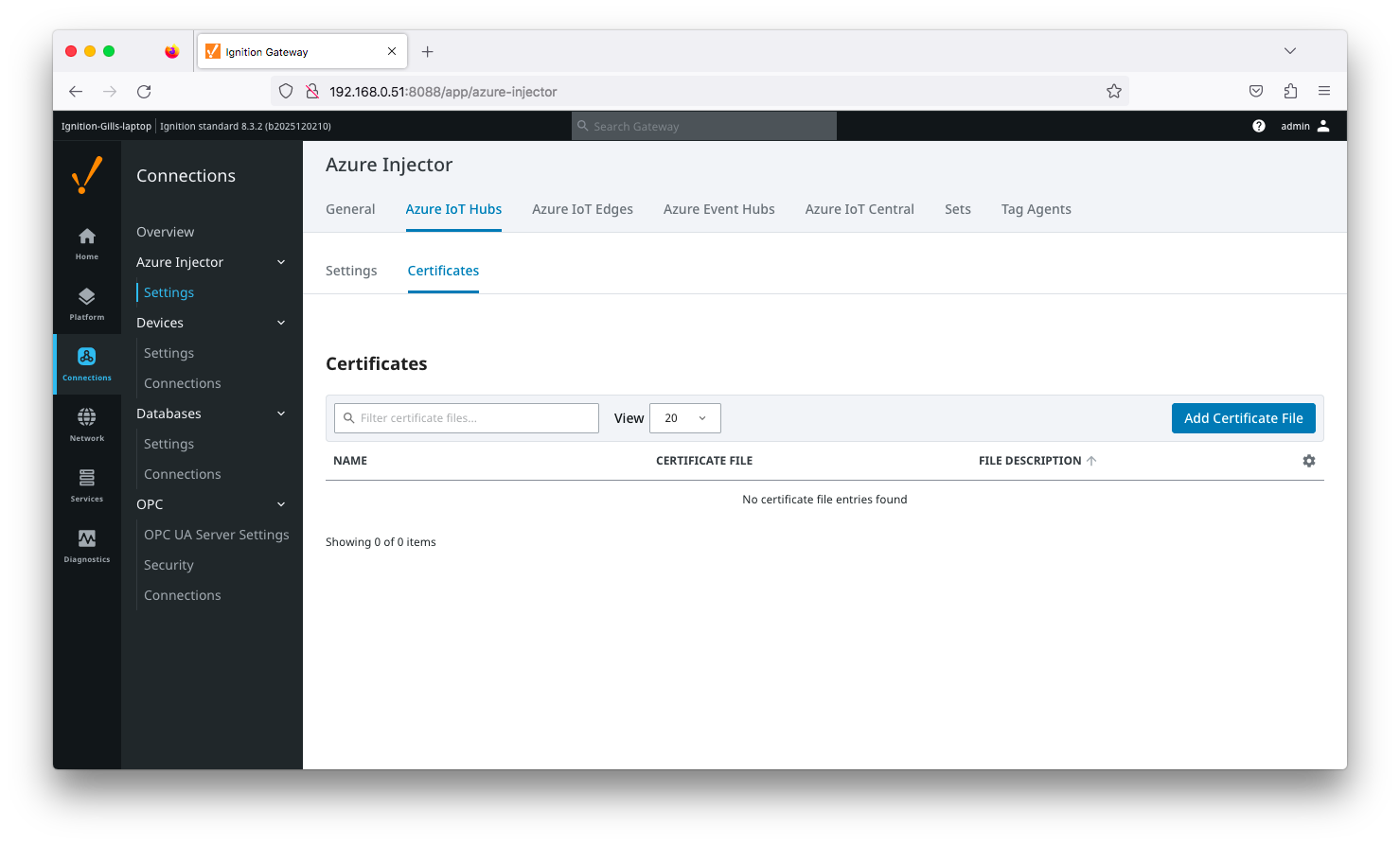 Image Added
Clicking on the 'Add Certificate FileClicking on the 'Create new Certificate ..' link will bring up the following form to add a new Certificate. The Certificates tab contains a single Main section.
| Anchor |
|---|
| azureiothubcertificatesmain |
|---|
| azureiothubcertificatesmain |
|---|
|
...
Main
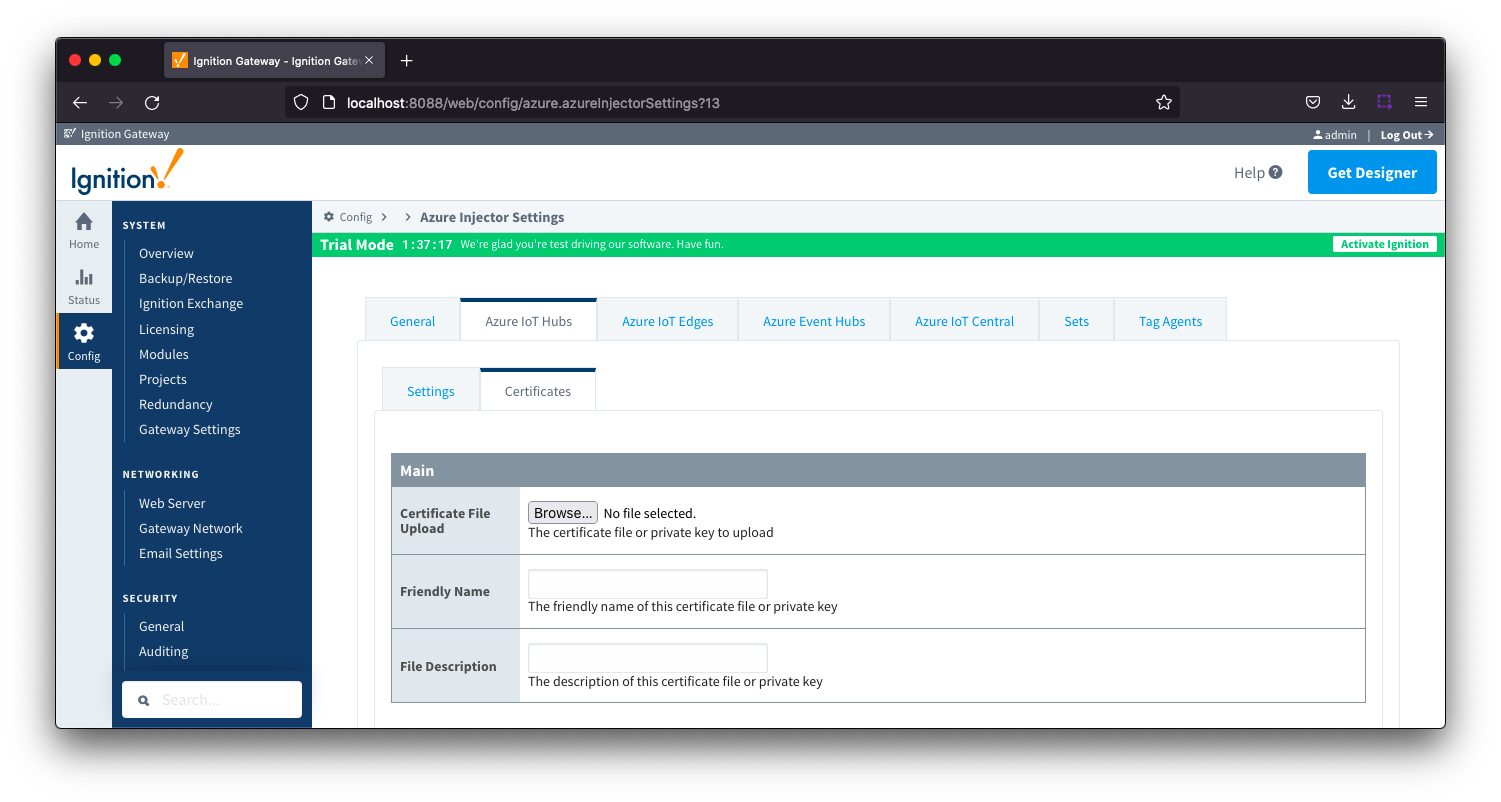 Image Removed
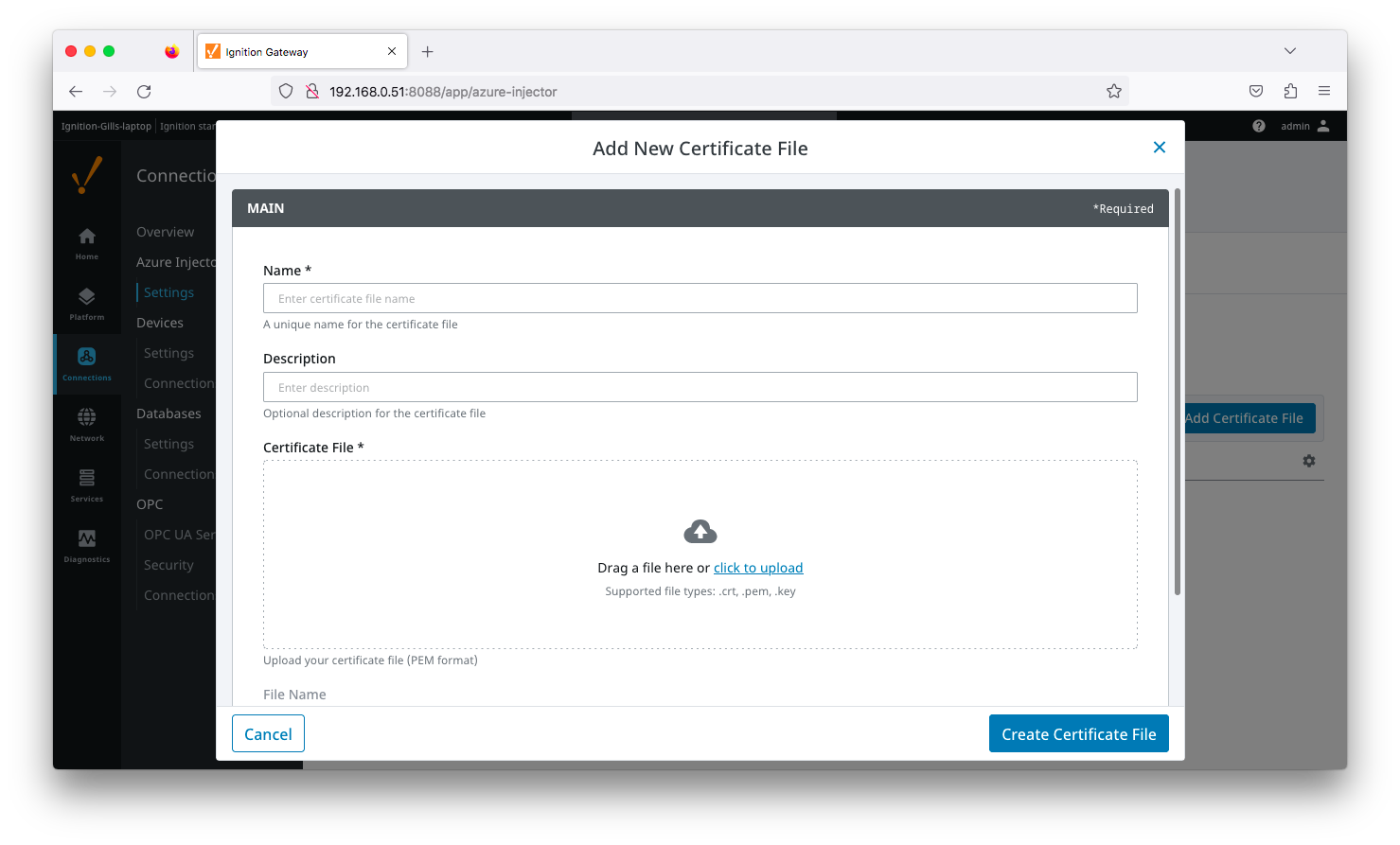 Image Added
- Certificate File Upload
- Browse to the certificate file or private key to upload.
- Friendly Name
- The friendly name of the certificate file or private key.
- File Description
- The description of the certificate file or private key.
...
This tab provides a list of Azure IoT Edge endpoints that the module should connect to to push tag data. One or more Azure IoT Edge endpoints can be configured on this tab.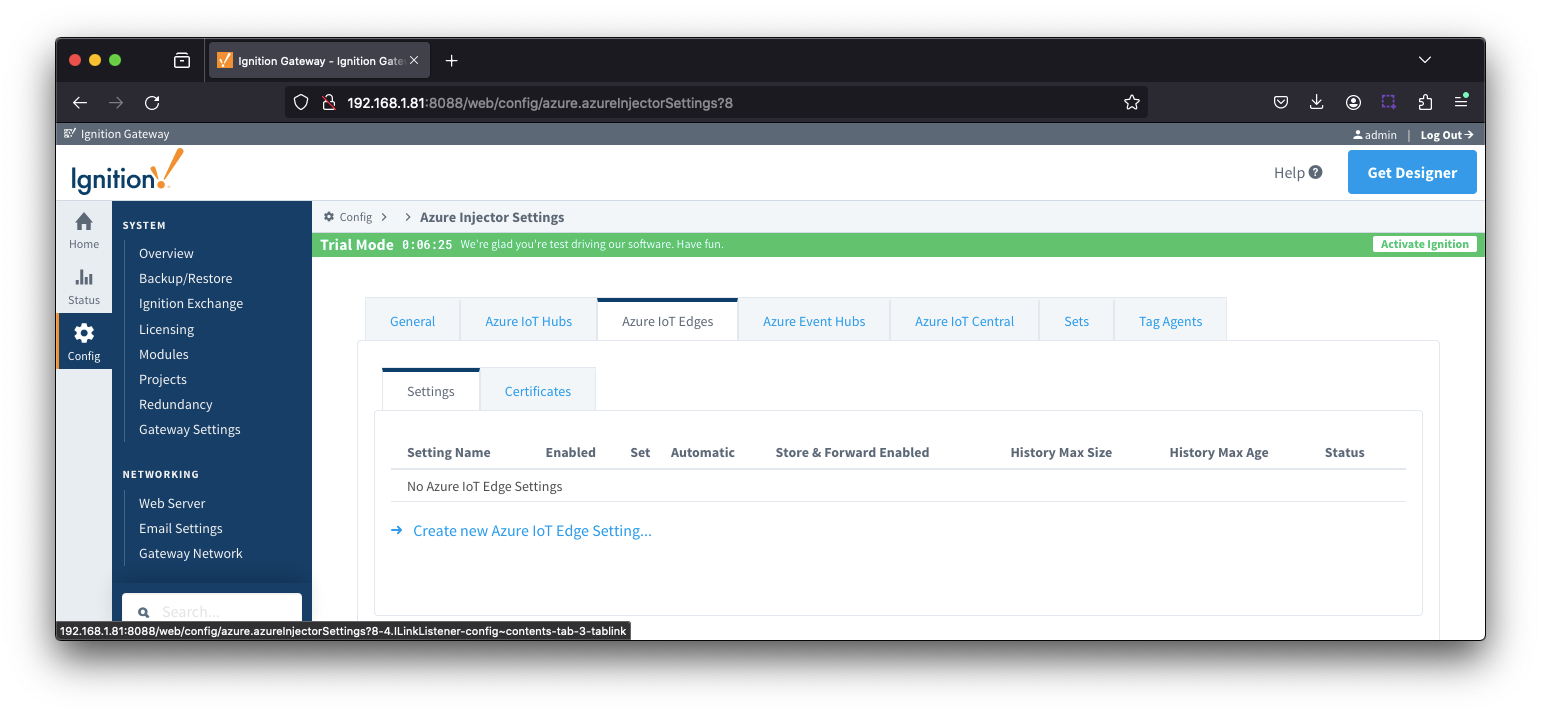 Image Removed
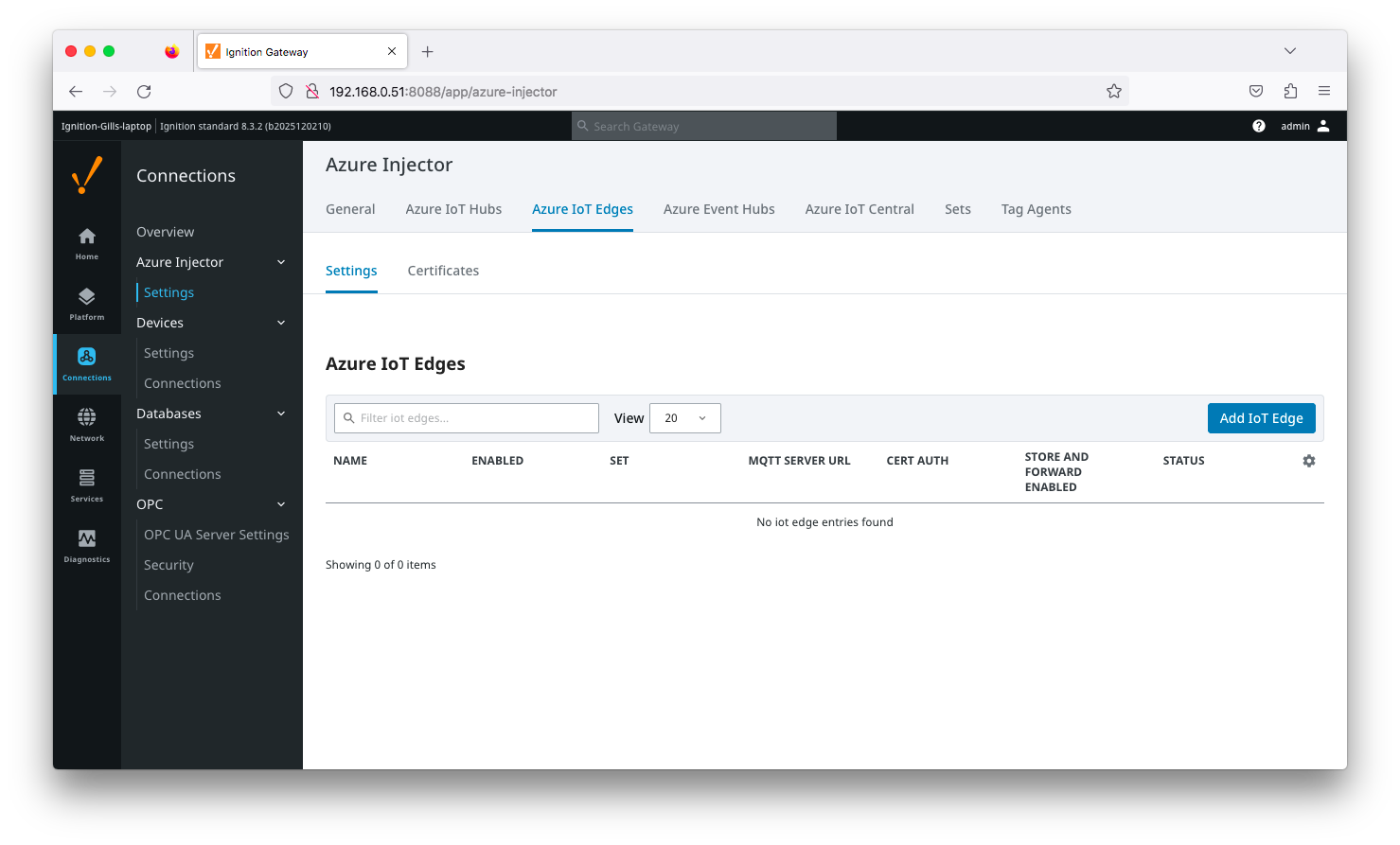 Image Added
Clicking on the 'Create new Azure Add IoT Edge..." link will bring up the following form to add a new Azure IoT Edge. The configuration sections available are Main, Connectivity, Authentication, Store & Forward and Advanced.
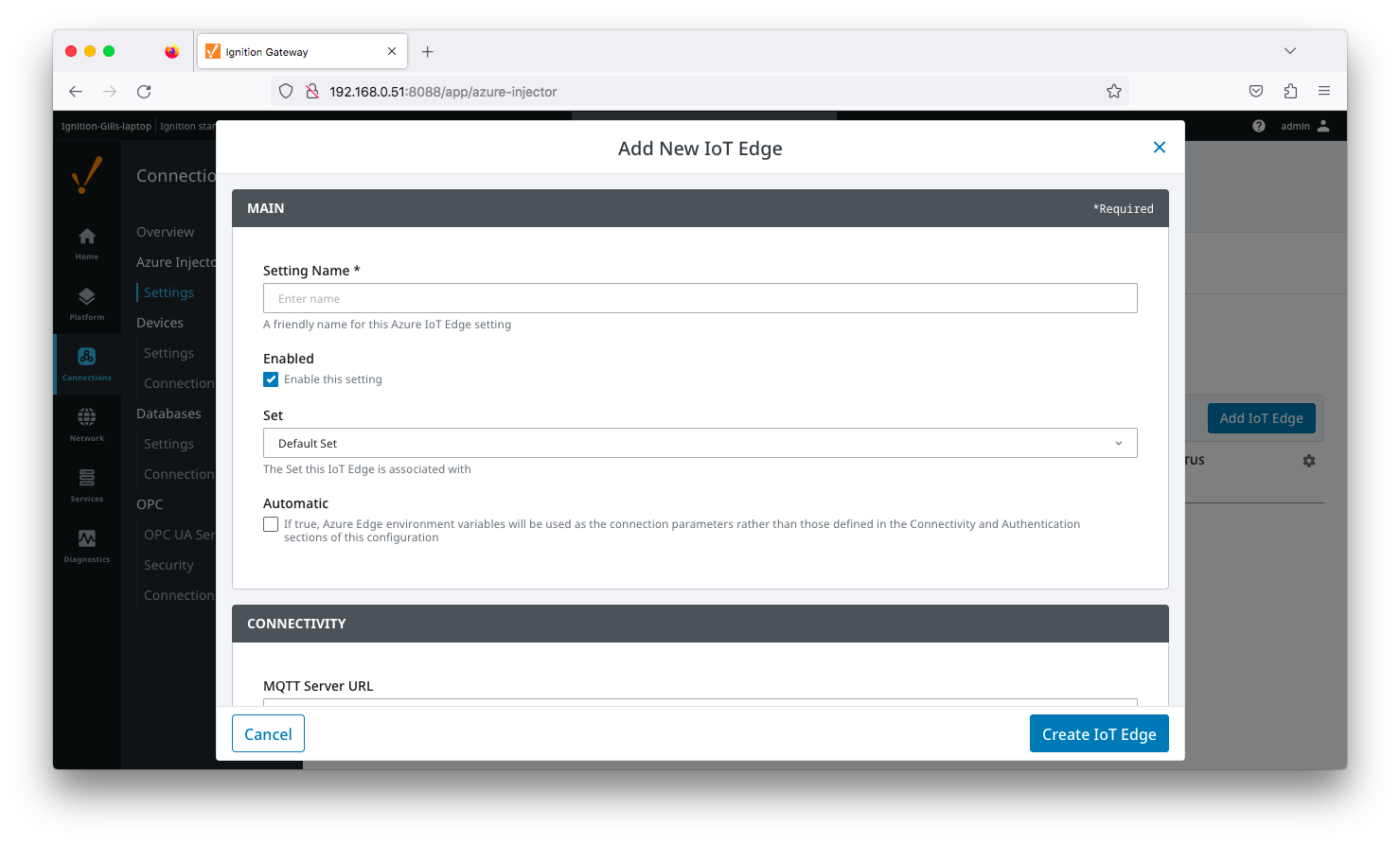 Image Added
| Anchor |
|---|
| azureiotedgesettinsgmain |
|---|
| azureiotedgesettinsgmain |
|---|
|
...
Main
...
- Setting Name
- This is the friendly name of the Azure IoT Edge used to easily identify it. This must be unique.
- Enabled
- Whether or not this connection is enabled.
- Set
- The Set to associate this Azure IoT Edge connection with
- Automatic
- Whether the Azure Edge environment variables will be used as the connection parameters rather than those defined in the connectivity and Authentication sections of the configuration.
| Anchor |
|---|
| azureiotedgesettingsconnectivity |
|---|
| azureiotedgesettingsconnectivity |
|---|
|
...
Connectivity
...
- MQTT Server URL
- The MQTT Server URL for the Azure IoT Edge. Default: ssl://edgehub:8883
| Anchor |
|---|
| azuireiotedgesettingsauthentication |
|---|
| azuireiotedgesettingsauthentication |
|---|
|
...
Authentication
...
- Enable Certificate Based Authentication
- Whether or not to use certificate based authentication.
- If not using certificate based authentication, the 'Password' field must be used.
- If certificate based authentication is used, the other Authentications fields must be used.
- Password (required if not using certificate based authentication)
- This is the Azure IoT Edge connection string used to connect.
- This is either the Connection string associated with the Child Device or with the Azure Edge Module
- CA Certificate File
- The CA certificate file currently in use on the IoT Edge instance.
- It is used for both Certificate and Connection String based authentication and is the CA Device Certificate that was uploaded to the Azure Edge instance.
- The drop down is populated from a list of files that have been uploaded to the IoT Edge/Certificates tab.
- Client Certificate File (required if using certificate based authentication)
- The client certificate file currently in use
- The drop down is populated from a list of files that have been uploaded to the IoT Edge/Certificates tab.
- Client Private Key File (required if using certificate based authentication)
- The client private key file currently in use
- The drop down is populated from a list of files that have been uploaded to the IoT Edge/Certificates tab.
- Password/Private key password
- The password used for the private key if one was specified for the key
- MQTT Hostname (required if using certificate based authentication)
- This is the DNS endpoint name of your IoT Hub
- Device ID (required if using certificate based authentication)
- The Device ID as provisioned in the Azure IoT Edge configuration
- Module ID Config Option
- The method to use to configure the Module ID. This should be 'NONE' if using a 'child device' connection to Edge. It should be 'ENVIRONMENT_VARIABLE' if you want to pick up the Module ID from the 'IOTEDGE_MODULEID' environment variable. Otherwise, specify IGNITION_CONFIG and specify the Module ID in this configuration page.
- Module ID
- The Module ID as provisioned in the Azure IoT Edge configuration. This is only used if the 'Module ID Config Option' is IGNITION_CONFIG.
| Anchor |
|---|
| azureiotedgesettingsstoreandforward |
|---|
| azureiotedgesettingsstoreandforward |
|---|
|
...
Store & Forward
| Note |
|---|
From release 4.0.19, major improvements have been made to the disk-backed History Store. As a result, Message Capacity has been deprecated and History Max Age added |
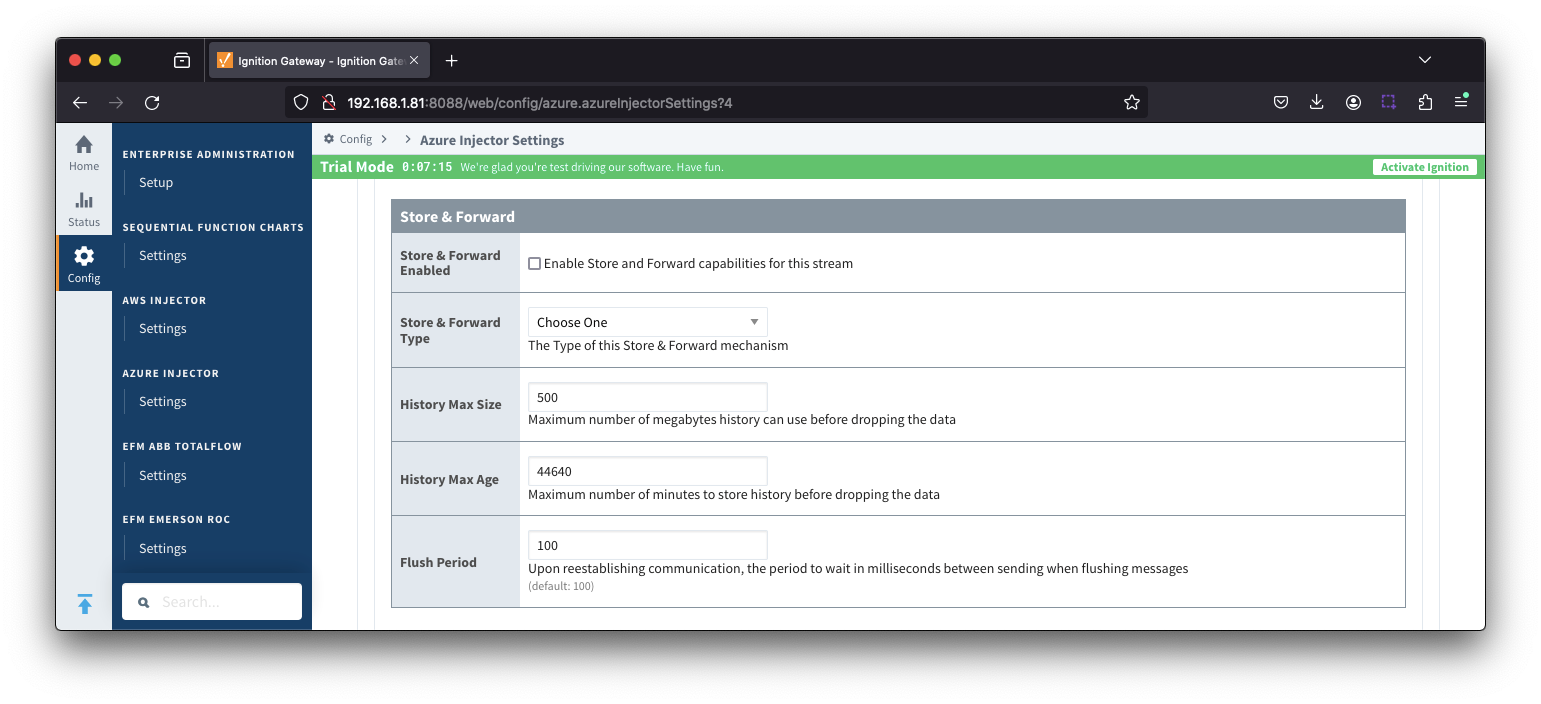 Image Removed
- Store & Forward EnabledStore & Forward Enabled
- Whether to enable Store & Forward capabilities for this endpoint
- Store & Forward Type
- The type of the Store & Forward mechanism options: In_Memory and Disk_Backed (available in release 4.0.17 and higher)Backed
- Data stored with an In_Memory Store & Forward will not be persisted across a module configuration change, module disable/enable, module restart or power loss.
- Data stored with a Disk_Backed Store & Forward will persist across a module configuration change, module disable/enable, module restart or power loss
Message Capacity - deprecated in 4.0.19- The maximum number of messages to store before dropping the oldest historical messages
- History Max Size
- Maximum number of megabytes history can use before dropping the data
- An In_Memory History store will use the Ignition Java Heap memory
- History Max Age
- The maximum number of minutes to store history before dropping the data
- Flush Period
- The period of time to wait (in milliseconds) between sending when flushing messages
| Anchor |
|---|
| azureiotedgessettingsadvanced |
|---|
| azureiotedgessettingsadvanced |
|---|
|
...
Advanced
...
- Keep Alive
- The MQTT keep alive in seconds
- Max Message Size
- The maximum message size in bytes that any message can be when publishing to IoT Edge. Generally, this should match the max message size allowed by IoT Edge.
- Session expiration
- How long in seconds to specify for token timeouts when not using certificate based authentication
- Content Type
- The content type to include in the topic to Azure IoT Edge
- NONE (default) - No content type header will be included with the message
- APPLICATION_JSON - The application/json header will be included with the message and make the body of the message available for routing if content encoding is also not 'NONE'
- Content encoding
- The content encoding to include in the topic to Azure IoT Edge
- NONE (default) - No content encoding header will be included with the message
- UTF_8 - The 'utf-8' header will be included with the message and make the body of the message available for routing if the content type is also set to APPLICATION_JSON
- UTF_16 - The 'utf-16' header will be included with the message and make the body of the message available for routing if the content type is also set to APPLICATION_JSON
- UTF__32 - The 'utf-32' header will be included with the message and make the body of the message available for routing if the content type is also set to APPLICATION_JSON
- Azure Date/Time Format
- The date/time for mat to use when pushing messages to IoT Edge
- LONG_MS_SINCE_EPOCH (default) - The timestamp values will all be as numbers in milliseconds since epoch (Jan 1, 1970) in UTC
- STRING_AZURE_COMPAT - The timestamp will be pushed as described here. This is useful when wanting to use 'edge' timestamps in Azure Time Series Insights.
- Custom Topic Extension
- The Custom Topic Extension to append to the topic string for things like Application Properties
...
Advanced Store & Forward
...
- H2 Database Directory - added in 4.0.25
- Directory to store the H2 Database in. Applicable for Disk-backed history store only
- The default base path for Linux is ~yourIgnitionInstance\data\modules and the database will be included in the Ignition GWBK
- The default location for Windows Linux is ~yourIgnitionInstance\user-lib\modules and the database will not be included in the Ignition GWBK
- The database file will be created in this directory under the base path com.cirrus-link\com.cirruslink.injector.azure.gateway\h2
- H2 Database Port
- TCP Port to connect to H2 Database for Disk_Backed Store & Forward
...
| Note |
|---|
| All certificate or private keys must be in PEM format . If using modules pre 4.0.9, any private key must also be in RSA PKCS1 format. If using modules 4.0.9 or greater, with any private key must also be in either RSA PKCS1 or PKCS8 format. |
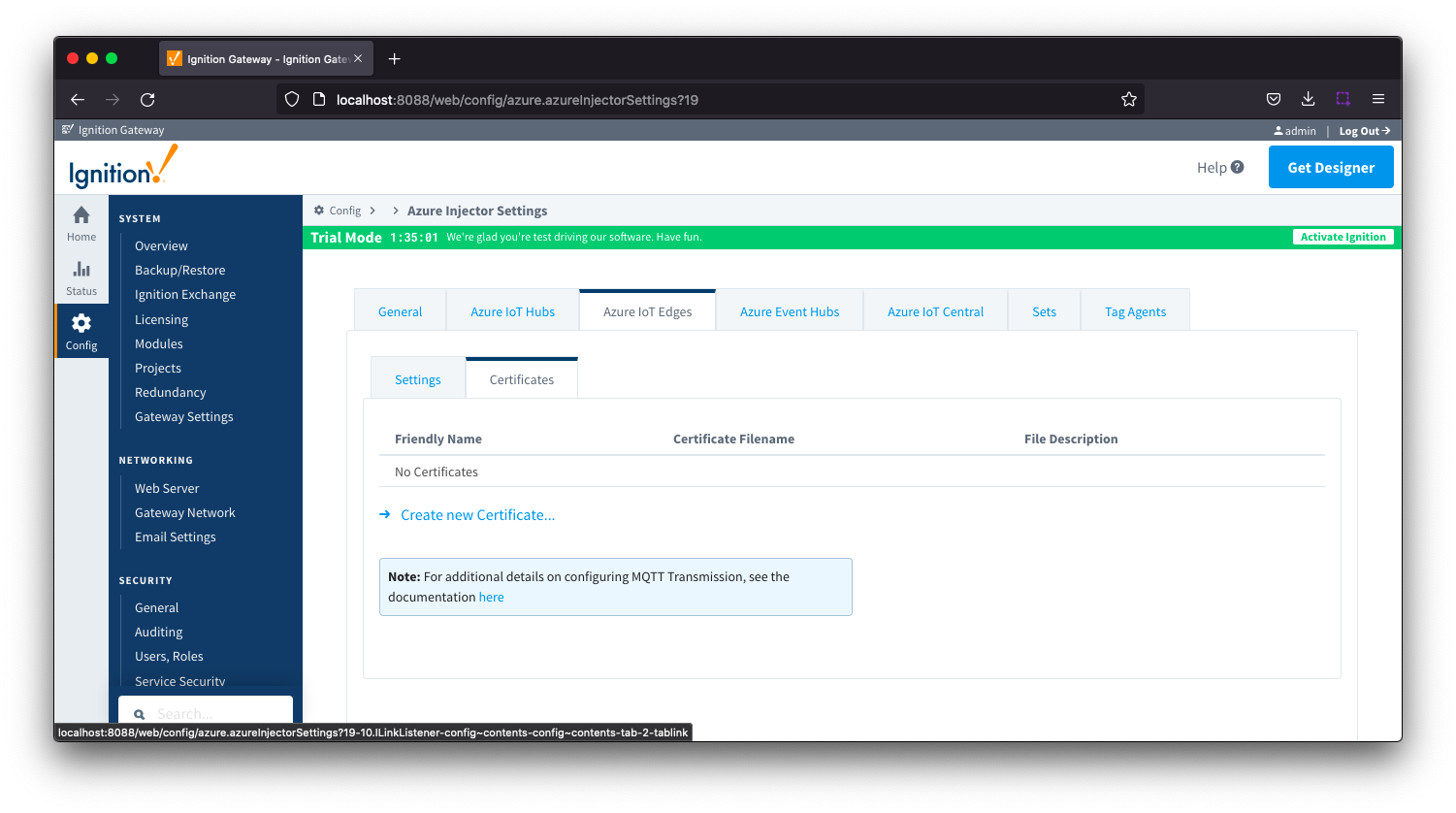 Image Removed
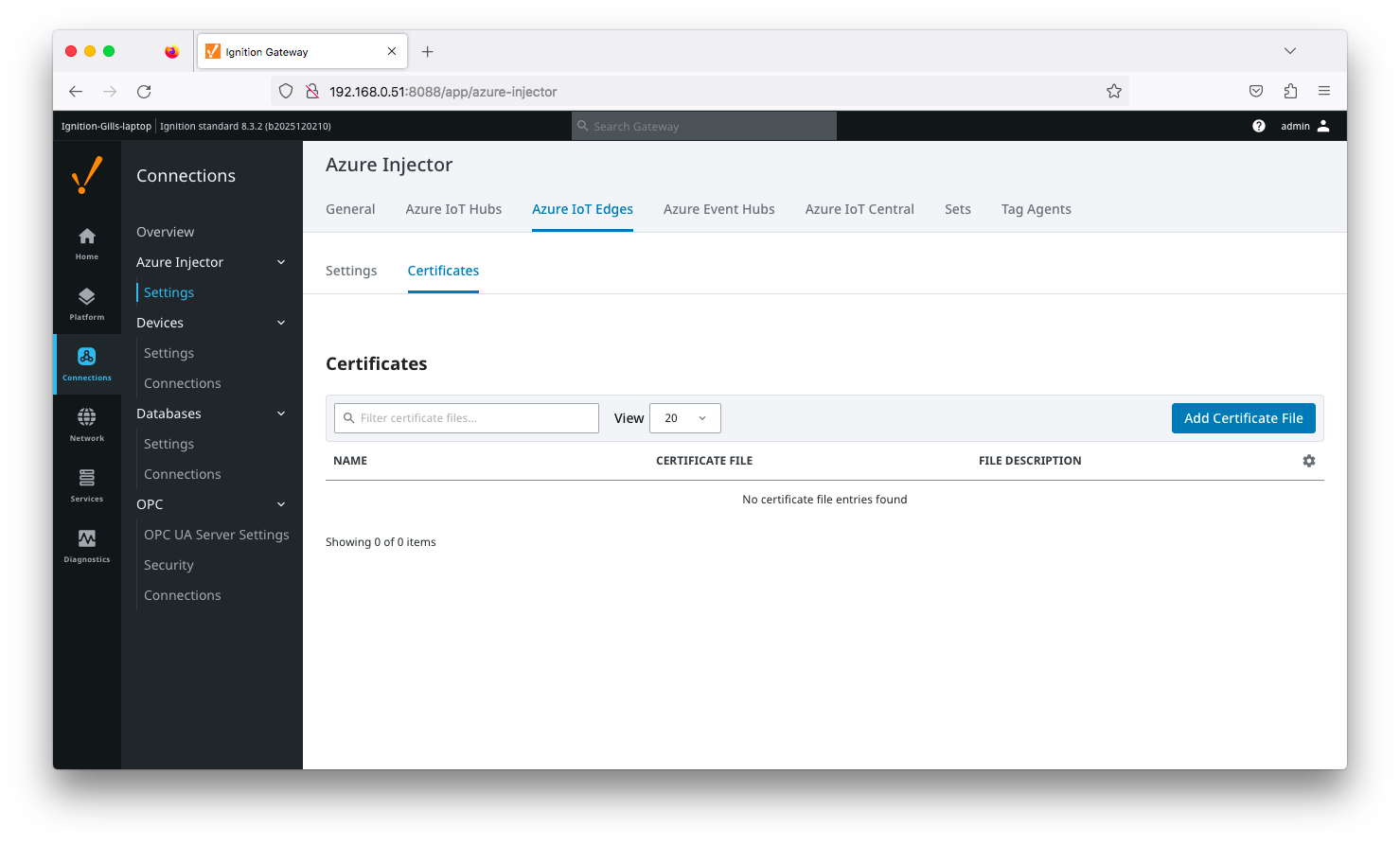 Image Added
Clicking on the 'Create new Certificate...Add Certificate File' will bring up the following form to add a new certificate. The Certificates tab contains only a single Main section.
| Anchor |
|---|
| azureiotedgescertificatesmain |
|---|
| azureiotedgescertificatesmain |
|---|
|
Azure IoT Edges Certificates - Main
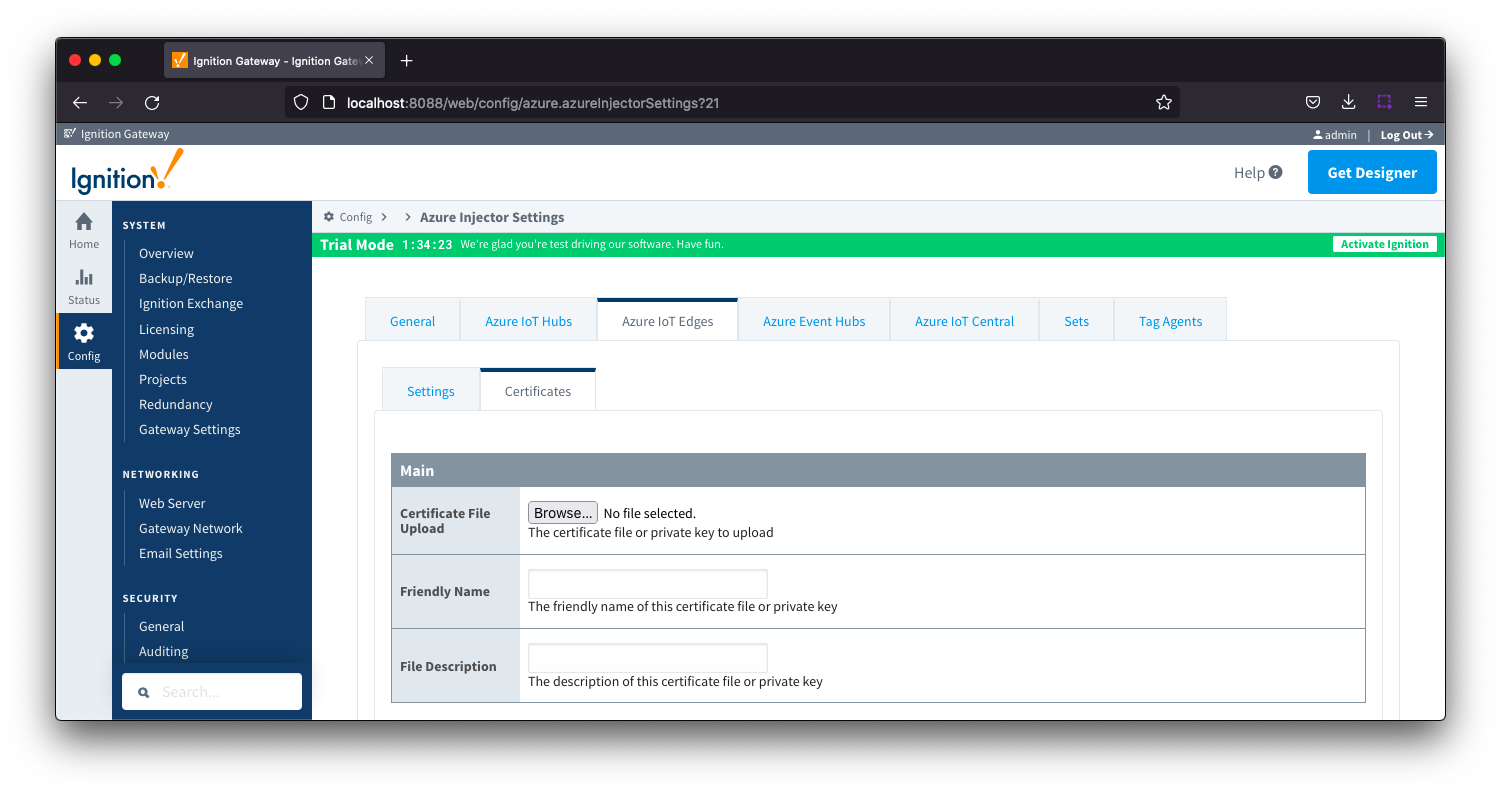 Image Removed
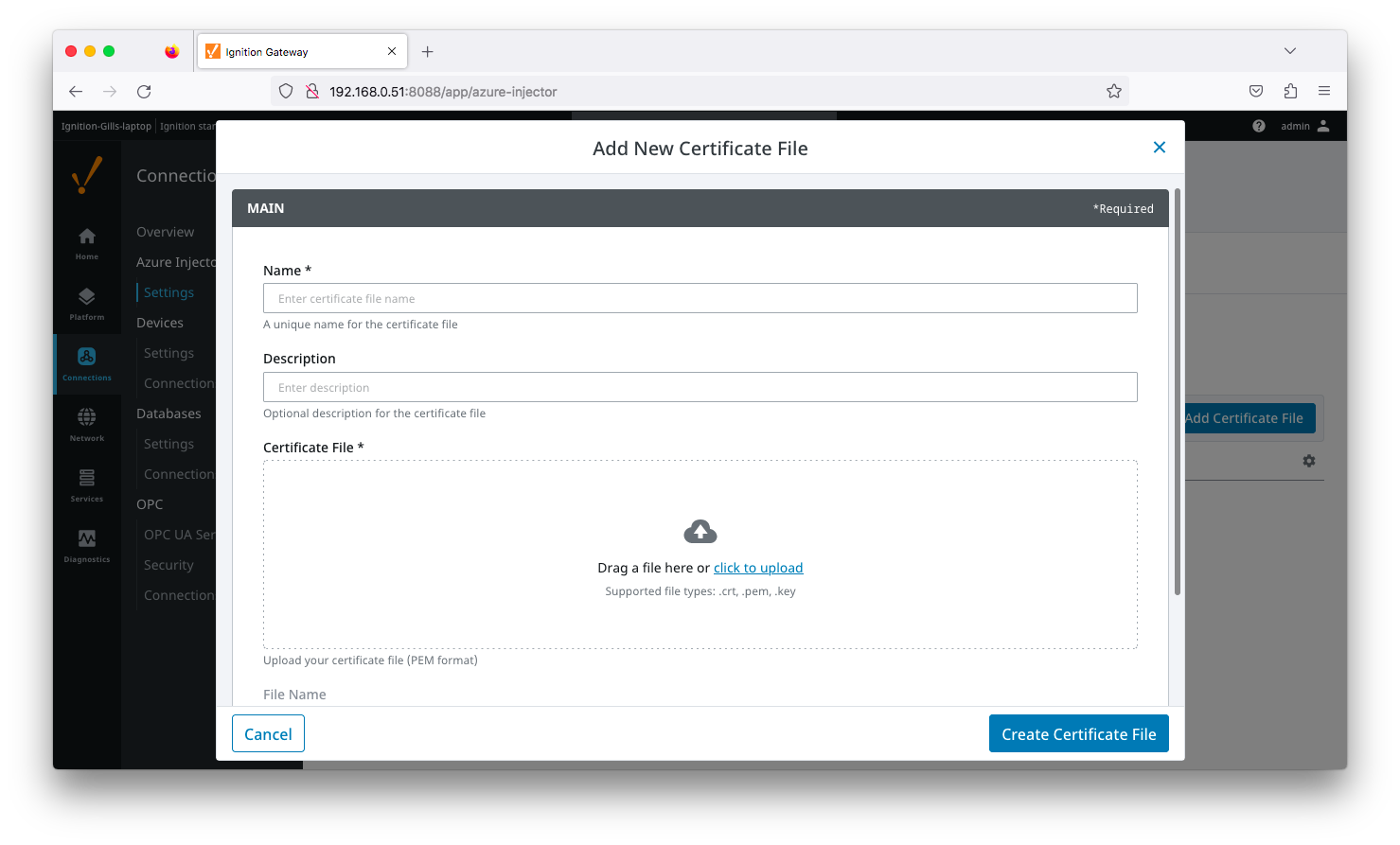 Image Added
- Certificate File Upload
- Browse to the certificate or private key to upload
- Friendly Name
- The friendly name of the certificate file or private key
- File Description
- The description of the certificate file or private key
...