...
| Retain Message flag | Clean Session flag | Subscribe QOS | Publish QOS | Published Message Always Received |
|---|
| False | True | 0 | 0 | No |
| False | True | 0 | 1 or 2 | No |
| False | True | 1 or 2 | 0 | No |
| False | True | 1 or 2 | 1 or 2 | No |
| False | False | 0 | 0 | No |
| False | False | 0 | 1 or 2 | No |
| False | False | 1 or 2 | 0 | No |
| False | False | 1 or 2 | 1 or 2 | Yes - all messages |
| True | True | 0 | 0 | Yes - last message only for each unique MQTT topic |
| True | True | 0 | 1 or 2 | Yes - last message only for each unique MQTT topic |
| True | True | 1 or 2 | 0 | Yes - last message only for each unique MQTT topic |
| True | True | 1 or 2 | 1 or 2 | Yes - last message only for each unique MQTT topic |
| True | False | 0 | 0 | Yes - last message only for each unique MQTT topic |
| True | False | 0 | 1 or 2 | Yes - last message only for each unique MQTT topic |
| True | False | 1 or 2 | 0 | Yes - last message only for each unique MQTT topic |
| True | False | 1 or 2 | 1 or 2 | Yes - all messages |
How do I identify which MQTT clients are connecting using 'Clean Session' set to False
...
Chariot MQTT Server
The Chariot UI will display MQTT Client details under MQTT > Client Status including the Clean Session flag, the subscribe QOS and all Retained Messages.
Clean Session
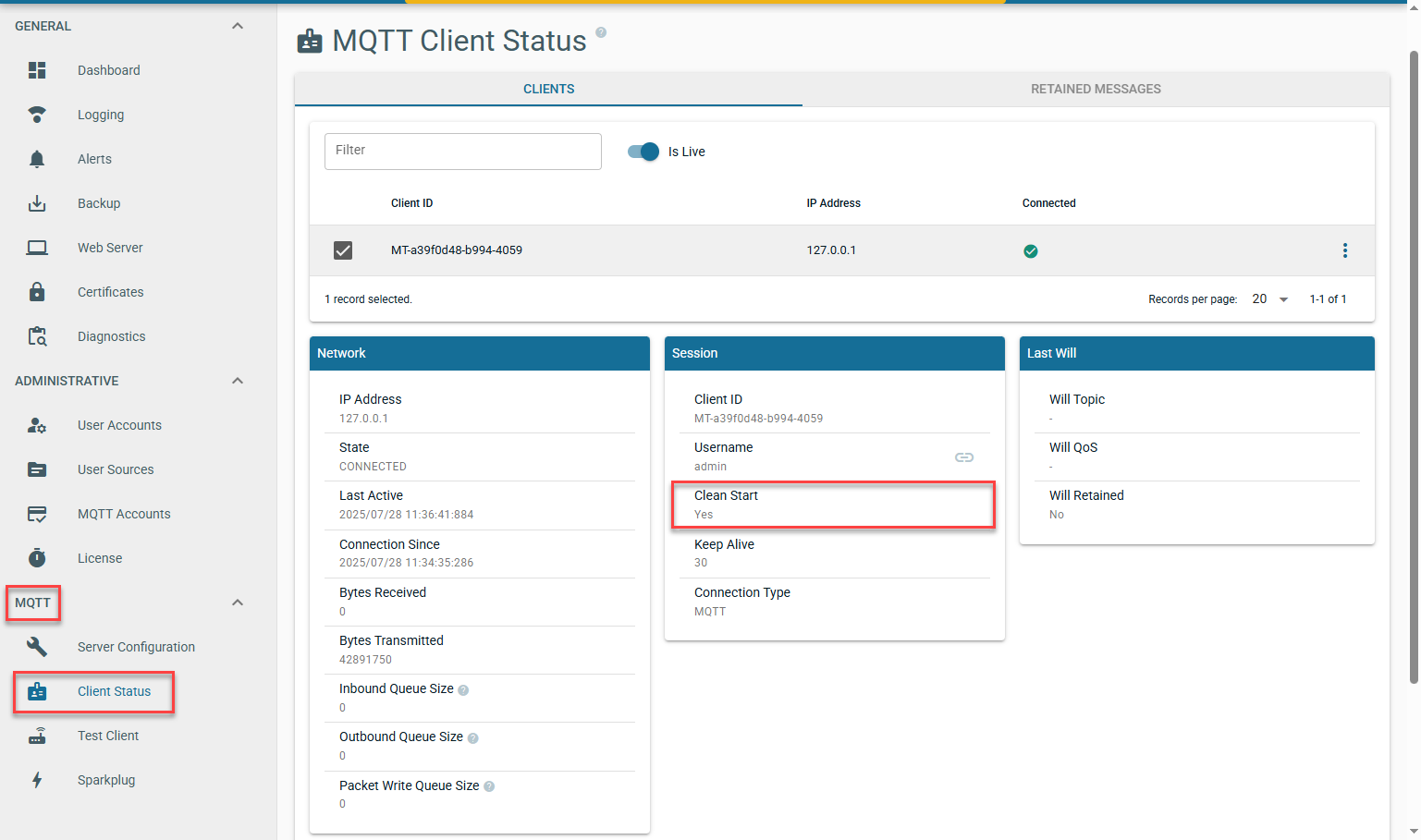 Image Added
Subscription QOS
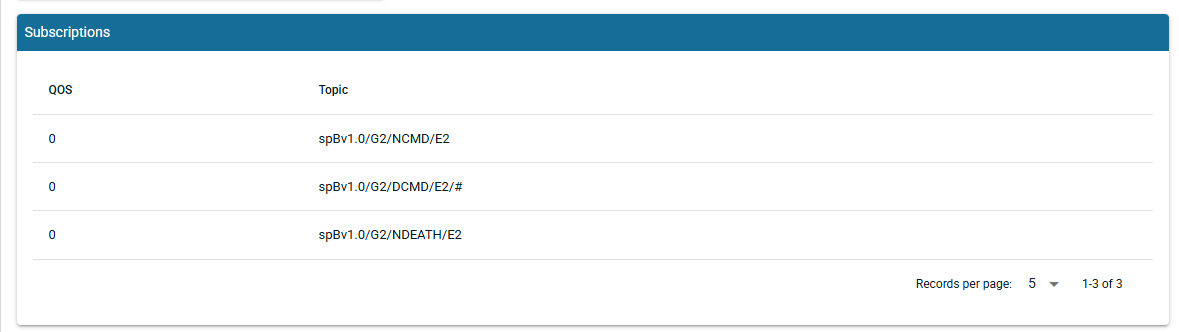 Image Added
Retained Messages
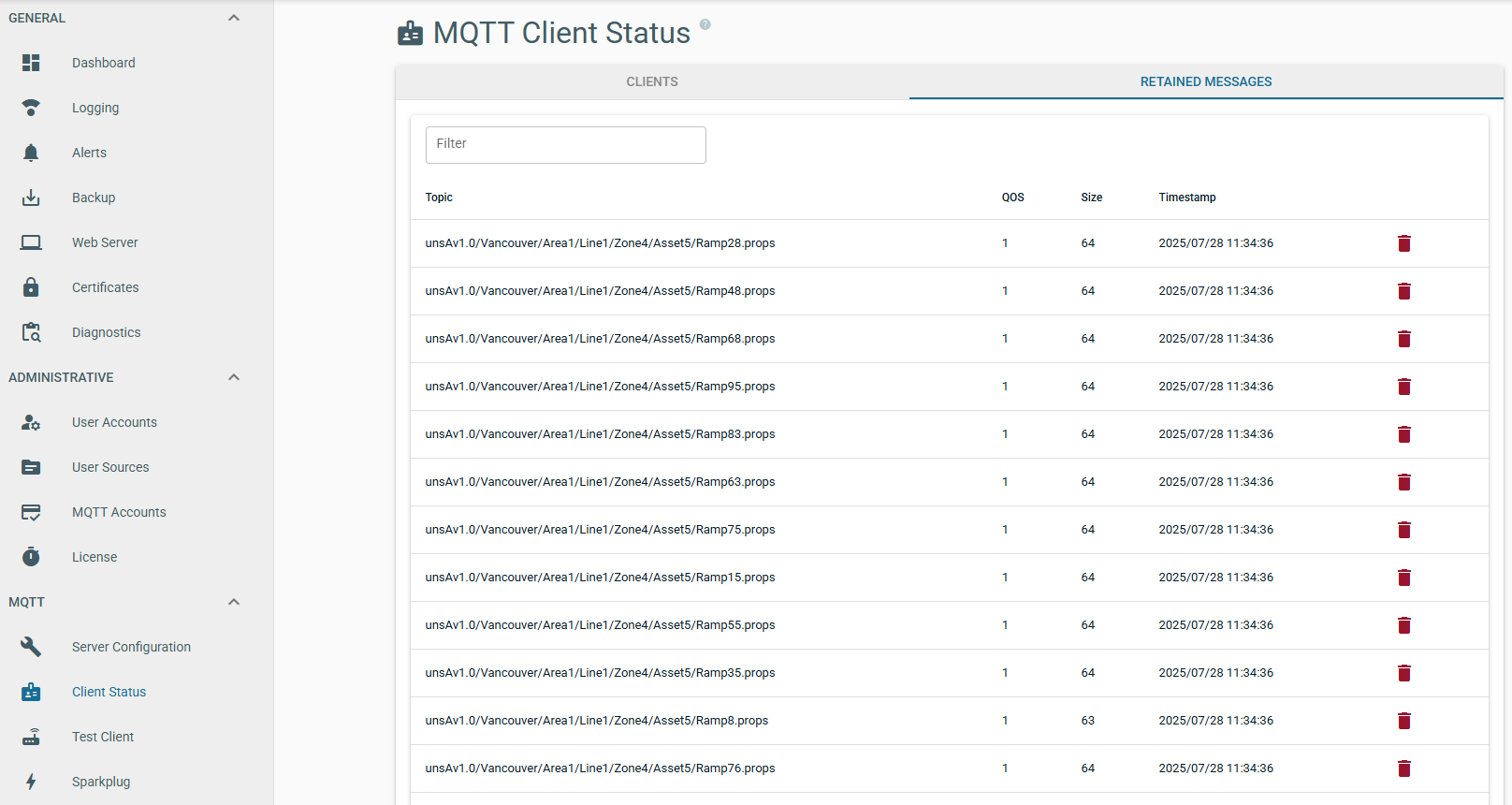 Image Added
MQTT Distributor
Clean Session
By default MQTT Distributor com.cirruslink.chariot.server.core.PacketHandler will log each MQTT client connection indicating the 'Clean Session' flag as shown below:

A [C] in this message indicates Clean Session = True whilst a [P] indicates Clean Session = False
Chariot
The Chariot UI will display MQTT Client detail under MQTT > Client Status
Image Removed
How do I identify what QOS MQTT clients are subscribing with
...
Subscription QOS
By default MQTT Distributor com.cirruslink.chariot.server.core.PacketHandler will log each MQTT client subscription as shown below:
...
- spBv1.0/STATE/IamHost is subscribing with QOS 1
- spBv1.0/# is subscribing with QOS 0
Chariot
The Chariot UI will display MQTT Client detail under MQTT > Client Status
Retained Messages
Retained messages are currently not available to view in MQTT Distributor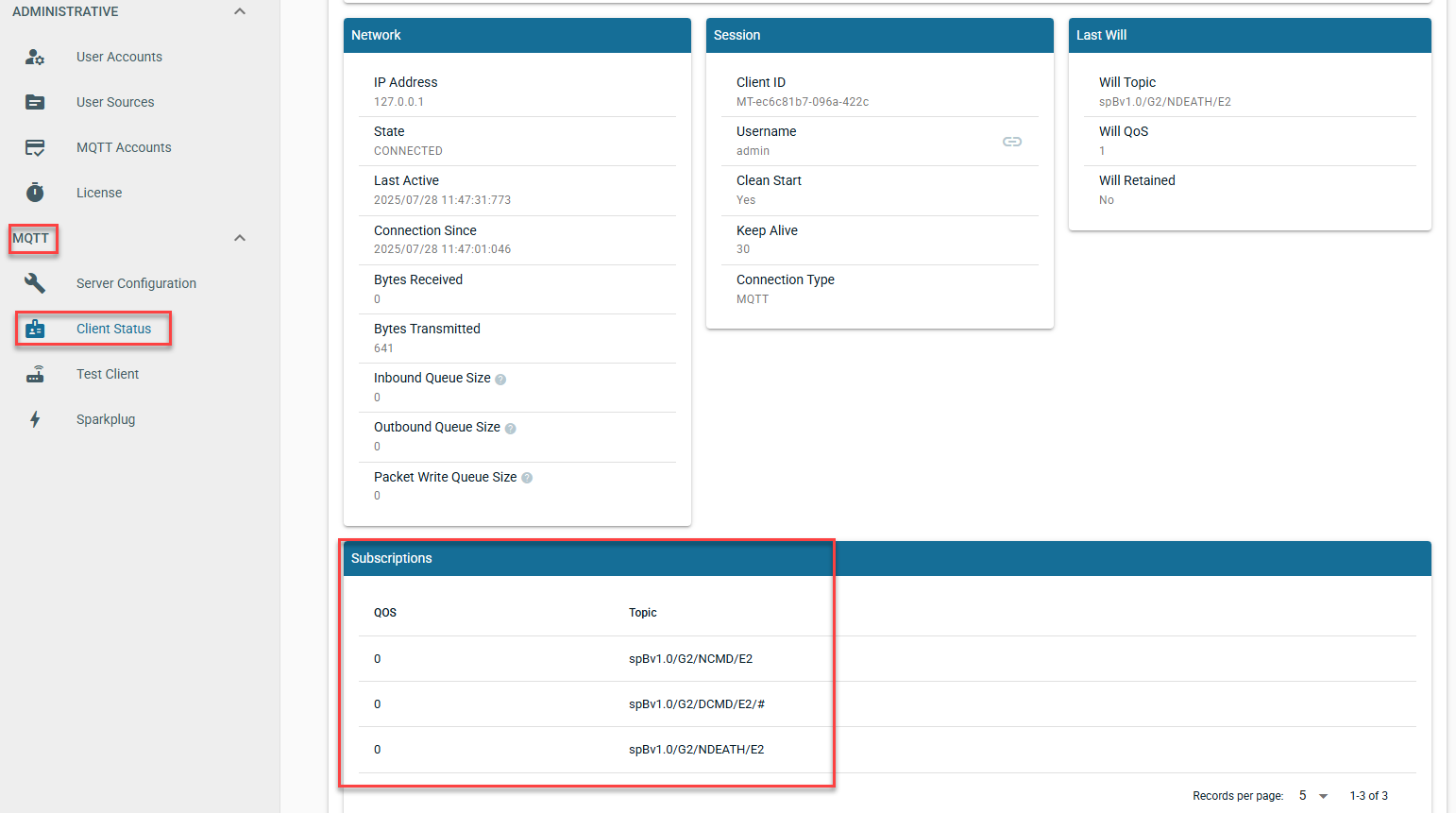 Image Removed

