...
The chart below summarizes how Quality of Service (QOS), Clean Session flag and Retain Message flag affects what messages are received.
| Retain Message flag | Clean Session flag | Subscribe QOS | Publish QOS | Published Message Always Received |
|---|
| False | True | 0 | 0 | No |
| False | True | 0 | 1 or 2 | No |
| False | True | 1 or 2 | 0 | No |
| False | True | 1 or 2 | 1 or 2 | No |
| False | False | 0 | 0 | No |
| False | False | 0 | 1 or 2 | No |
| False | False | 1 or 2 | 0 | No |
| False | False | 1 or 2 | 1 or 2 | Yes - all messages |
| True | True | 0 | 0 | Yes - last message only for each unique MQTT topic |
| True | True | 0 | 1 or 2 | Yes - last message only for each unique MQTT topic |
| True | True | 1 or 2 | 0 | Yes - last message only for each unique MQTT topic |
| True | True | 1 or 2 | 1 or 2 | Yes - last message only for each unique MQTT topic |
| True | False | 0 | 0 | Yes - last message only for each unique MQTT topic |
| True | False | 0 | 1 or 2 | Yes - last message only for each unique MQTT topic |
| True | False | 1 or 2 | 0 | Yes - last message only for each unique MQTT topic |
| True | False | 1 or 2 | 1 or 2 | Yes - all messages |
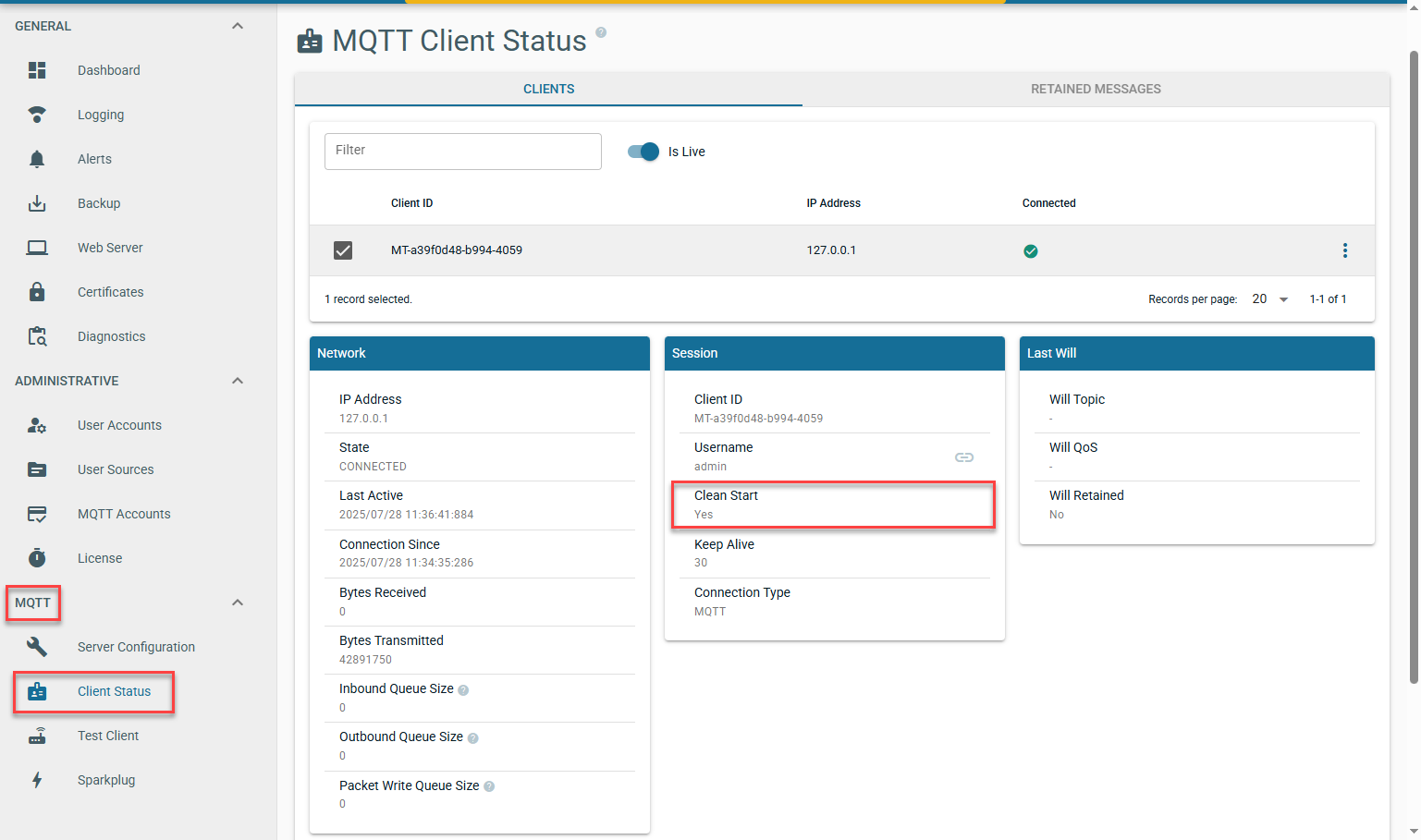
How do I identify which MQTT clients are connecting using 'Clean Session' set to False
...
The Chariot UI will display MQTT Client detail under MQTT > Client Status
How do I identify what QOS MQTT clients are subscribing with
MQTT Distributor
By default MQTT Distributor com.cirruslink.chariot.server.core.PacketHandler will log each MQTT client subscription as shown below:
 Image Added
The [] after the topic subscription indicates the quality of service. For example:
- spBv1.0/STATE/IamHost is subscribing with QOS 1
- spBv1.0/# is subscribing with QOS 0
Chariot
The Chariot UI will display MQTT Client detail under MQTT > Client Status
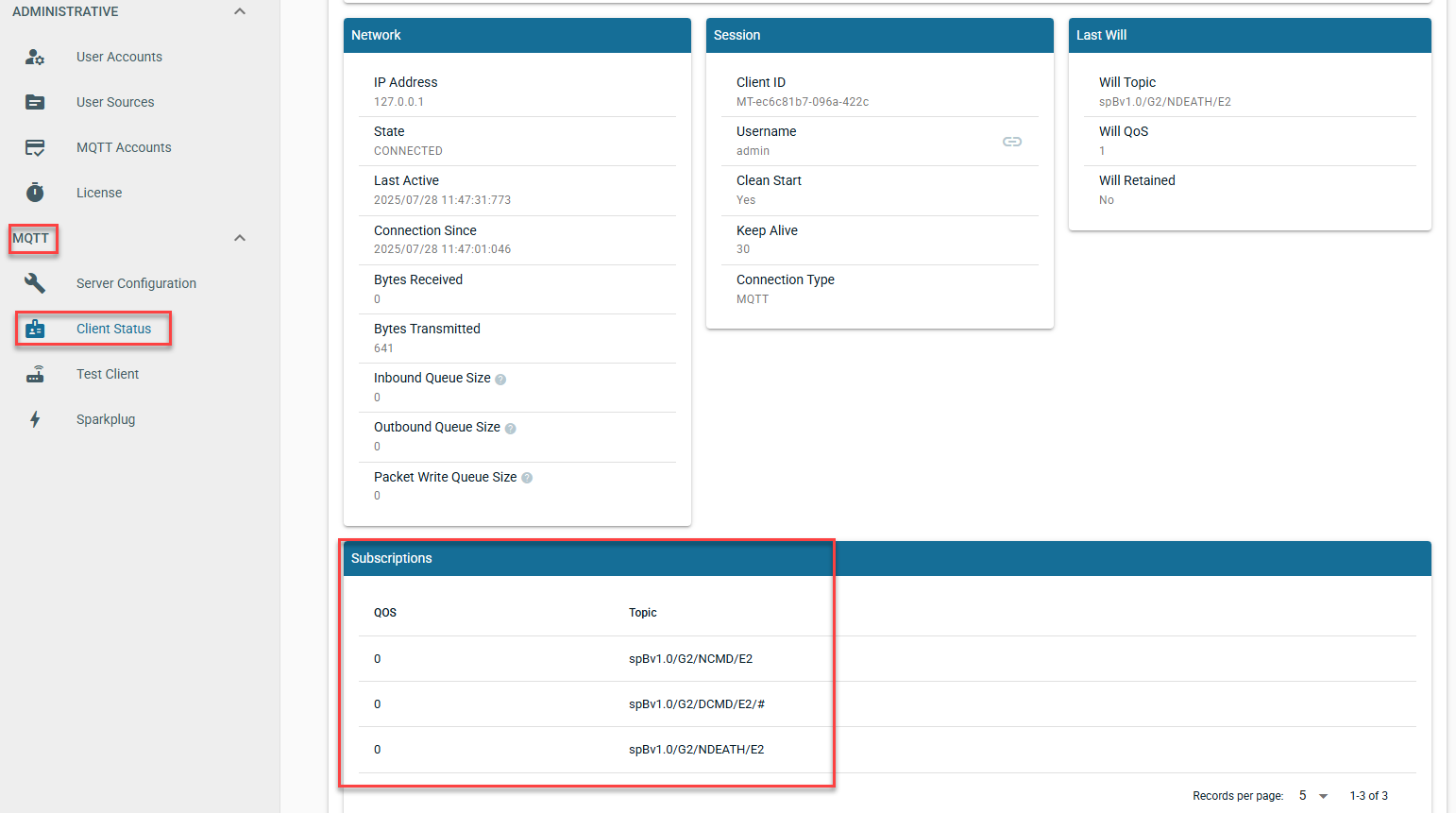 Image Added

